41
First Time Setup—Continued
If you connect a video component to HDMI IN 1 or 2,
you must assign that input to an input selector. For exam-
ple, if you connect your DVD player to HDMI IN 1, you
must assign HDMI IN 1 to the DVD input selector.
Even if a video component has no HDMI output, the AV
receiver can upconvert
(
*
)
composite video, S-Video,
and component video and output it from the HDMI out-
put. To do this, select the “- - -” option.
Note:
When HDMI IN 1 or 2 is assigned to an input selector
here, the digital audio input for that selector is automat-
ically set to HDMI IN 1 or 2. See “Digital Audio Input
Setup” on page 43.
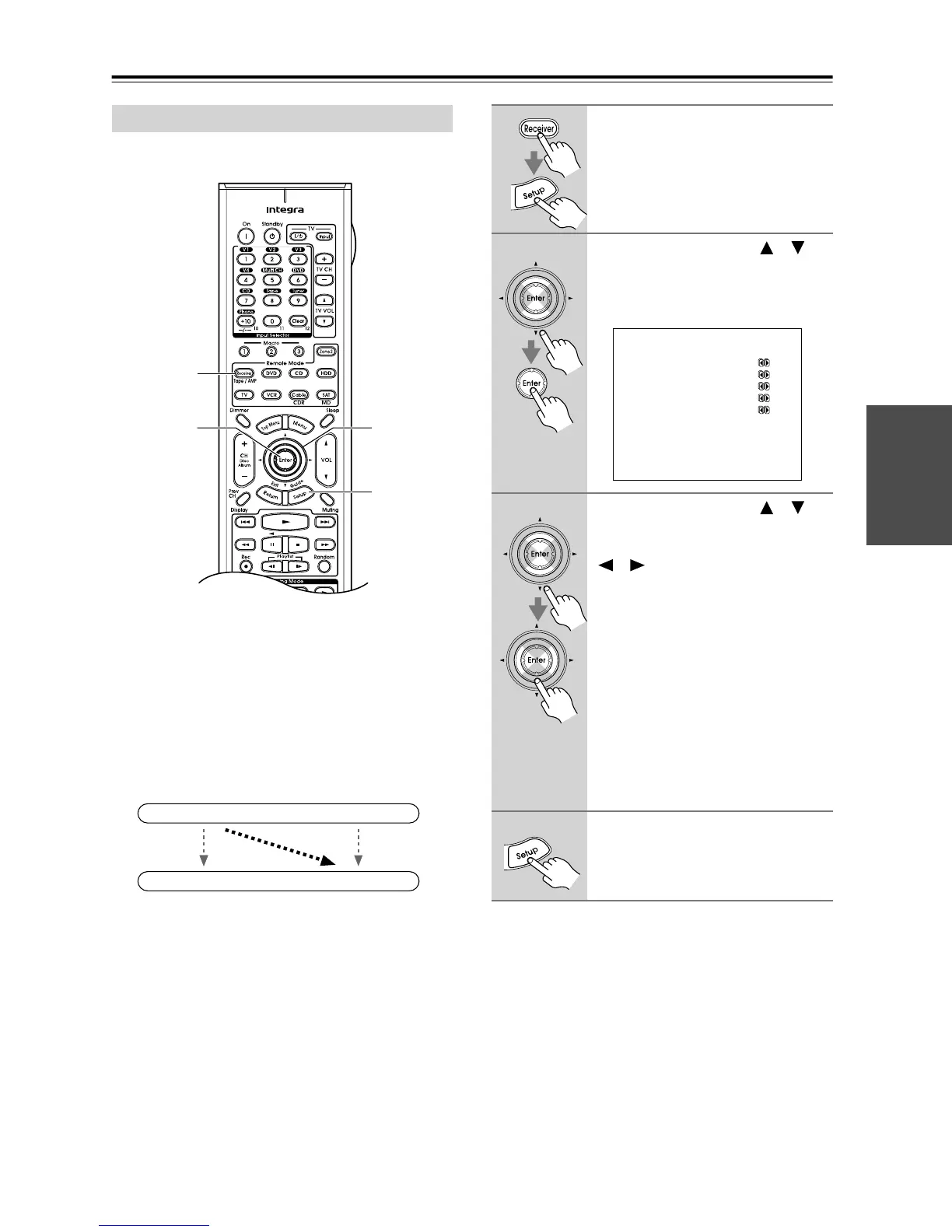
HDMI Video Setup
2
2, 3
1, 4
1
IN
OUT
(
*
)
Composite, S-Video,
Component
Composite, S-Video,
Component
HDMI
HDMI
1
Press the [Receiver] button, fol-
lowed by the [Setup] button.
The main menu appears onscreen.
2
Use the Up and Down [ ]/[ ]
buttons to select “0.HDMI Video,”
and then press [Enter].
The HDMI Video menu appears.
3
Use the Up and Down [ ]/[ ]
buttons to select an input selec-
tor, and use the Left and Right
[ ]/[ ] buttons to select:
IN1: Select if the video component
is connected to HDMI IN 1.
IN2: Select if the video component
is connected to HDMI IN 2.
- - -: Select this to output compos-
ite video, S-Video, and com-
ponent video sources from the
HDMI OUT. The video signal
output by the HDMI OUT is
the one selected in the “Com-
ponent Video Setup” on
page 42.
4
Press the [Setup] button.
Setup closes.
0.HDMI Video
------------------------
a.DVD :---
b.VIDEO1 :---
c.VIDEO2 :---
d.VIDEO3 :---
e.VIDEO4 :---



 To Next Page