52
Listening to the Radio—Continued
You can store a combination of up to 40 of your favorite
AM, FM, and XM radio stations.
Selecting Presets
Deleting Presets
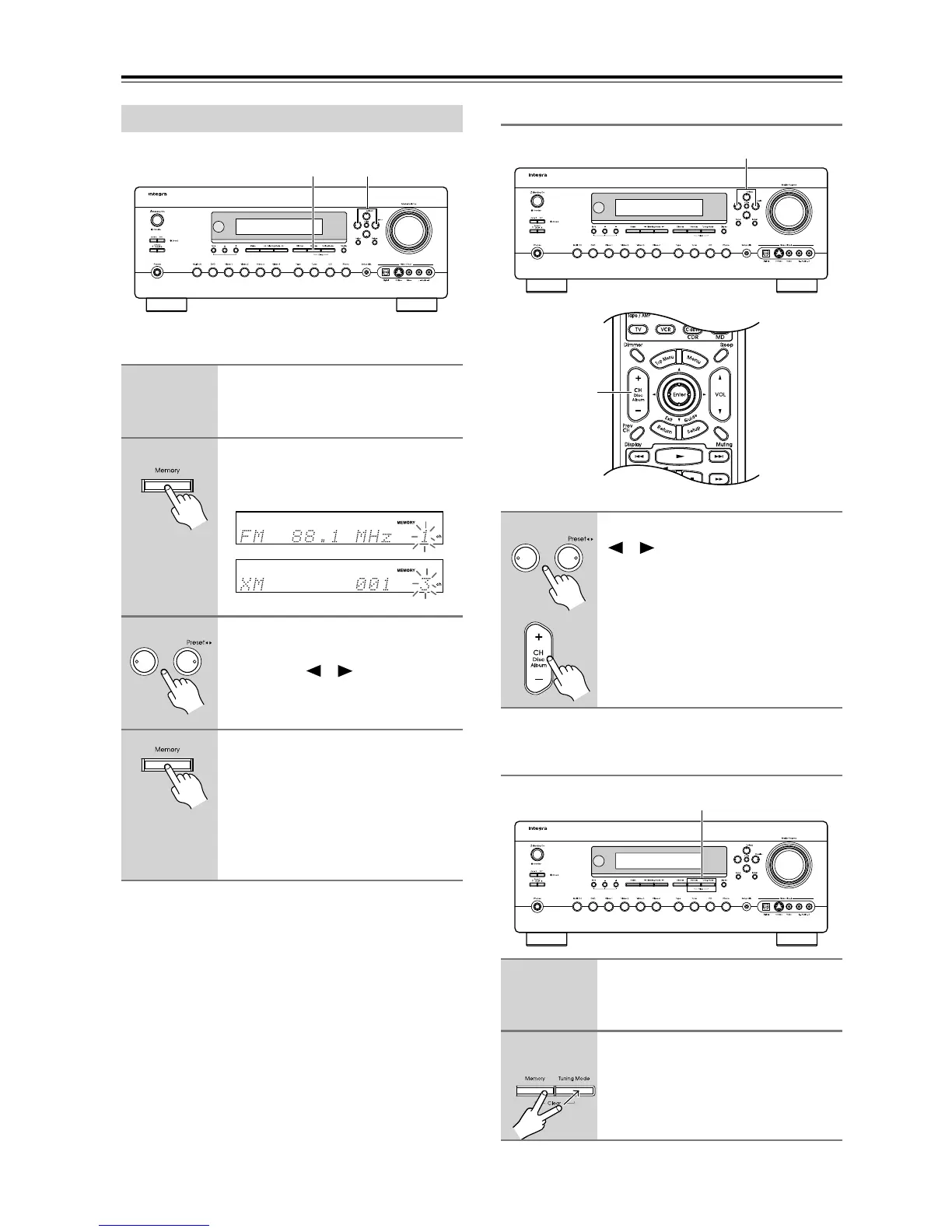
Presetting AM, FM, and XM Stations
1
Tune into the AM, FM, or XM sta-
tion you want to store as a pre-
set.
2
Press the [Memory] button.
The MEMORY indicator appears and
the preset number flashes.
3
While the MEMORY indicator is
displayed (about 8 seconds), use
the Preset [ ]/[ ] buttons to
select a preset from 1 through 40.
4
Press the [Memory] button again
to store the station or channel.
The station or channel is stored and the
preset number stops flashing.
Repeat this procedure for all of your
favorite AM/FM radio stations and XM
channels.
2, 4
3
1
To select a preset, use the Preset
[ ]/[ ] buttons, or the remote
controller’s CH [+/–] button.
1
Select the preset that you want to
delete.
See the previous section.
2
While holding down the [Mem-
ory] button, press the
[Tuning Mode] button.
The preset is deleted and its number
disappears from the display.
1
1
2



 To Next Page