79
Zone 2—Continued
If you’ve connected your Zone 2 speakers to this AV
receiver, as explained in “Using Only Speakers in
Zone 2” on page 78, you must set the Powered Zone 2
setting to Act (Activated) as explained here.
If you’ve connected your Zone 2 speakers to a power
amp with no volume control in Zone 2, as explained in
“Using Another Amp in Zone 2” on page 78, you must
set the Zone 2 Out setting to Variable.
When set to Variable, the ZONE 2 OUT L/R jacks work
like pre outs.
Note:
• These settings can also be changed on the AV receiver
by using its [Setup] button, arrow buttons, and [Enter]
button.
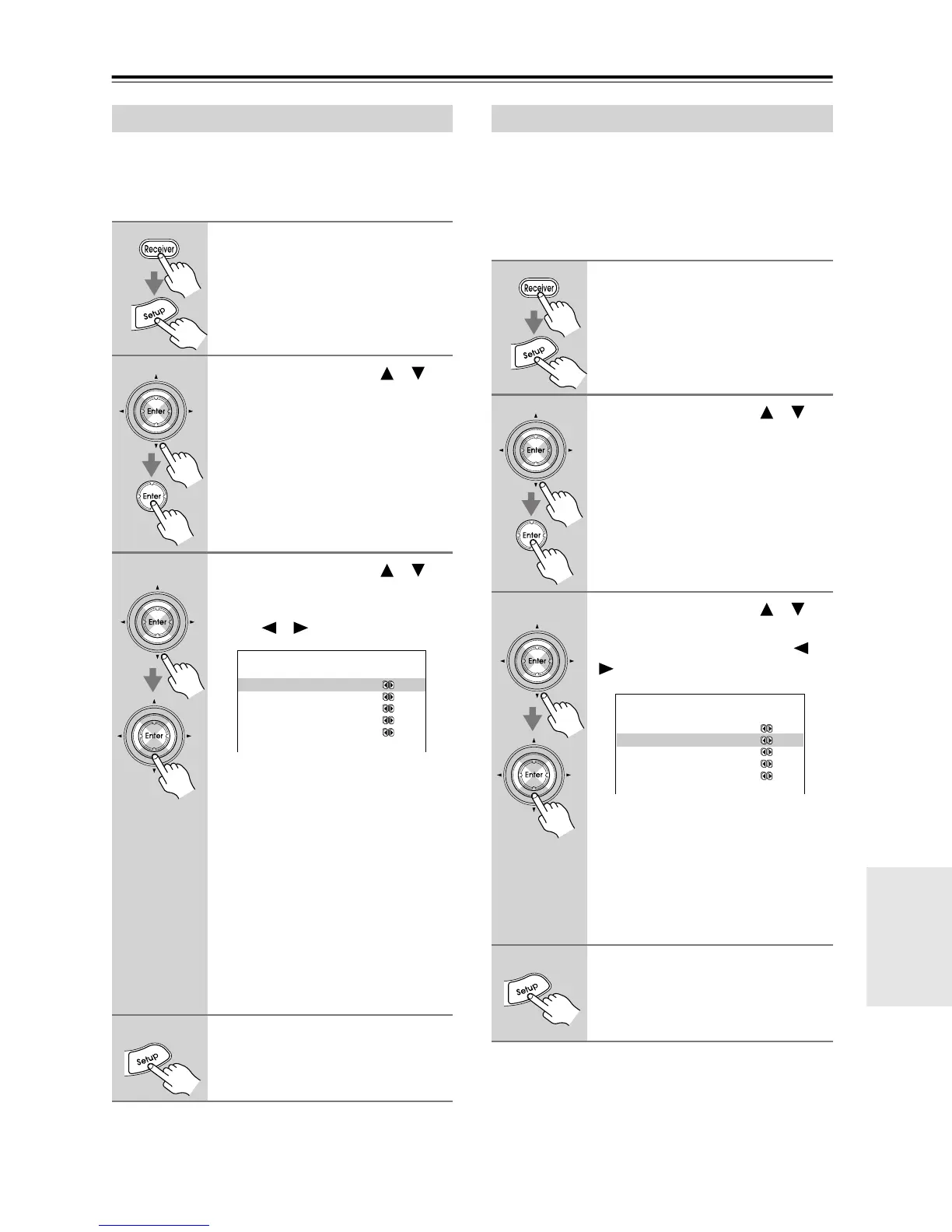
Powered Zone 2 Setting
1
Press the [Receiver] Remote
Mode button, followed by the
[Setup] button.
The main menu appears onscreen.
2
Use the Up and Down [ ]/[ ]
buttons to select “8. Hardware
Setup,” and then press [Enter].
The Hardware Setup menu appears.
3
Use the Up and Down [ ]/[ ]
buttons to select “Powered
Zone2,” and use the Left and
Right [ ]/[ ] buttons to select:
Not Act: ZONE 2 SPEAKERS termi-
nals not activated.
Act: ZONE 2 SPEAKERS terminals
activated.
When Act is selected and Zone 2 is
turned on, the speakers connected to the
ZONE 2 SPEAKERS terminals will
output sound, but the speakers con-
nected to the SURROUND BACK
SPEAKERS terminals will not. When
Zone 2 is turned off, even if Act is
selected, the surround back speakers
will work as normal.
4
Press the [Setup] button.
Setup closes.
8.Hardware Setup
------------------------
a.PoweredZone2:NotAct
b.Zone2 Out :Fixed
c.TV Format :Auto
d.AM Freq. Step: 9kHz
e.Remote ID :1
a.PoweredZone2:NotAct
Zone 2 Out Setting
1
Press the [Receiver] Remote
Mode button, followed by the
[Setup] button.
The main menu appears onscreen.
2
Use the Up and Down [ ]/[ ]
buttons to select “8. Hardware
Setup,” and then press [Enter].
The Hardware Setup menu appears.
3
Use the Up and Down [ ]/[ ]
buttons to select “Zone 2 Out,”
and use the Left and Right [ ]/
[] buttons to select:
Fixed: The ZONE 2 OUT L/R jacks
work as line outs, and the volume for
Zone 2 is set on the receiver or inte-
grated amp in Zone 2.
Variable: The ZONE 2 OUT L/R jacks
work as pre outs, and the volume for
Zone 2 is set on this AV receiver.
4
Press the [Setup] button.
Setup closes.
8.Hardware Setup
------------------------
a.PoweredZone2:NotAct
b.Zone 2 OUT:Valiable
c.TV Format :Auto
d.AM Freq. Step: 9kHz
e.Remote ID :1
b.Zone2 Out :Fixed



 To Next Page