(5) Memory
scan
memory
n Only the memory address numbers spectfled are scanned
1)
Cal1
up one of the memory address numbers
YO.,
wsh
to
scan
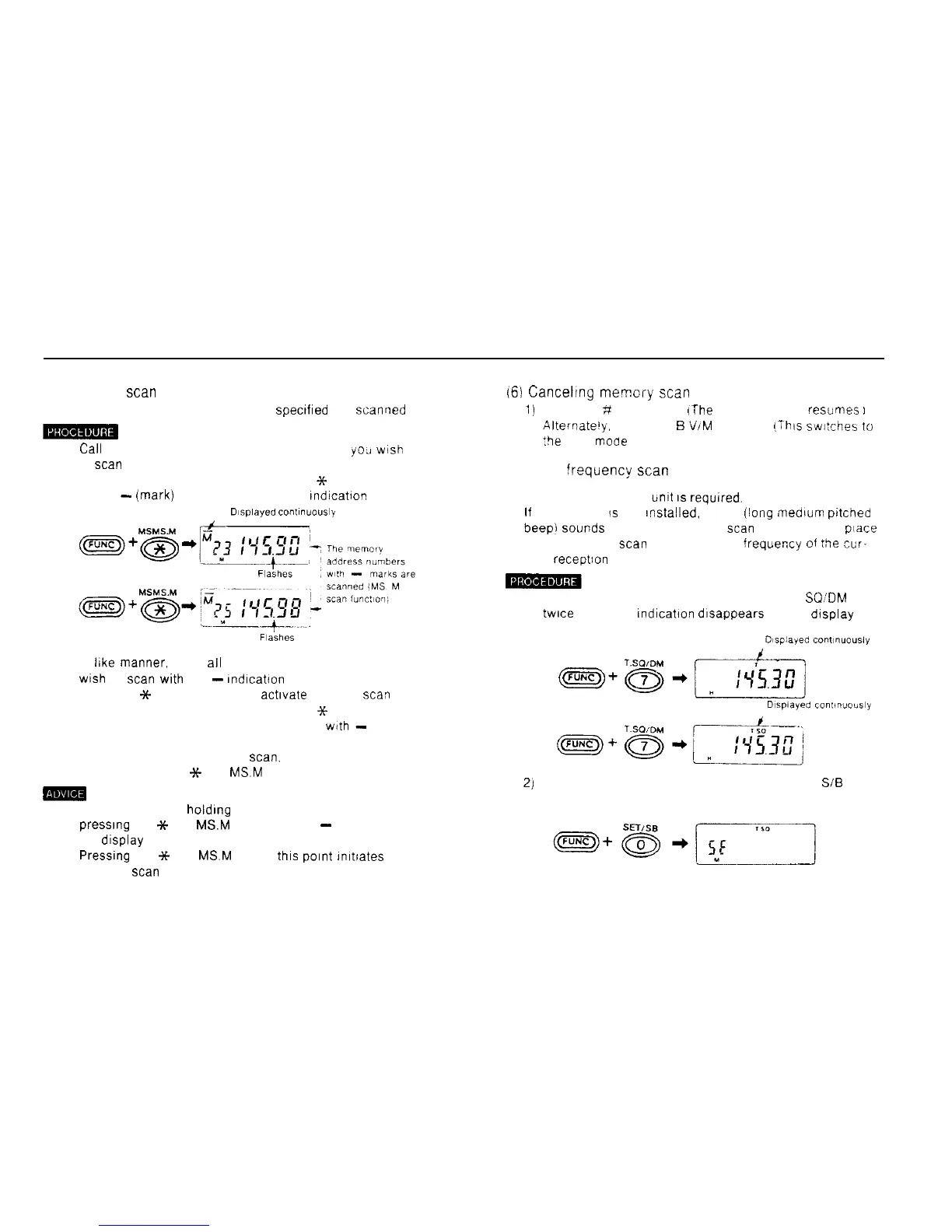
2) Hold down the FUNC key and press the
Sc
MS MS hl
key A
-
(mark) appears above the M indication
Dtsplayed
co”l~nuo”sly
3) In like manner, mark
all
the memory addresses you
wish
to
scan
with the
-
Indicabon
4) Press the
X-
MS MS M key to activate memory scav
5) Hold down the FUNC key and press the
3~
MS MS M
key Only the memory address numbers
wtth
-
marks
are scanned.
6) To return to normal memory
scan.
hold down the FUNC
key and press the
Y
MS
MSM
key.
m
l In the VFO mode. holding dawn the FUNC key and
presslng the
++
MS
MSM
key Causes a
-
to appear on
the display
Pressung
the
++
MS
MS.M
key at
thls
Point
Imtiates
memory
scan
memory
161
Canceling
memcry
scan
1)
Press the ;f CL PS key
lThe
memory mode resumes
I
Alternate’y.
press tne
B
VIM ENT key
!This
switches
to
:be VFO
mooe
,
(7) Tone
!requency
scan
n The optional CTCSS
timt
IS
required.
If
the CTCSS
is
not Installed. a boo [lang medium
pctcned
beepi
Sounds
and tone frequency
scan
does not take
piace
Tone frequency
scan
scans the tone frequei;cy
of
rhe
cur-
rent receptlon frequency
1) Hold down the FUNC key and press the 7 T
SQ’DM
key
twice The TSQ indication dlsappears on the display
2)
Hold down the FUNC key and press the 0 SET
SiB
key
37



 To Next Page