Chapter 15: Storage management
TruVision DVR 15HD User Manual 123
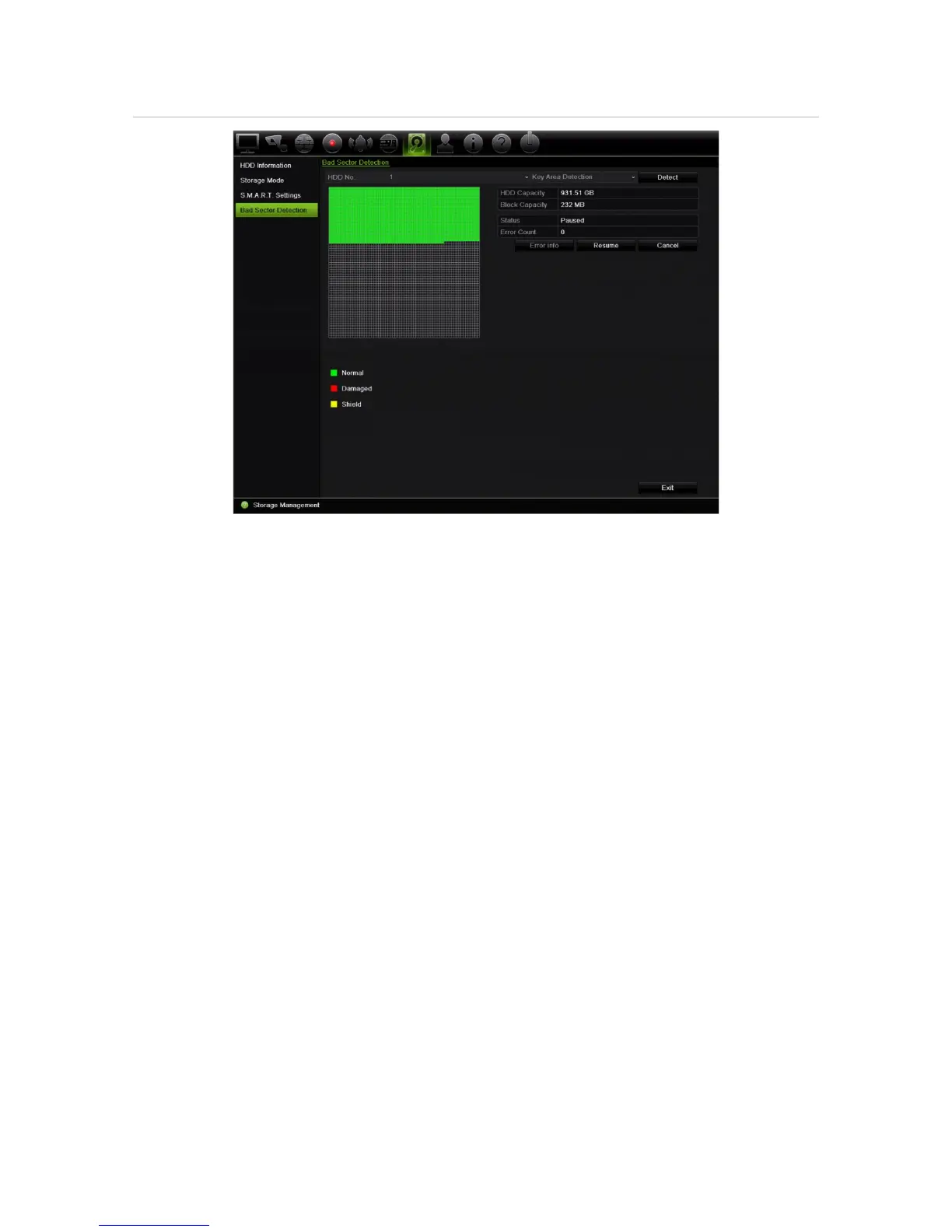
Figure 29: Bad sector detection window
To detect bad sectors:
1. From the menu toolbar, click Storage Management > Bad Sector Detection.
2. Select the HDD you want to test.
3. Select whether you want to do a key area detection or a full detection, and click
Detect.
4. The system checks the HDD. The color-coded result is displayed on screen. If there
are bad sectors found, click Error Info to see a list of the errors found.
5. If required, click Pause to pause the test or Cancel to cancel it.
6. Click Exit to return to live view.


 To Next Page