Chapter 4 — Configure the Computer
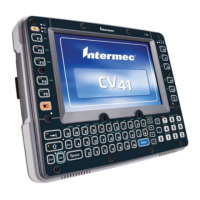
44 CV41 Vehicle Mount Computer (Windows CE) User Guide
Data Collection Menu
Communications Menu
Data Collection Options Parameters You Can Configure
Tethered Scanner (COM 1)
• Enable Scanner Port
• Symbologies
• Symbology options
• Scanner settings
• Scanner port settings
• Decode security
Tethered Scanner (COM 2)
• Enable Scanner Port
• Symbologies
• Symbology options
• Scanner settings
• Scanner port settings
• Decode security
Bluetooth Scanner
• Symbologies
• Symbology options
• Scanner settings
• Bluetooth scanner settings
• Scanner port settings
• Decode security
BT-Configure on Connect Bluetooth-configure on connect
Communications Options Parameters You Can Configure
Device Name Device name
802.11 Radio
• Security choice
• Security settings (includes Wi-Fi
settings such as enable/disable radio)
• Funk Security Settings
• Microsoft Security settings
• IP settings
• Certificates
• Radio bands
• Security changes
Bluetooth Bluetooth settings (power, discoverable,
connectable, and so on)


 To Next Page