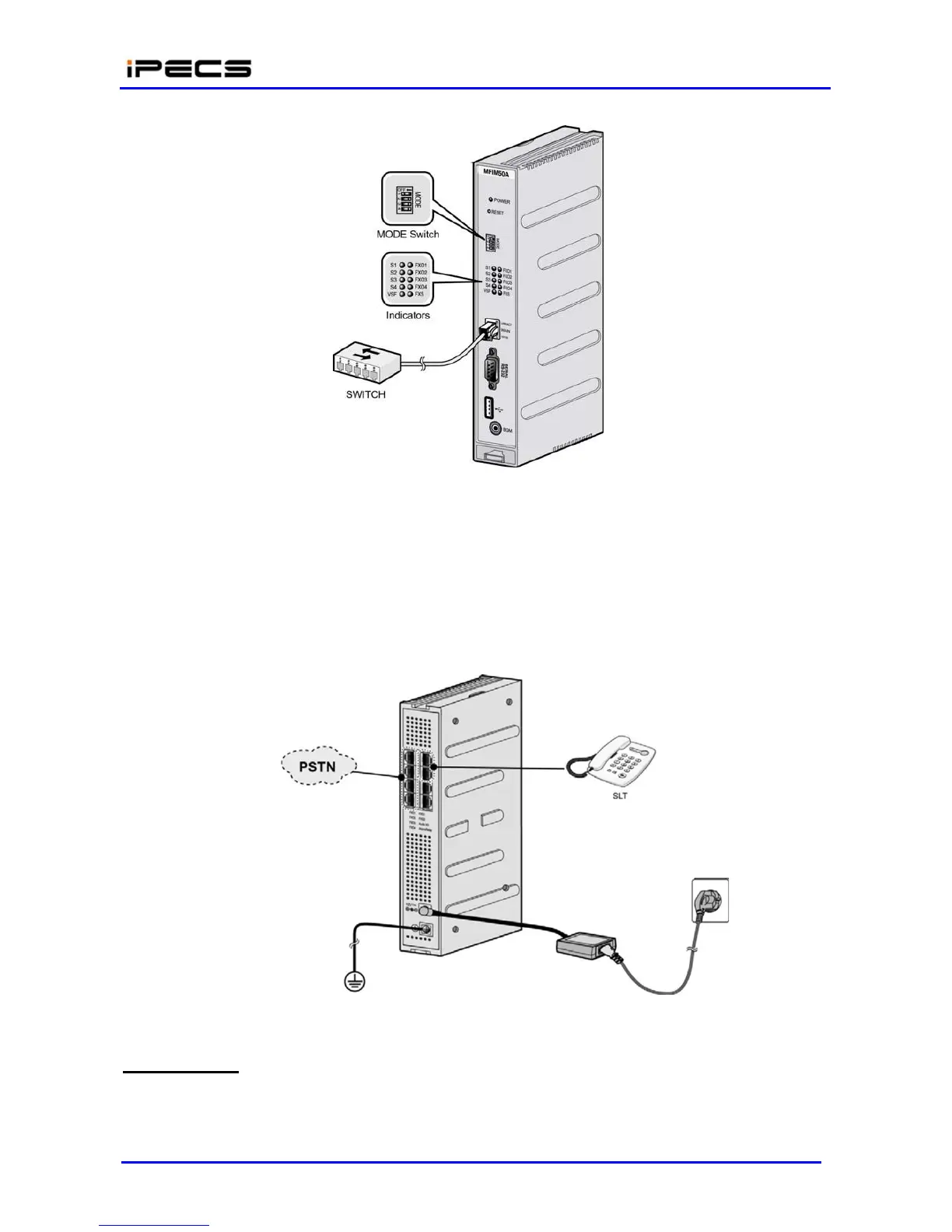
Figure 4.4.1-2 LAN Connection and Indicators in the front
s
The eight (8) RJ-45 connectors on the rear panel of LIK-MFIM50A are terminated for
miscellaneous functions, FXO Line, and FXS devices. The Miscellaneous and telephony
connectors are terminated as shown in 4.4.4.1 and section 4.4.4.2, respectively.
Wire Miscellaneous function connectors as depicted in the sketches of Figure 4.4.1-3.
Wire the FXO/FXS (telephony) ports as shown in Figure 4.4.1-3.
Tag or number wiring for maintenance.
Figure 4.4.1-3 Wiring in the rear side of LIK-MFIM50A
AC/DC Adapter
The AC/DC Adapter is plugged into a live AC outlet and the Power jack of LIK- MFIM50A.
Assure that the rating of DC voltage is 12Vdc.



 To Next Page