PFT (Power Failure Transfer)
In the event of a power failure, LIK-MFIM50A will connect “FXO port 1” directly to the telephone
terminal on “FXS port 1” using the internal PFT relay.
CMU (Call Metering Unit)
LIK-MFIM50A supports call metering with installation of an optional CMU module. Two types of
module, based on protocol, are available LIK-CMU1216, LIK-CMU50PR; each is for different
regions as shown in the chart of section 2.1.1.
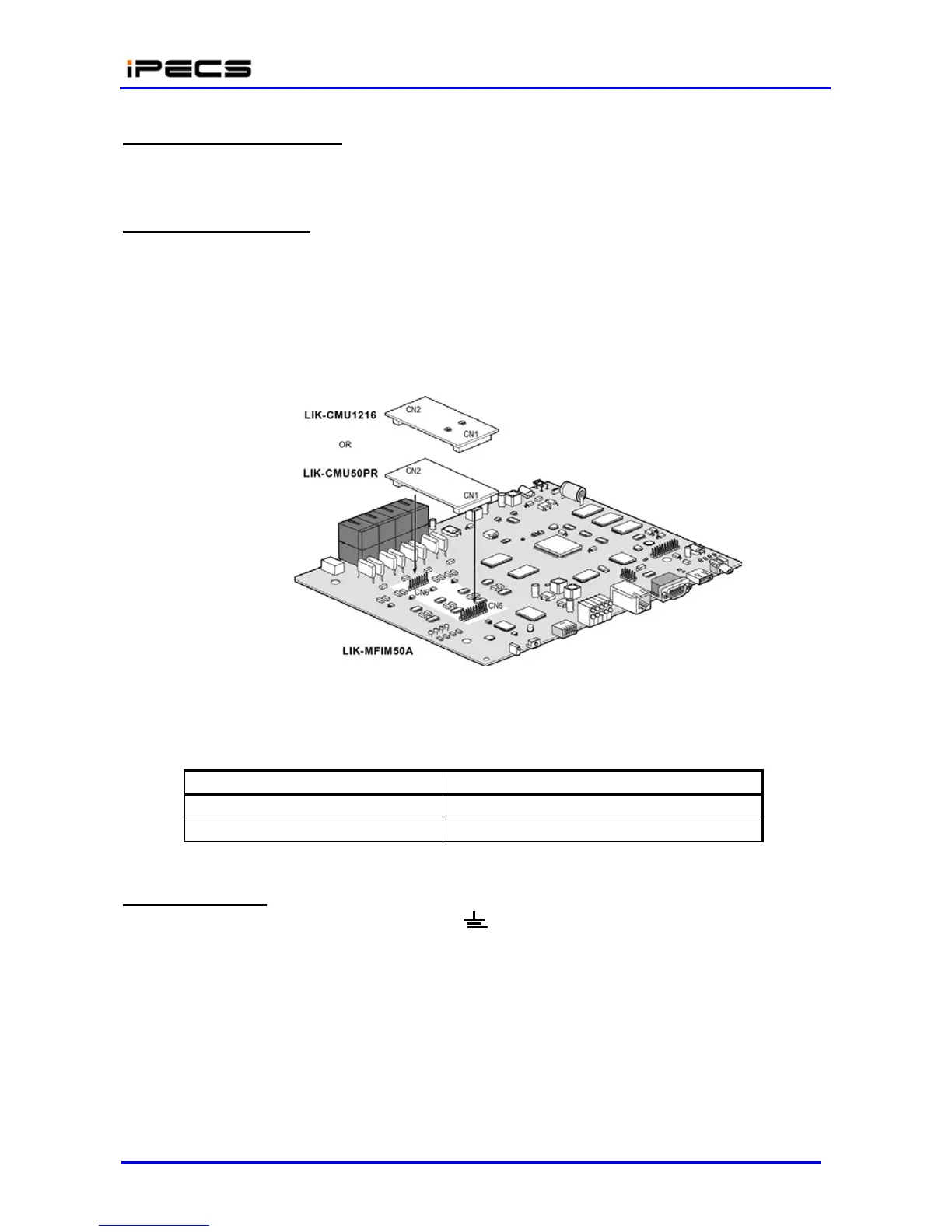
Before installing the CMU4 module, make sure that power is turned Off. The figure 4.4.1-1 shows
the procedure for installing a LIK-CMU unit on the LIK-MFIM50A. Check the connector numbers of
the LIK-CMU unit prior to installation.
Figure 4.4.1-1 Installing a LIK-CMU unit on LIK-MFIM50A
Table 4.4.1-3 CMU Connector numbers
Wiring Connectors
Before wiring LIK-MFIM50A, first connect the “ ” screw on the back of the Module to a known
ground, refer to section 4.4.4.7.
On the front of LIK-MFIM50A, there is the “LAN” RJ-45 type connector. It should be wired to the
appropriate LAN points as Figure 4.4.1-2 and discussed in section 4.4.4.5.
Wire “LAN 1” to a 10/100 Base-T switch, a POE8 can be used to connect to the LAN; refer
to the section 4.4.4.4 for RJ-45 pin assignments.
Tag or number wiring for maintenance



 To Next Page