LIP-8008D User Guide
5
1.5.3 Wall Mount
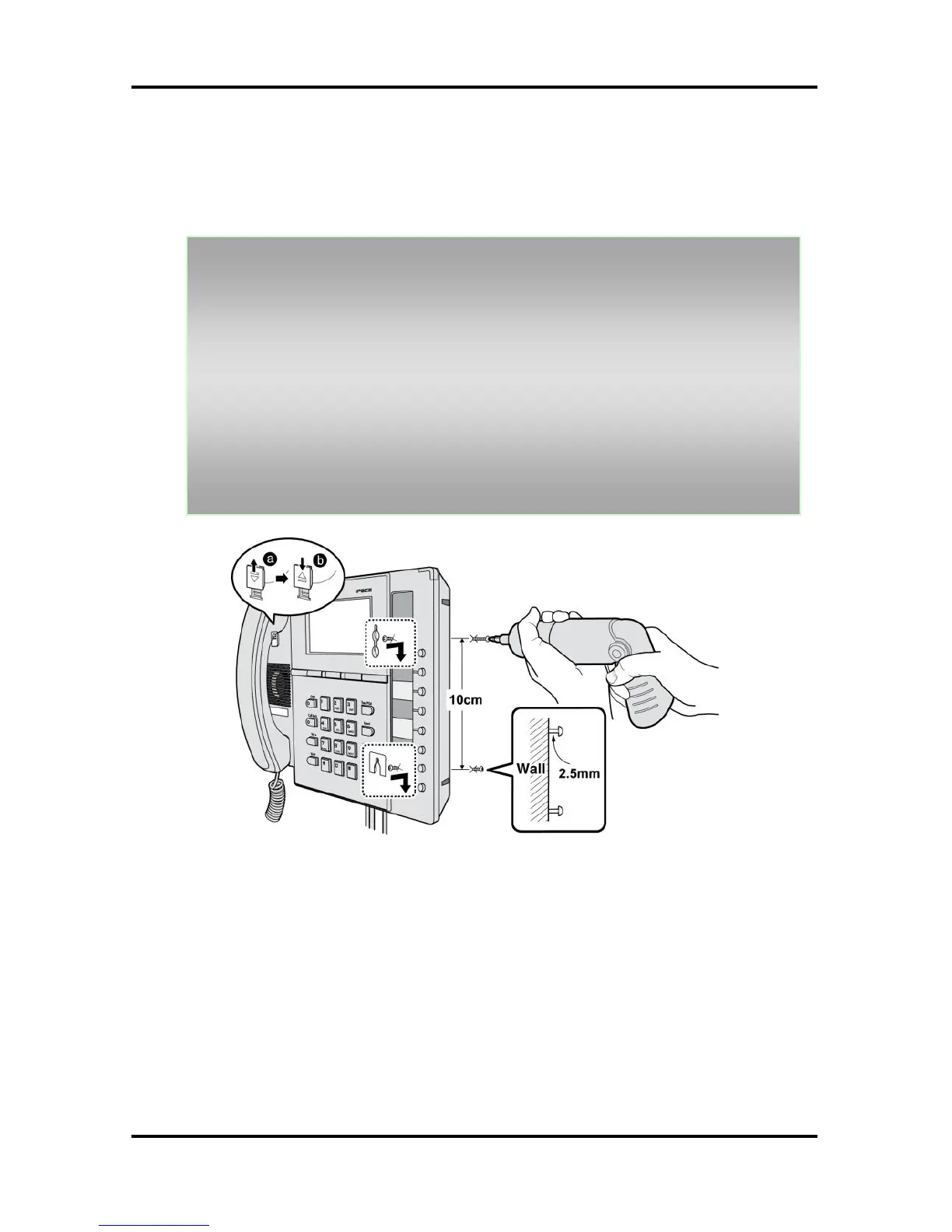
The LIP-8000 series phones can be wall mounted as
needed. The following instructions detail how to perform
a wall mount installation:
Mark and drill two (2) 7mm holes for plastic wall anchors.
Insert the two (2) anchors into the holes and insert and tighten
each screw leaving about 2.5 mm (1/8-inch) of the screw
exposed.
Slide the LIP-8000 phone over the screws and assure the
phone is secure.
NOTE—It may be necessary to remove the phone and tighten
or loosen the screws for a secure mounting.
For the wall-mounting, sleeve of the CAT5 cable should be
moved backward to prevent it protrude.



 To Next Page