LIP-8008D User Guide
2
arranged according to the difficulty of operation and
frequency of use.
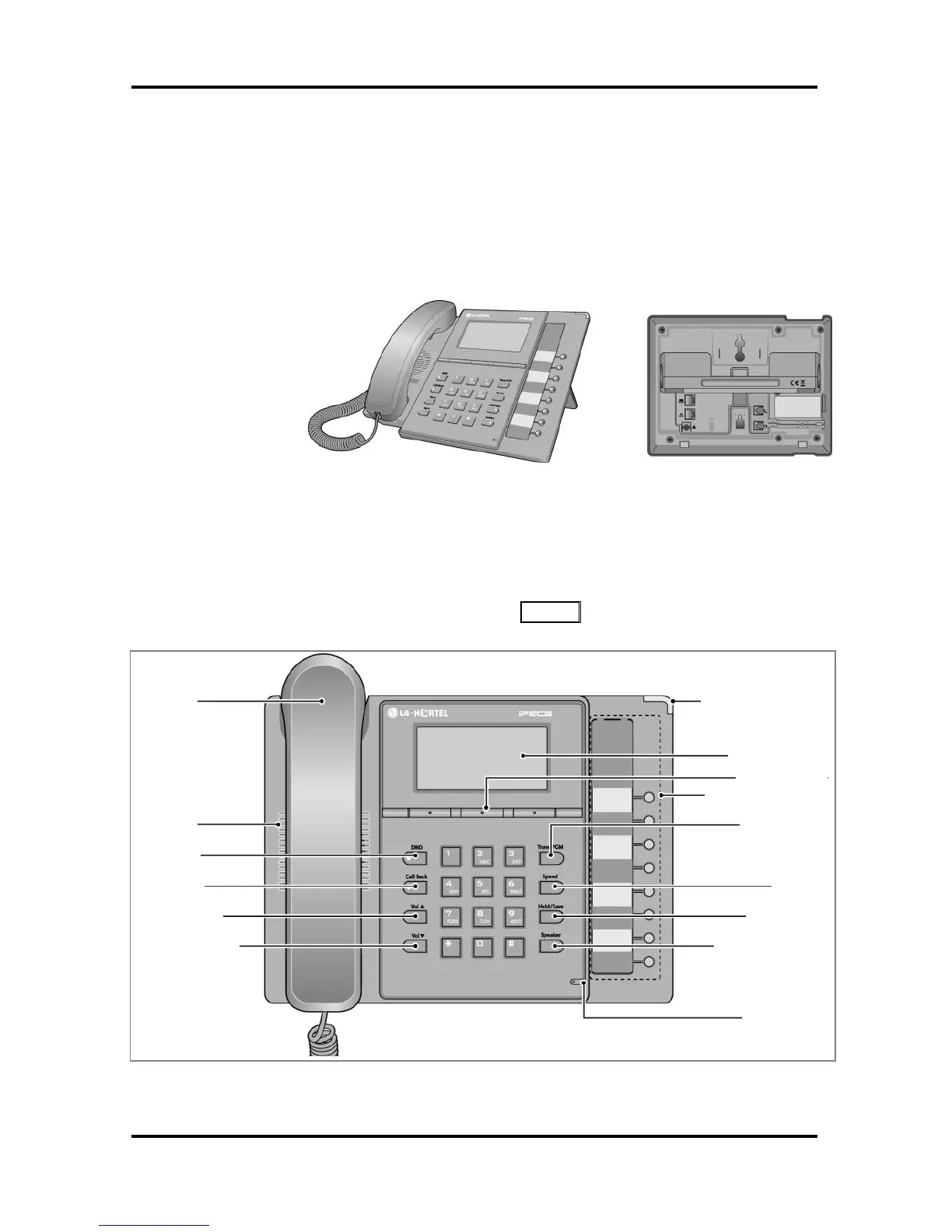
1.4 iPECS LIP-8008 Phone Description
The iPECS LIP-8008D Phone incorporates the latest in
VoIP technology and is intended for basic
communications (ex., a lobby or limited use phone). The
following image shows the LIP-8008D.
LIP-8008D Front and Back
Features are generally accessed using programmed
fixed, or flexible buttons, dial pad buttons, or dial codes
entered from the dial pad. In the remainder of this User
Guide, the Fixed or Flexible buttons are shown with a
box surrounding the BUTTON designation. The following
image shows the phone with button descriptions.
iPECS LIP-8008D Diagram



 To Next Page