| Maintenance
120
YLS-K
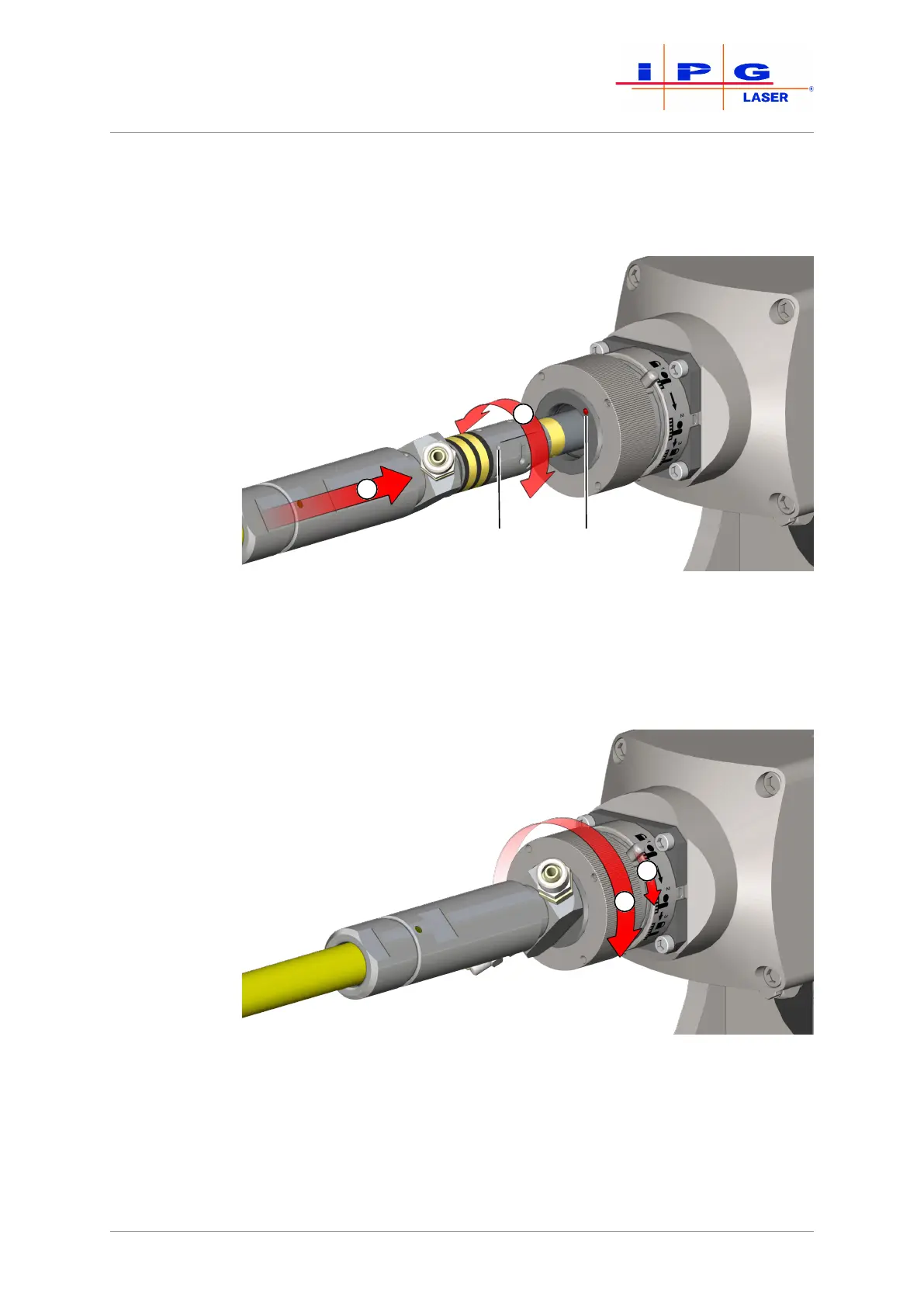
24. Plug the cleaned fiber connector promptly and carefully into the
optics (see the following figure). Align the markers on the fiber
connector (A) and optics holder (B) with each other (1) and care-
fully slide the fiber connector up to the stop into the optics (2).
Figure73: Plugging fiber connectors (here: a HLC-8 fiber plug into an FCH-8 adapter)
25. Turn the large pin on the bayonet mount from position 1 marked
on the adapter to position 2 (step (3) in the figure below).
26. Lock the bayonet mount by turning the grooved handle clockwise
(4) as far as the stop.
Figure74: Securing the fiber connector
Protective glass option
27. Adjust the focus of the microscope to the quartz-block end-face
(third focusing plane).



 To Next Page