137YLS-K
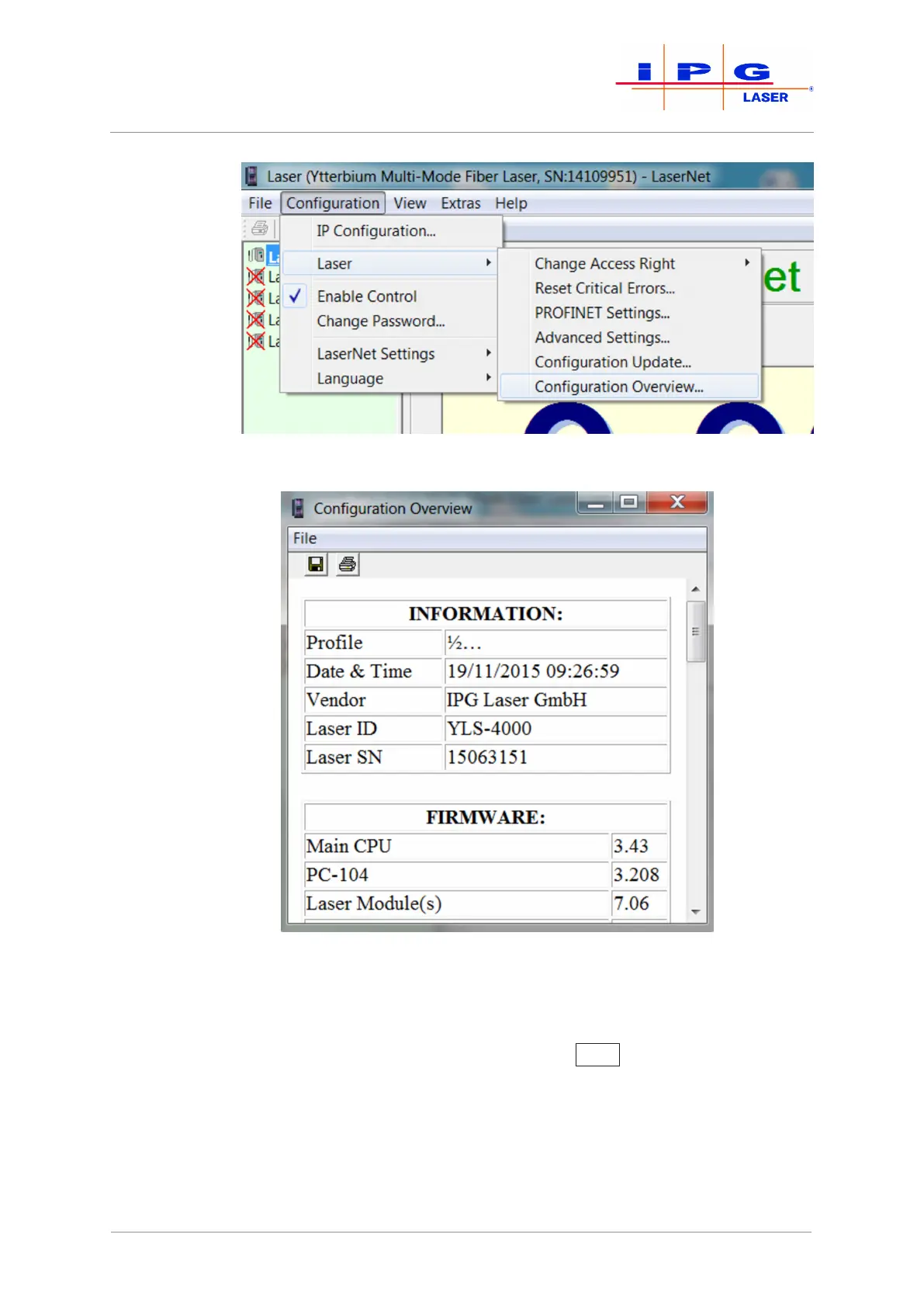
Figure85: Opening the configuration overview
Figure86: Configuration overview
4. Click on the diskette symbol in the upper left corner.
A Save as window appears.
5. Select the save location and click on Save
.
The configuration file is saved.
6. Send the downloaded file by email to the competent IPG service
department (see Behavior in the event of malfunctions [}129]).
| Messages and troubleshooting



 To Next Page