83YLS-K
Laser\ Fieldbus
Settings
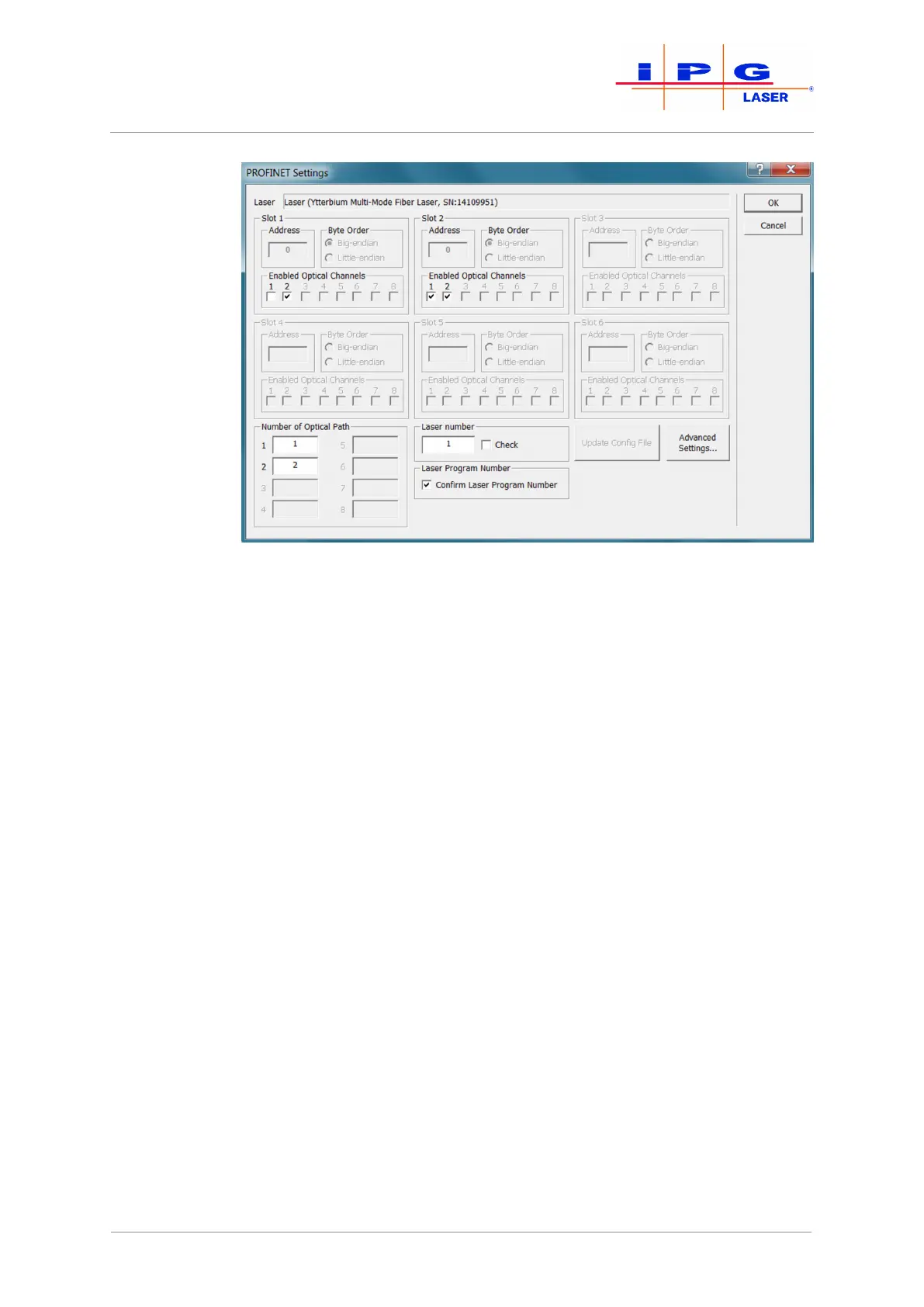
Figure41: Fieldbus Settings
Before you can work with your fieldbus interface, you must configure
some parameters via the LaserNet software during initial commission-
ing. If you are using a multiport interface, you must set the correspond-
ing parameters for every fieldbus card during the initial start-up. The
parameters are described briefly below.
Address
In this field you can define the slave address for fieldbus cards with the
appropriate option (e.g., Profibus). If a master accesses multiple slave
cards, the slave cards must have different addresses. If multiple inde-
pendent masters access different slave cards, the slave cards can have
the same MAC ID.
Endianness
In this field, you can set the endianness for communication (little-en-
dian – big-endian). You can set the byte order for communication sepa-
rately for each slot.
Enabled optical channels
(Option depends on configuration)
In this field, you can enable the optical channels for the respective slot
(slave card). Only selected optical channels can be requested and used
by the respective slot. You can assign multiple slots, i.e. slave cards, to a
channel.
| LaserNet software



 To Next Page