85YLS-K
Restart after changes
All changes to the LaserNet settings under this menu
item will only be applied after a restart of the laser.
ð Turn the key switch on the front side of the
laser to the OFF position and wait 5 seconds be-
fore turning the key switch back to TEST or RO-
BOT.
ð After switching the laser on again, check
whether the changed settings were applied cor-
rectly.
Laser\ Advanced
Settings
Automatic Switching OFF
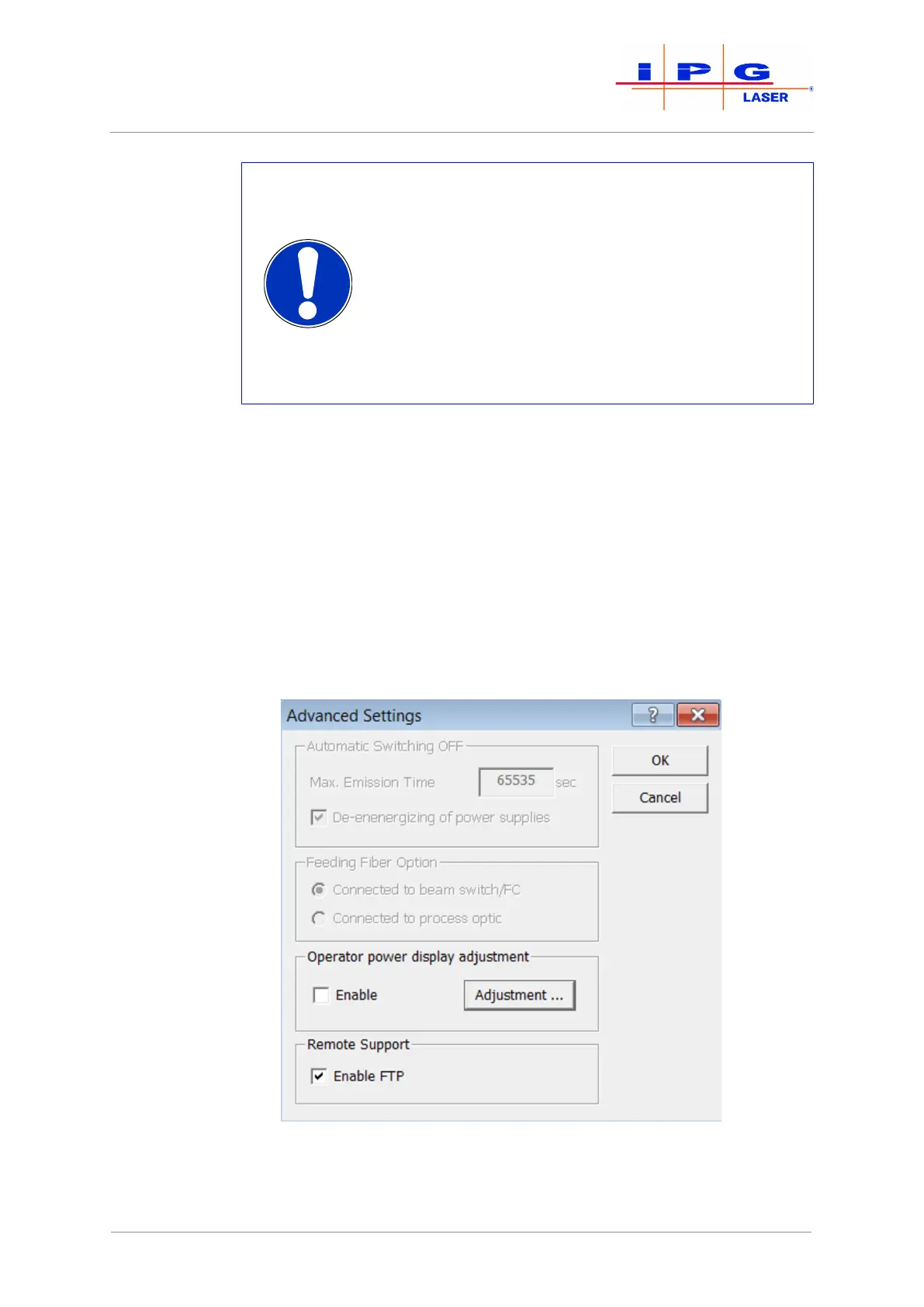
In the submenu Advanced settings, you can set the laser emission time
of the laser. To do this, enter the desired emission time in the input field
Max. Emission Time (see figure below). The laser emission will stop af-
ter the configured time has elapsed, starting from the time at which the
status Emission enabled was activated. If you activate the De-energizing
of power supplies field, the main power supply will also switch off as
soon as the laser emission stops. The Automatic switch-off function is
deactivated if you enter zero (0) seconds into the input field Max. Emis-
sion Time.
Figure42: Advanced settings
| LaserNet software



 To Next Page