| LaserNet software
86
YLS-K
Feeding Fiber Option
(Option depends on configuration)
With this function, you can select whether to work with the installed in-
tegrated optics (if present) or directly with the feeding fiber.
Operator power display adjustment
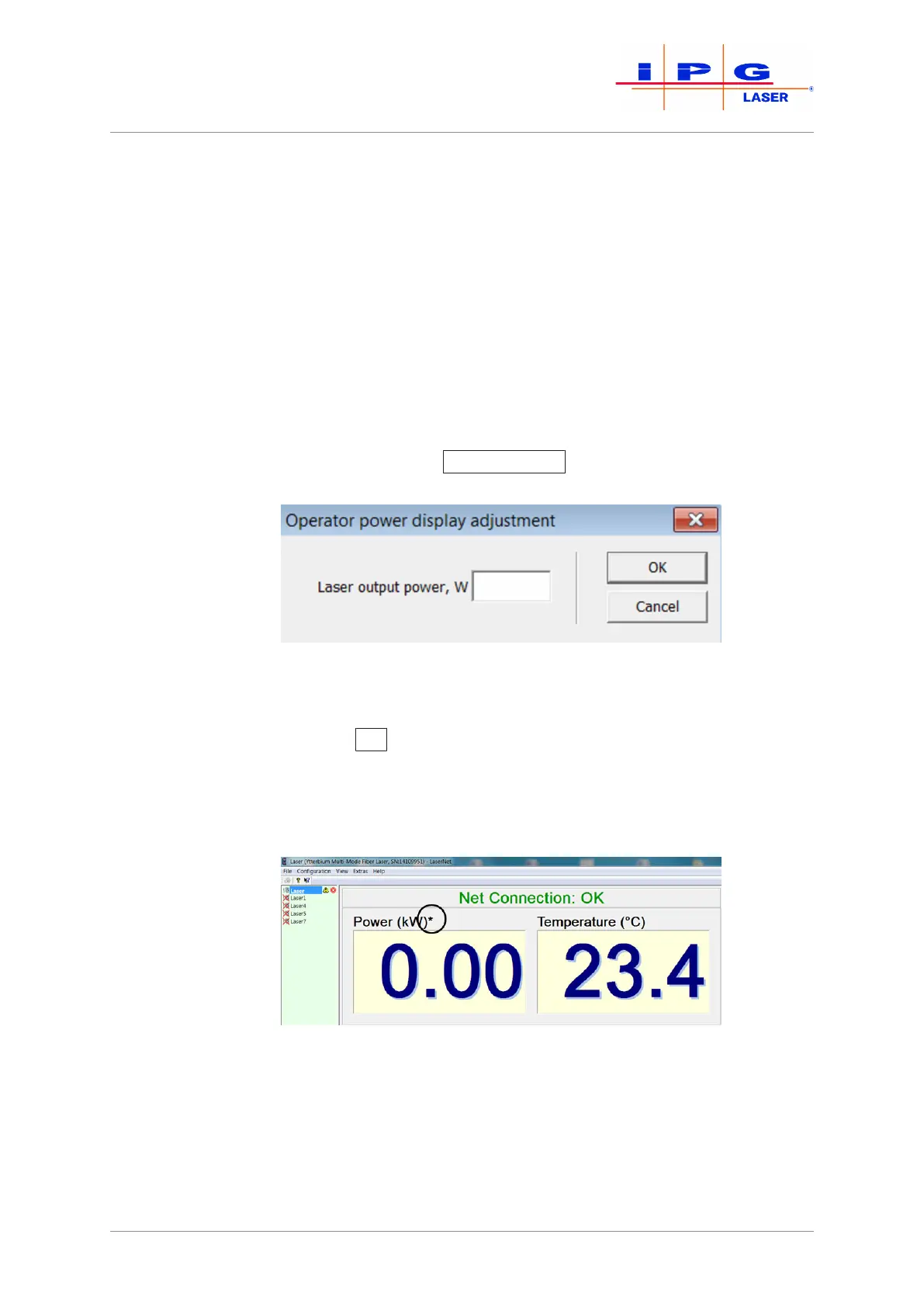
You have the option of displaying the actual power measured at the out-
put of the process optics within the LaserNet user interface in the
power display area (see the figure below). To change the power display,
proceed as follows:
1. In the check box, click enable.
2. Click on the button Customization
.
An input window appears.
Figure43: Operator power display adjustment
3. Enter the measured power value in watts.
4. Click on OK
.
The value entered by you will appear in the power display field. An as-
terisk will appear above the power display field (see figure below) to
indicate that this option is active.
Figure44: Operator-specific power display
Remote Support
This option allows the competent IPG service department to access the
laser (events, warnings, errors, etc.).



 To Next Page