89YLS-K
Control option Description
'Reset' always enabled The button Reset also remains enabled in RO-
BOT mode
Control key for Reset
and Laser emission ON
Control key must be pressed at the same time
as the button Reset
or Laser emission ON to
enable operation
Warning when switching
lasers
A warning is displayed when switching between
different lasers.
Show LED "laser warn-
ing"
Replaces the LED indicator Chiller ready in the
status display (section 11.8.1) with Laser warn-
ing
Show average power in
pulse mode (only for
QCW lasers)
In the power display (section 11.5), this shows
the average output power instead of the peak
power when the laser is operated in pulsed
mode.
Table10: Control Options
LaserNet Settings
\ Events
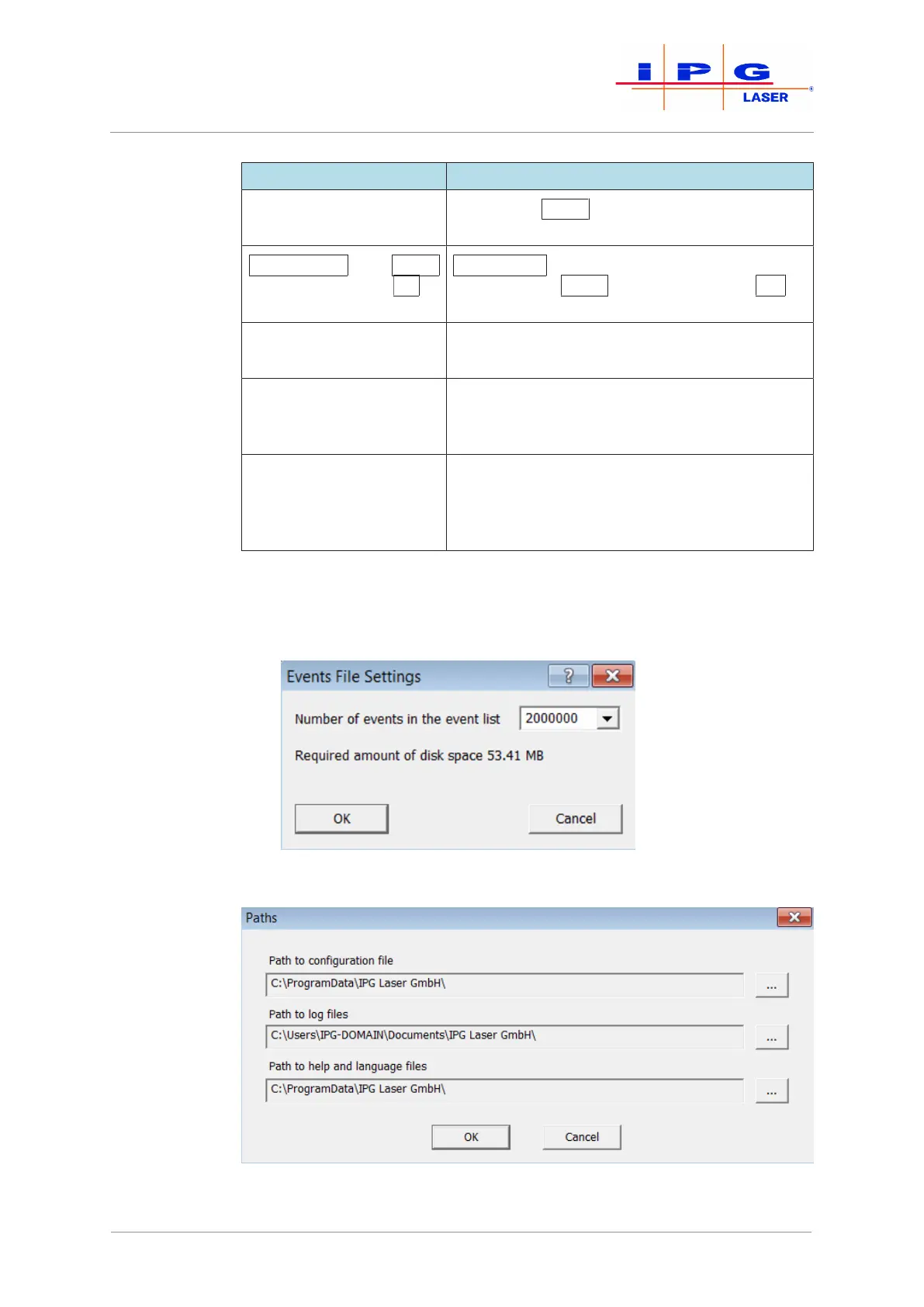
In the dialog shown in the figure below, you can define the maximum
number of events that should be saved in the file events4.dat. This al-
lows you to limit the file size.
Figure48: Set event number for event list (events4.dat)
LaserNet Settings
\ Paths
Figure49: Configuring the save locations for LaserNet files
| LaserNet software



 To Next Page