97YLS-K
8.8.4 Control tab
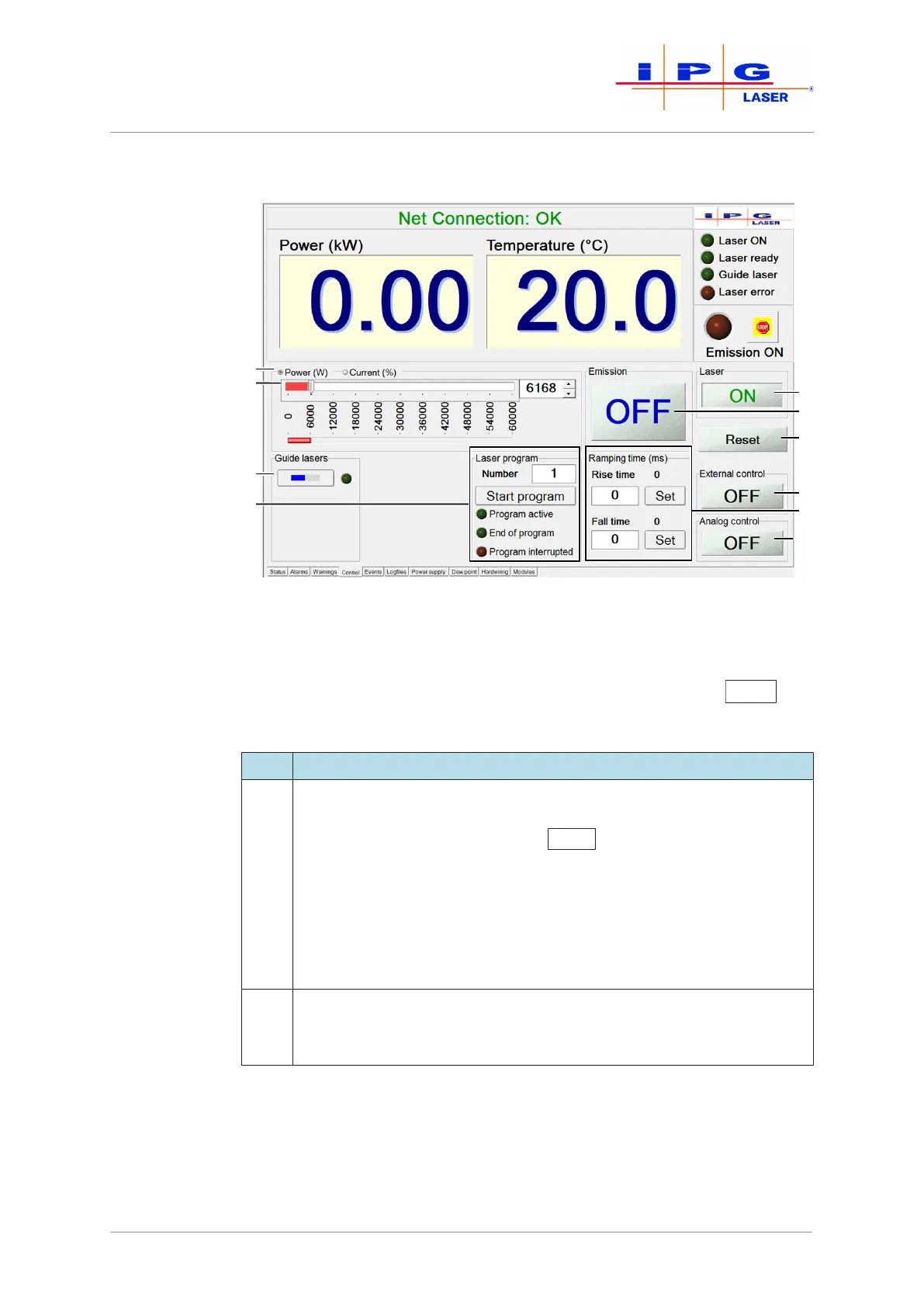
Figure57: Control tab
The buttons on this tab (see previous figure) reflect the current status
of the laser or allow you to configure various settings relating to laser
operation. If the laser is in ROBOT mode, all buttons (except Reset
) are
grayed out (i.e., disabled) by default.
Item Description
1-2 In this tab section, you can set the laser power with a slider or enter a
value directly into the input field to the right of the slider. A numeric
entry must be confirmed with the Enter
key.
You can specify the power absolutely in watts or as a percentage of
the pump current. The laser should not be operated with a pump cur-
rent of less than 10% according to the technical data.
If the laser is equipped with the option “Linearization”, you can spec-
ify the power either absolutely in watts or as a percentage of the total
power.
3 In the guide lasers section, you can switch on the guide laser. If the
guide laser is active, the LED indicator for the guide laser lights up
green.
| LaserNet software



 To Next Page