74
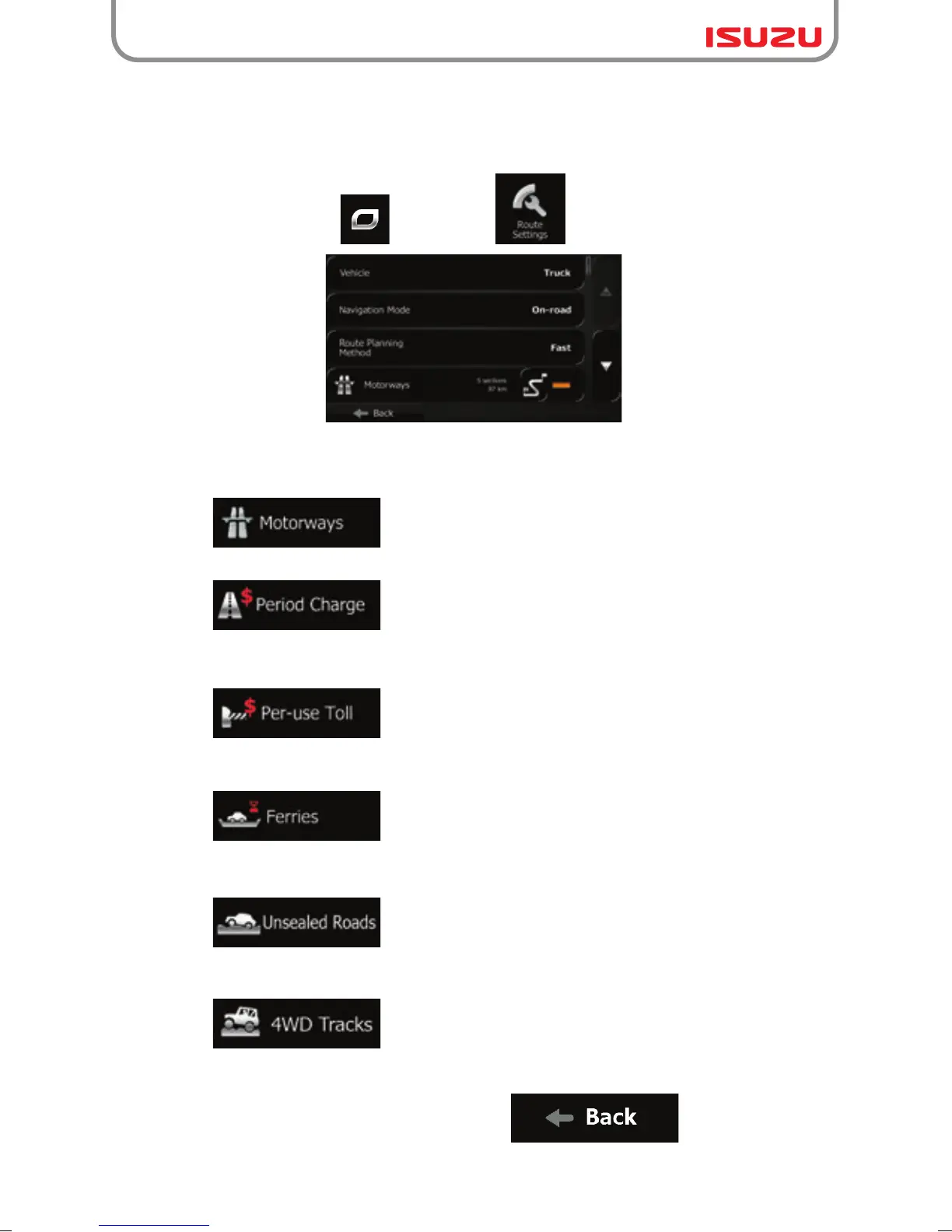
● - You might need to avoid motorways when you are driving
a slow car or you are towing another vehicle.
● - Charge roads are pay roads where you can purchase a
pass or vignette to use the road for a longer period of time. They can be enabled
or disabled separately from toll roads.
● - Isuzu navigation includes toll roads (pay roads where
there is a per-use charge) in the routes by default. If you disable toll roads, Isuzu
navigation plans the best toll-free route.
● - Isuzu navigation includes ferries in a planned route by
default. However, a map does not necessarily contain information about the
accessibility of temporary ferries. You might also need to pay a fare on ferries.
● - Isuzu navigation excludes unsealed roads by default:
unsealed roads can be in a bad condition and usually you cannot reach the speed
limit on them.
● - 4WD tracks are dirt roads in very poor condition.
They can only be driven by 4WD vehicles.Isuzu navigation excludes 4WD tracks
by default.
3.4.9 Changing the road types used in route planning
To recalculate the active route with different road type preferences, do as follows.
These changes can also be made in Settings (page 97).
1. On the Map screen, tap and then tap .
2. Tap any of the listed road types to modify the route. If needed, scroll the list for all road
types. You have the following options (their order depends on the selected vehicle type):
3. The route has already been recalculated. Tap to return to the Map
screen. The orange line now shows the new recommended route.



 To Next Page