27
Main board sengs
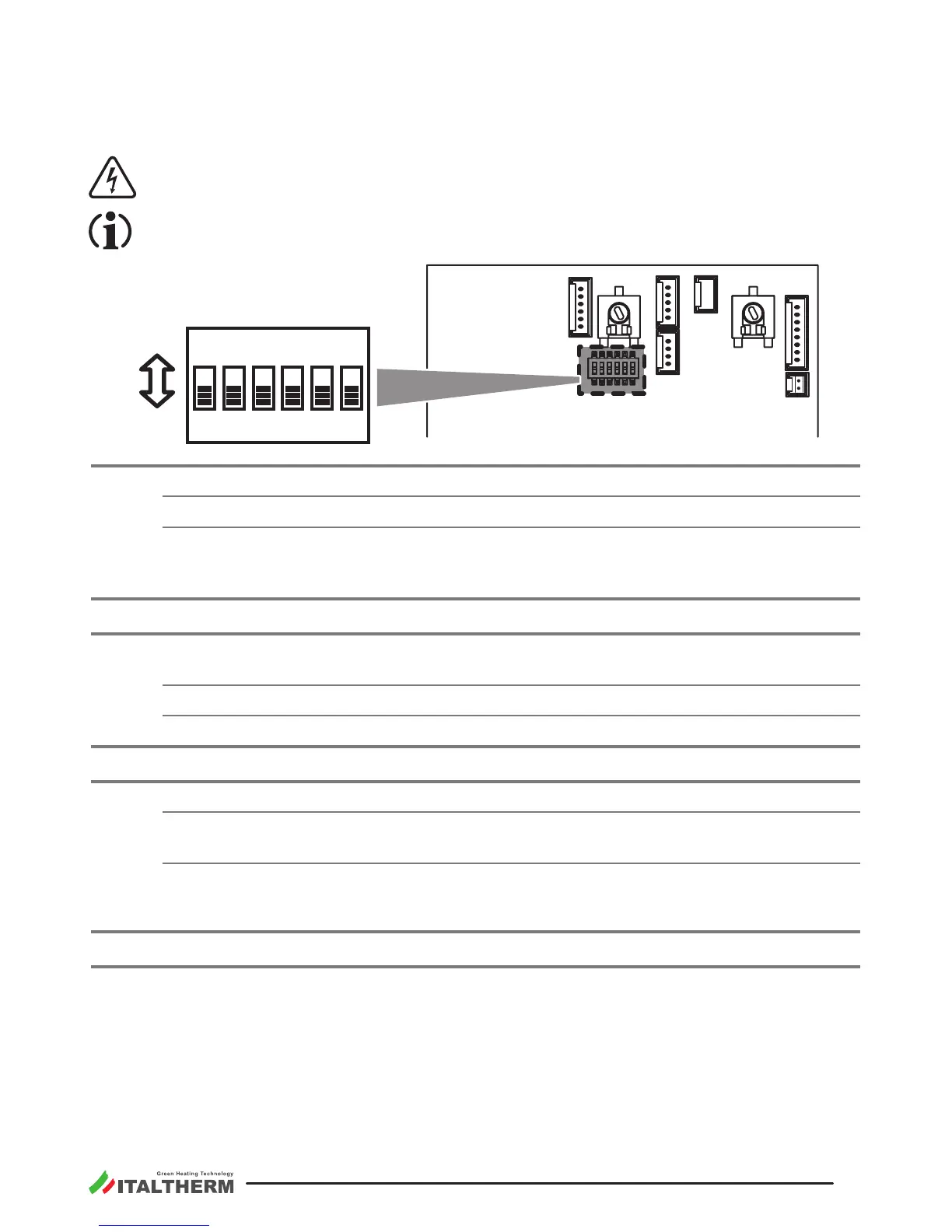
The boiler is equipped with a Microprocessor modulaon board, featuring a 6-microswitch array
(SW1÷SW6) which allow to make personalizing acons for the boiler’s funconing as described in the
following table.
Disconnect the power supply before approaching the microswitches. Restore the power supply
only aer you have closed the back cover of the control panel.
Changes to microswitches status have no eect unl the boiler is electrically supplied (they are
red during the board startup, when the supply is connected).
S1
M15
M4
M2
M16
M6
M1
S1
28
27
26
25
24
23
22
21
39
38
7
8
9
10
1
2
3
4
5
6
68
69
70
71
72
73
74
75
SW1
SW6
ON
ON
SW 1
ON
OFF
SW 2
SW 3
SW 4
SW 5
SW 6
00014 00
SW1
OFF Natural gas Funconing.
ON or Funconing.
The factory seng depends on the gas type arranged in factory for the boiler. To change
the type of gas supply, it is necessary to follow the complete instrucons described in the
paragraph "Gas conversion" on page 28.
SW2
OFF In City Basic Boilers it must be OFF. .
SW3
It determines the delay of 3 minutes, before the new ignion of the burner aer the over-
coming of the heang set temperature.
OFF delay ON (for normal radiators systems). .
ON delay OFF (for fan coil systems).
SW4
OFF In City Basic Boilers it must be OFF. .
SW5
Pump funconing mode during heang working.
OFF
for normal applicaons (with or without delay, see SW3).
.
ON
(external pumps are present).
Remark: The pump will be anyway acvated in all other circumstances, e.g. during the DHW funconing,
for post-circulaon (if foreseen) or for an-freezing or an-lockout funcons.
SW6
OFF In City Basic Boilers it must be OFF. .




 To Next Page