33
4.1 Installing the software on the PC
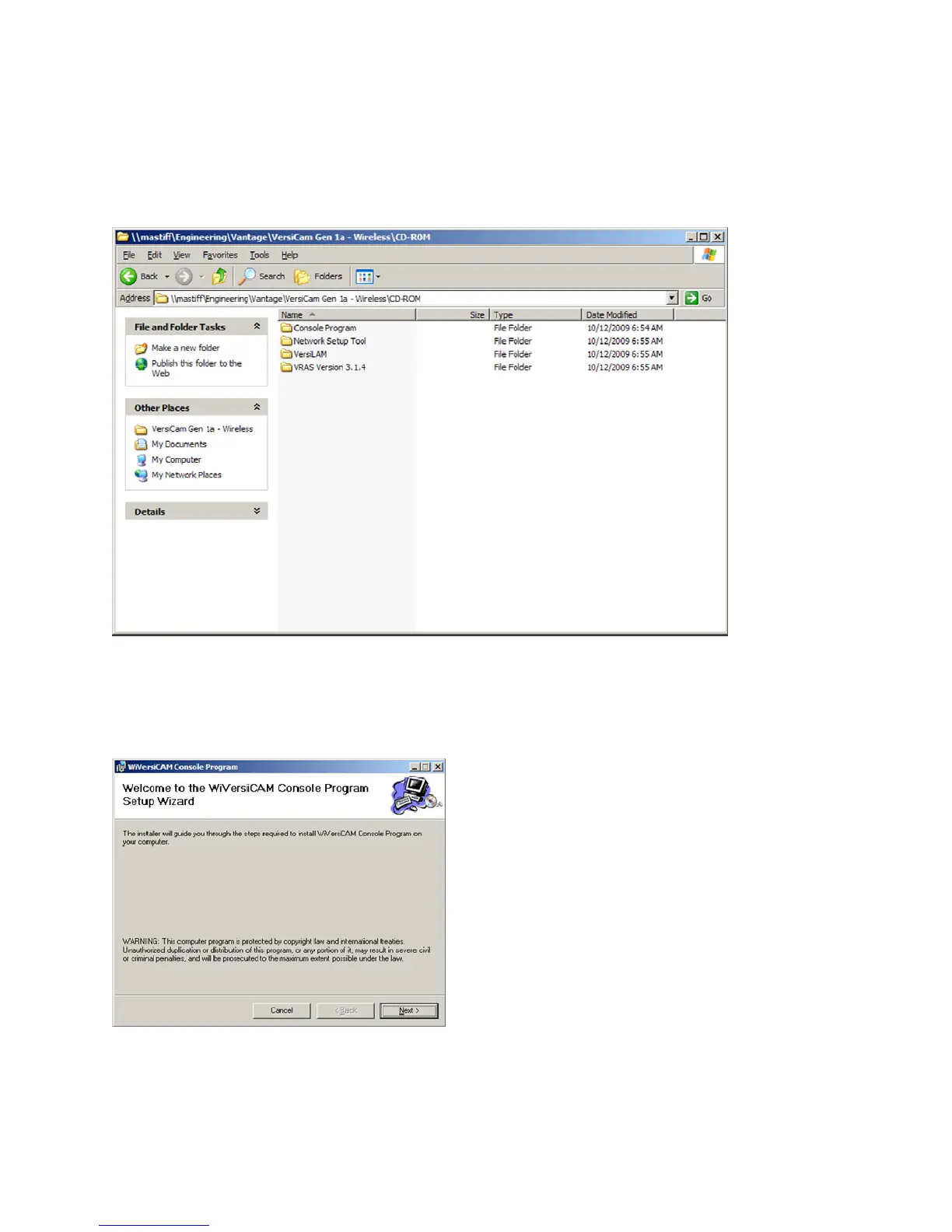
All the software necessary to setup the system is provided on a CD‐ROM. Insert the CD in the optical
drive.Therearefourfolders,seeFigure4.1(a),eachcontaininganapplication.Followthestepsbelowto
completetheinstallation.
Figure4.1(a)
1. Open the “Console Program” folder
and double clickon the “setup.exe” file. The softwarewill
begintoload.Followtheinstructionsonthescreen,seeFigures4.1(b),(c),(d)and(e).
Figure4.1(b)


 To Next Page