40
4.3 Network Setup Tool
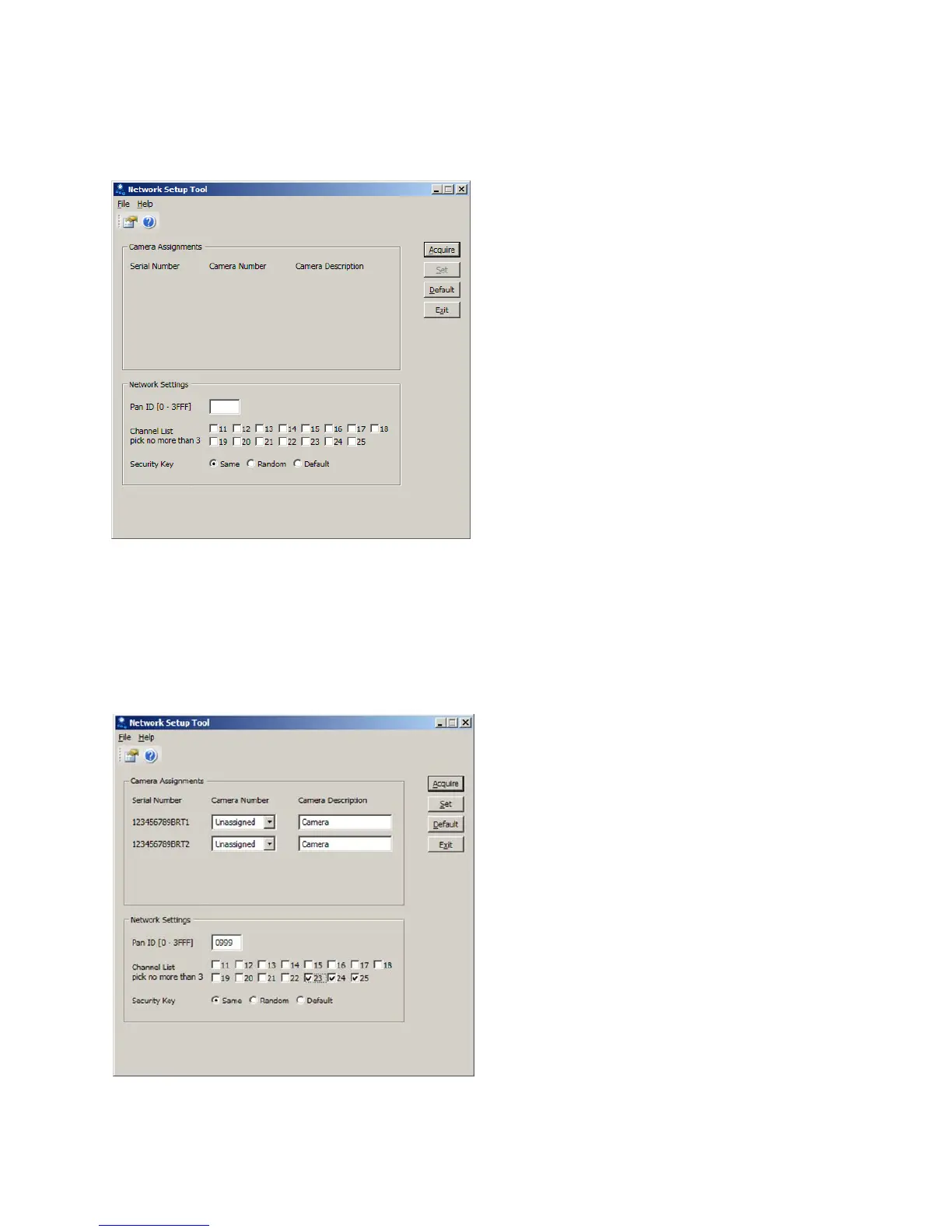
ClickontheiconfortheNetworkSetupTool.ThescreenisFigure4.3(a)willbedisplayed.
Figure4.3(a)
Ensure the Base Station and Cameras have power and click on the “Acquire” button. The system will
searchforVersiCamWirelessCamerasinthevicinityandreportthembacktothesystem.Theavailable
cameraswillbedisplayedinthecenterofthescreen,seeFigure4.3(b).
Note:
Duringtheinstallationofthecamerasitisimportanttonotetheserialnumberofthecamerafor
eachapproach.Theserialnumberwillbeusedastheinitialidentifierfornetworksetup.
Figure4.3(b)



 To Next Page