50
6 Firmware Release Notes
It is important to recognize that periodically, Vantage firmware updates are made available for the
Vantagevideodetectionproducts.ReleasenotesareincludedaspartoftheVantageSoftwareUpgrade
(VSU) package. Though every effort is made to keep the product manuals up to date, the customer
should always refer to
the latest firmware release notes for the most recent information on their
Vantageproductfirmware. New featuresandenhancementsarecontinuouslybeingoffered and these
newfeaturesmaynotbefullyrepresentedintheproductmanual.
Vantage rele ase notes are located in the folder: .../Program Files/Iteri s Inc./Vantage Software
Upgrade/……Release
Notes.rtf
FirmwareVersionNumberingSystem
XX HardwarePlatform:
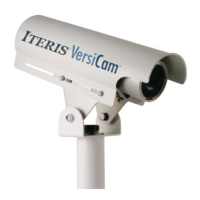
08=VersiCam
05=Edge2‐4
04=Edge2‐1and2‐2(secondgeneration)
03=Edge2(firstgeneration)
02=Plus,One,ClassicEdge
YY FirmwareApplication
01=Intersection
02=Express
05=Ramp
ZZ VersionRevisionIncrement
Forexample:04.01.13=Edge2.Intersection.Revision13
YoucanalsocontactyourlocalVantageDealerortheVantageProductSupportTeamtoseeifthereare
newaddendum'sornewerproductmanualrevisionsavailableforyourVantageproducts.
New Vantage firmware releases are normally distributed by your
local Vantage Dealer or they can be
obtainedbycontactingtheVantageProductSupportTeamdirectly.SeetheProductSupportsectionfor
moreinformation.


 To Next Page