41
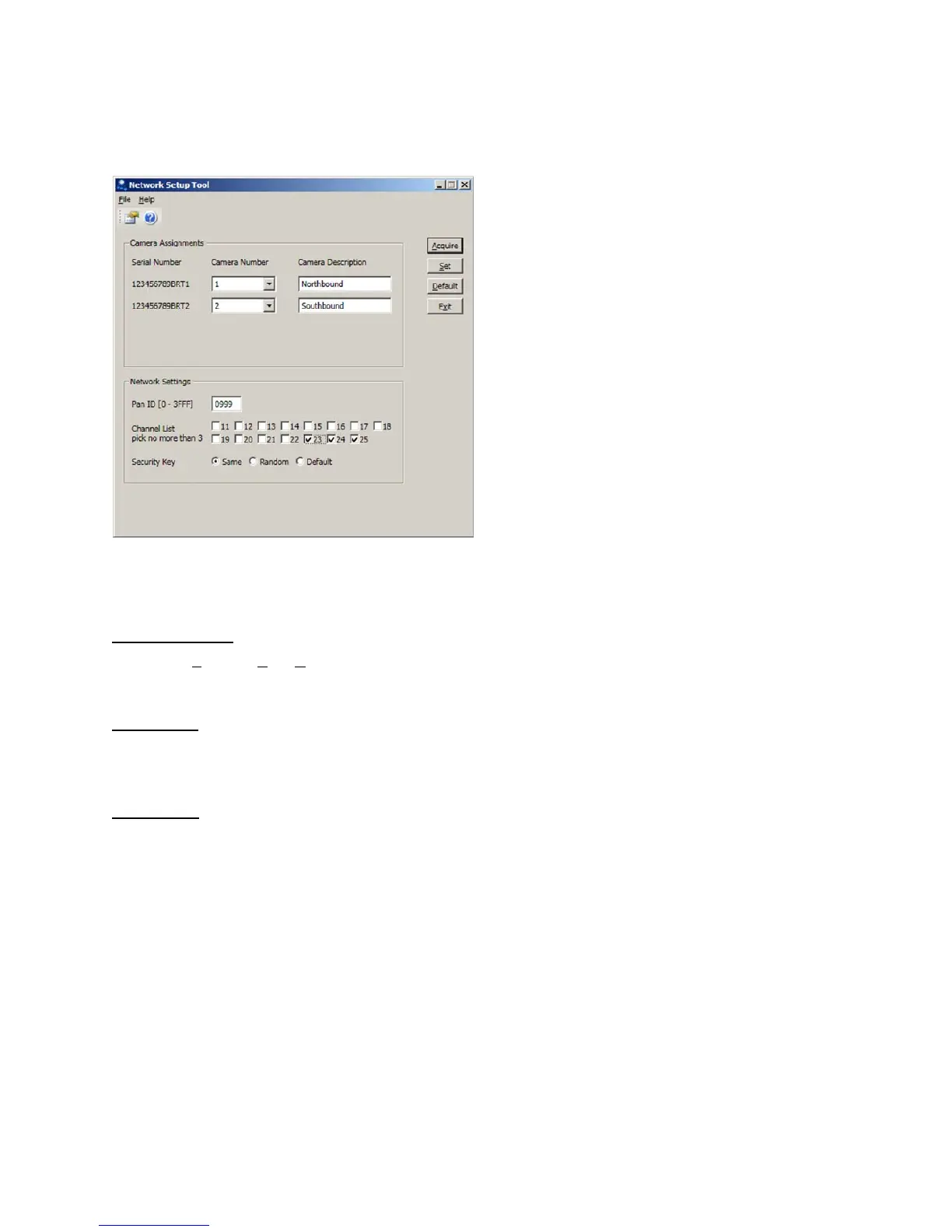
Foreachcameraselectacameranumberfromthedropdownboxnexttotheserialnumber.Acamera
descriptioncanbeaddedintheboxtotherightofthecameranumber,seeFigure4.3(c).
Figure4.3(c)
To further ensure that the network is unique and immune from
otherwireless system crosstalk three
NetworkSettingsareprovidedatthebottomofthescreen.
PANID(0–3FFF)
ThisistheP
ersonalAreaNetworkidentifierandcanbesettoanyhexadecimalnumberbetween0000
and3FFF.
ChannelList
There are 15 wireless channels that the system has access to. Each VersiCam network is restricted to
threeofthese.Choosethethreebycheckinganduncheckingtheboxes.
SecurityKey
ThecommunicationsintheVersiCamnetwork isencryptedfor security.Thesecuritykeyshouldnotbe
changedunlessinstructedtodosobyaqualifiedIterisProductSupportspecialist.
Onceallthesettingshavebeenmadeclickonthe“Set”button.ThesettingswillbesenttotheBase
Station
andCameras.Thenetworkisnoestablished.Clickonthe“Exit”buttontoclosetheapplication
andreturntotheConsole.



 To Next Page