i-ALERT2 Application Guide 54 of 64
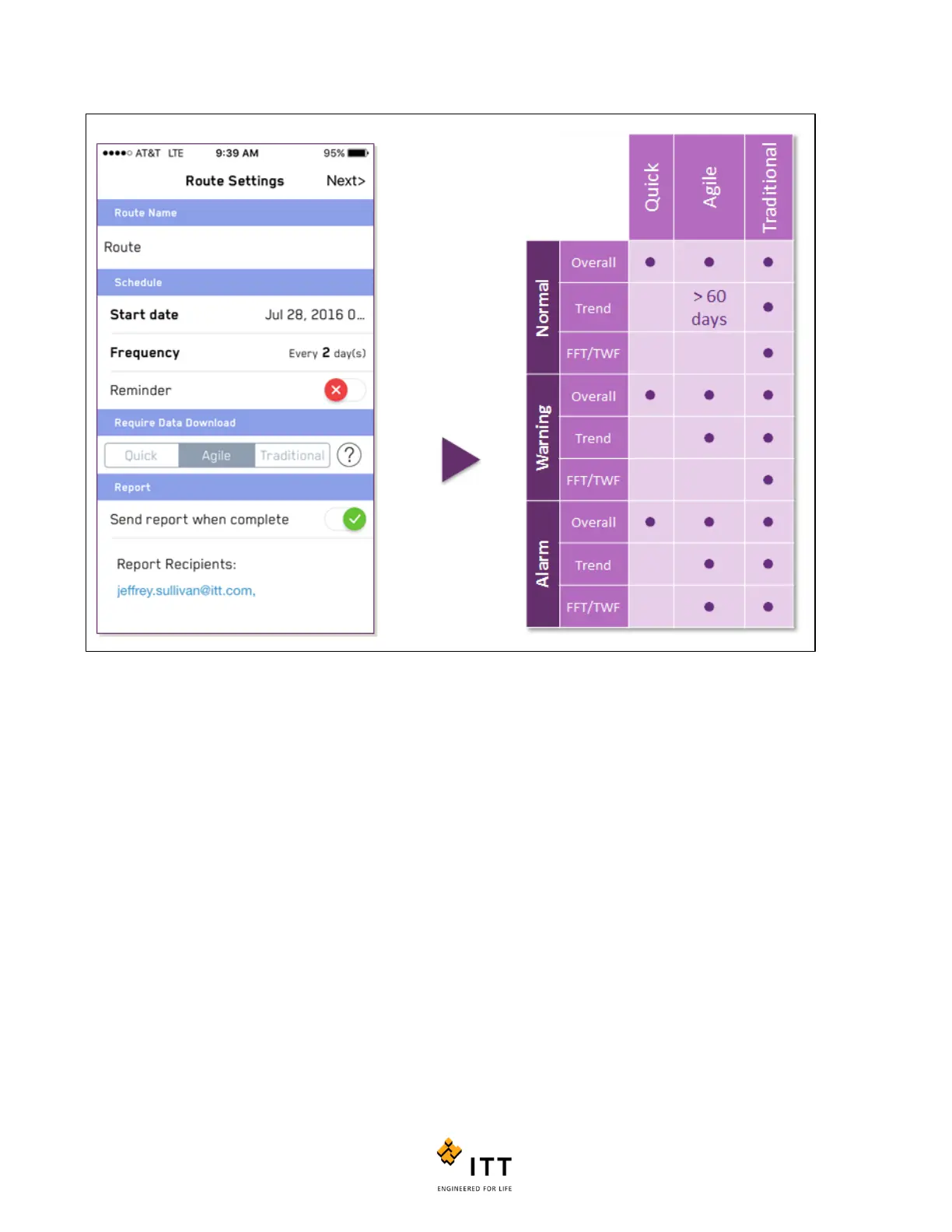
Figure 52: Route Settings Page and Summary Table of Route Types
After the route settings are completed select “Next” in the upper right. This brings you to the device list, where you can add
or remove equipment from the route. A gray checkmark indicates the equipment has been added to your route; a clear icon
shows equipment that can be added.



 To Next Page