29
Changing program options
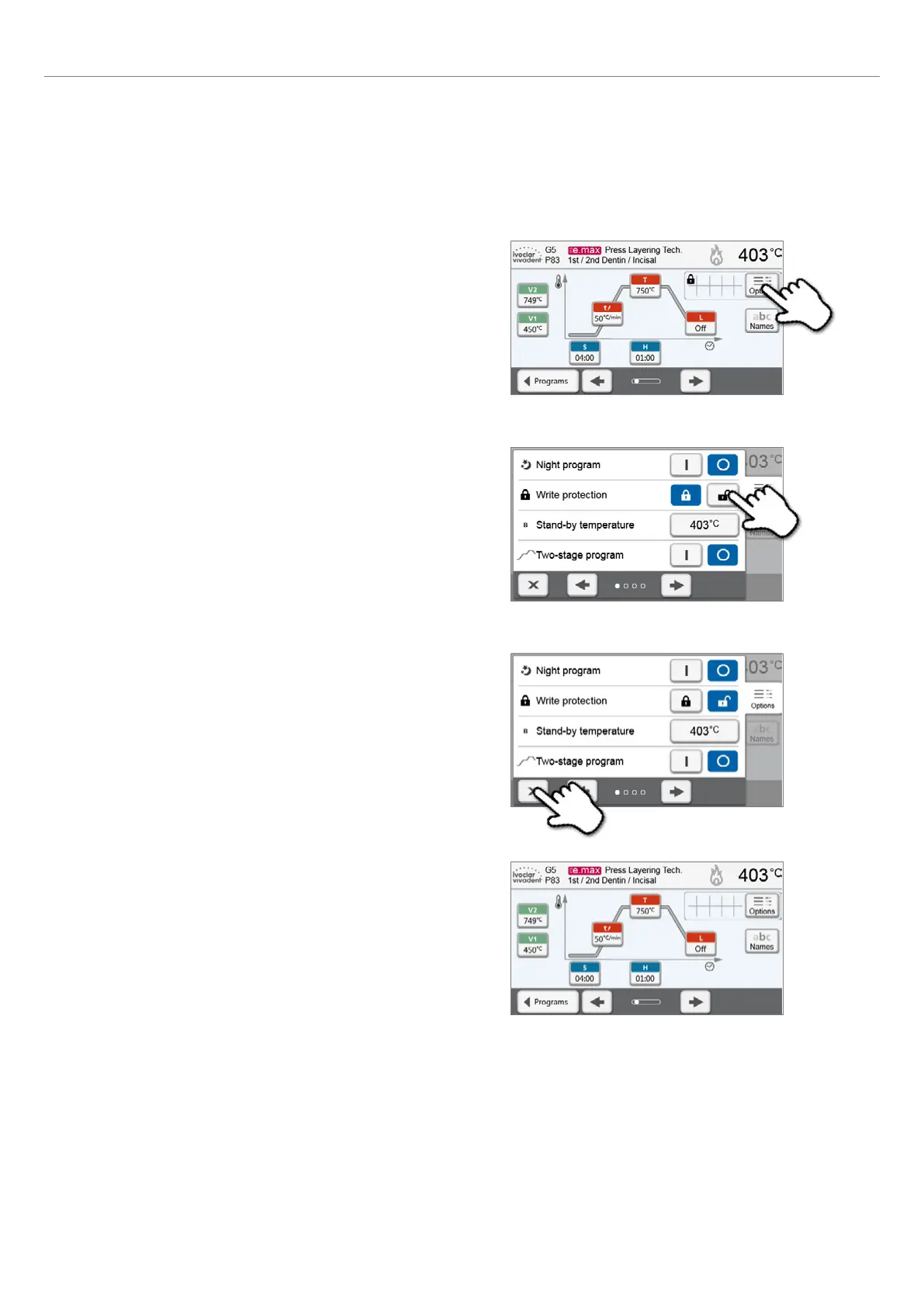
Pressing the [Options] button opens the menu for advanced program options.
Example 1: Deactivating the write-protection
1. Press the [Options] button.
4. The write-protection was successfully deactivated.
The lock symbol is no longer shown in the display next to the
[Options] button.
2. Press the [Deactivate Write-Protection] button.
3. Press the [Close] button to leave the Options menu.
5. Operation and Configuration















 To Next Page