29
MC300E
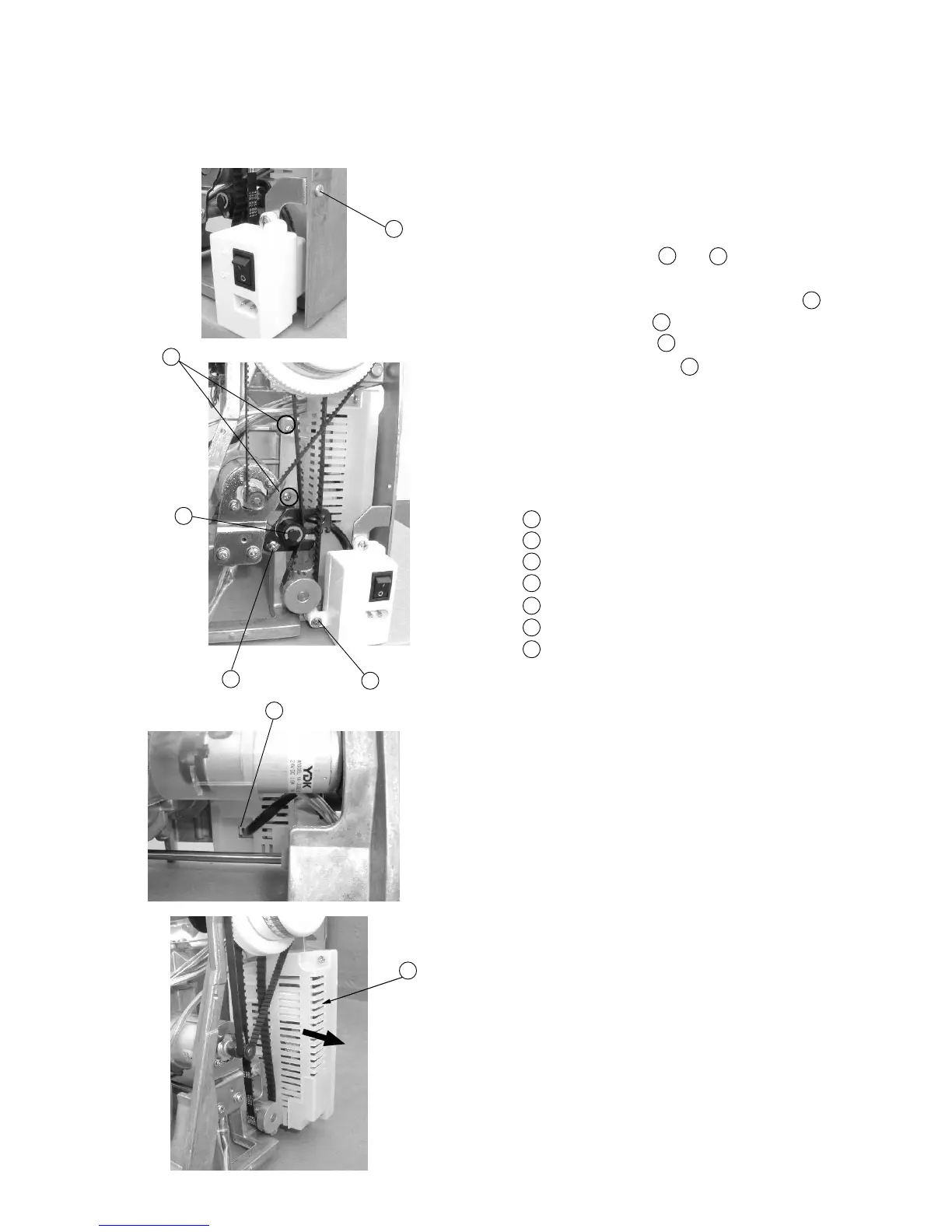
Replacing Switching Power Supply
To remove:
1 Remove the face cover, belt cover, front cover and
rear cover.
2 Remove Screws (A) ,(B) and remove the
machine socket and fixing plate.
3 Pull out the Machine socket unit connector .
4 Remove Screw (C) and remove the Idler.
5 Remove Screws (D) (2 pieces) and take out
Switching power supply .
To attach:
6 Follow the above procedurte in reverse.
Screw (A)
Screw (B)
Screw (C)
Screw (D)
Idler
Machine socket unit connector (primary circuit)
Switching power supply unit
1
2
3
4
5
6
7
1
2
6
3
4
7
1
2
3
4
5
6
7


 To Previous Page