52
1. The App will now display all functions. Choose Leveler.
The following functions can be operated using the OneControl App.
Refer to the Ground Control 3.0 manual for complete instructions.
Standard Mode and Menu
Basic Jack operation
Unhitching Instructions
Auto Leveling
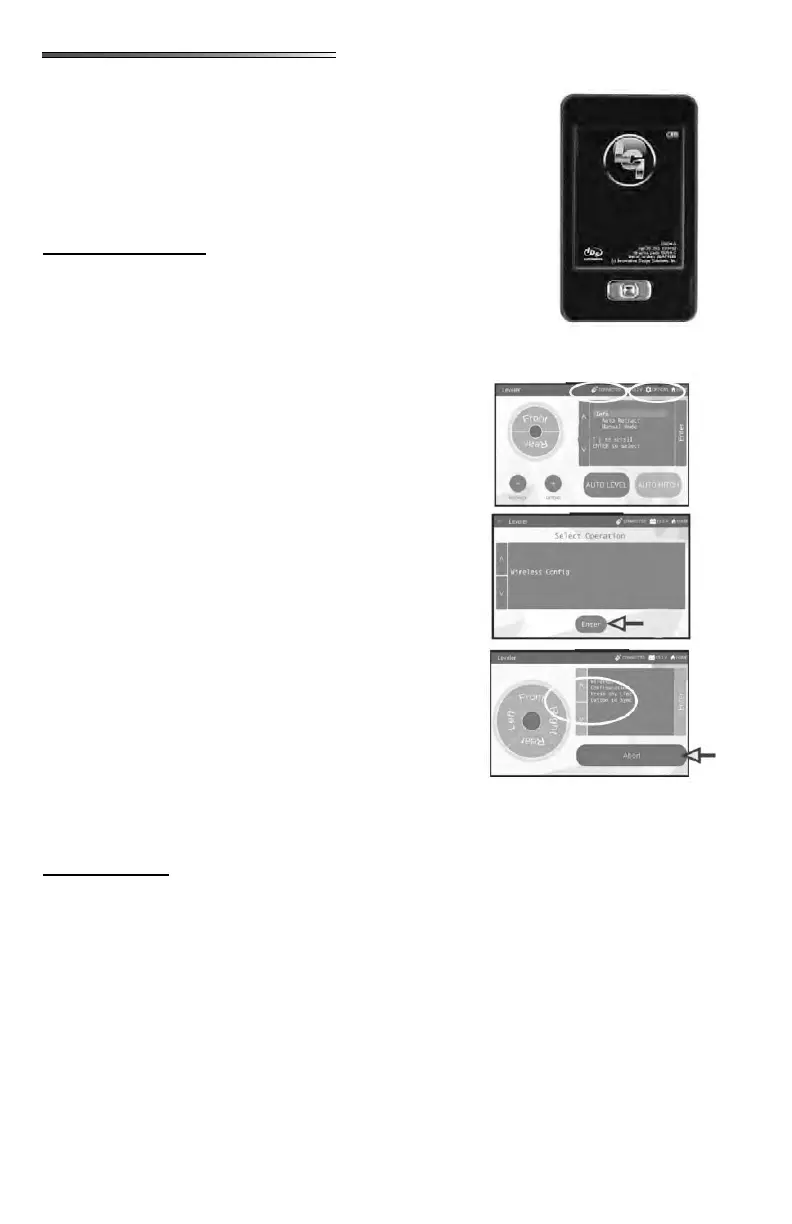
Press the chrome button on the bottom of the remote to turn
it on. Enter the PIN (default is 0,0,0,0). The PIN can be
changed after entering the default PIN. A menu will appear,
choose Leveler from that menu.
Turn the OneControl Touch Panel ON inside the
RV.
At the top of the Touch Panel screen press the
“CONNECTED” icon quickly 6 times.
A GEAR icon will appear at the top of the screen
that says “OPTIONS”. Press this GEAR icon.
Screen display changes to “ ”
with arrows on the left side of the screen. Use to
arrows on left side of screen. Scroll to “WIRE-
LESS CONFIG”.
Press the ENTER button at the bottom of the
screen.
The screen will display
.
Press any button on the remote control while in
Leveler mode and the remote will be connected.
Pressing the ABORT button on the touch screen will cancel
the conguration sequence.
The following functions can be operated using the Linc
Remote Control. Refer to the Lippert Ground Control 3.0
manual for complete instructions.
Basic Jack operation
Unhitching Instructions
Auto Leveling
Refer to the Lippert Ground Control 3.0 manual for troubleshooting information which in-
cludes the following:
OneControl Touch Panel Error Codes
Special Jack Error Codes on the OneControl Touch Panel
How to manually override the jack motor
Setting Zero Point Calibration
Zero point is the programmed point that the RVwill return to each time the Auto
Level feature is used. Zero Point is only available on the OneControl Touch Panel.
Preventative Maintenance tips











 To Next Page