88
This indicates there is a problem with the bedroom slide-out. In order for the slideout to
function properly, the bedroom door . An electronic door catch has been
installed to the wall in the bedroom behind the door (). A
second piece is mounted to the door ( ). If the door is
closed, the Slide 01 notication on the touchscreen display will
disappear and the slide-out will NOT operate. When the bed-
room door is opened and the catch pieces connect, the Slide 01
notication appears on the touchscreen display and the slide-out
can then be operated normally.
This light
above the GAS water heater switch on the Command Center panel in-
dicates a problem with the LP portion of the water heater. When the
GAS switch is turned on, the light will blink quickly 3 times and the water heater will ignite.
The light should then stay OFF. If the light comes on and stays on, it indicates the gas side
of the water heater has not red and there is a problem with the igniter. There is no water
heater switch on the app screen.
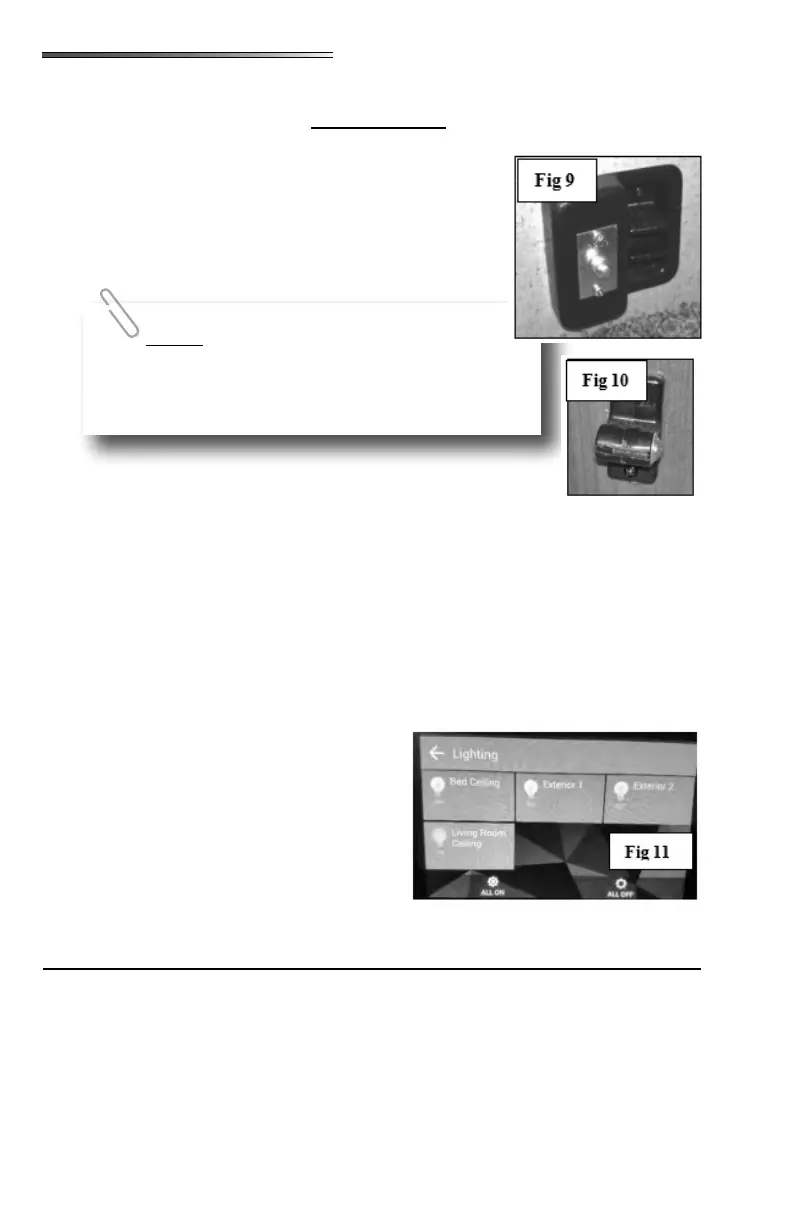
Select the LIGHTING icon and the Lighting Control screen opens
() allowing you to control lighting in your RV.
To operate, scroll through the list and nd the light you want to control. Individual lighting
controls will appear on this screen. If the switch is ON, the light bulb for each item will
illuminate.
If the ALL ON switch is selected, all the lights
shown on the screen will turn ON. Likewise se-
lecting ALL OFF turns all the lights OFF.
All of the lights will light in steps to prevent a
power surge.
This same safety feature applies to the slide-
out switch on the wall or on the Command Center switch
panel. The bedroom door must be open and the catch
pieces connected for the bedroom slide to work.
Testing the Campsite Power Connection
Campsite 120-volt power receptacles can be tested using a digital multimeter or a dedi-
cated circuit analyzer. Dedicated circuit analyzers plug directly into the campsite power
receptacle and minimally test for open neutral, open ground, and correct polarity.











 To Next Page