10 - 4
Engine (cont'd)
Checking the Oil Level - 100 series engine
up to machine no. 807552
- for interval see Service Schedule
!!
WARNING
Hot oil and engine components can burn you. Make sure
the engine is cool before doing this job.
2-3-3-2
1 Park the machine on level ground and lower the
attachments to the ground.
2 Stop the engine and remove the starter key.
3 Raise the bonnet.
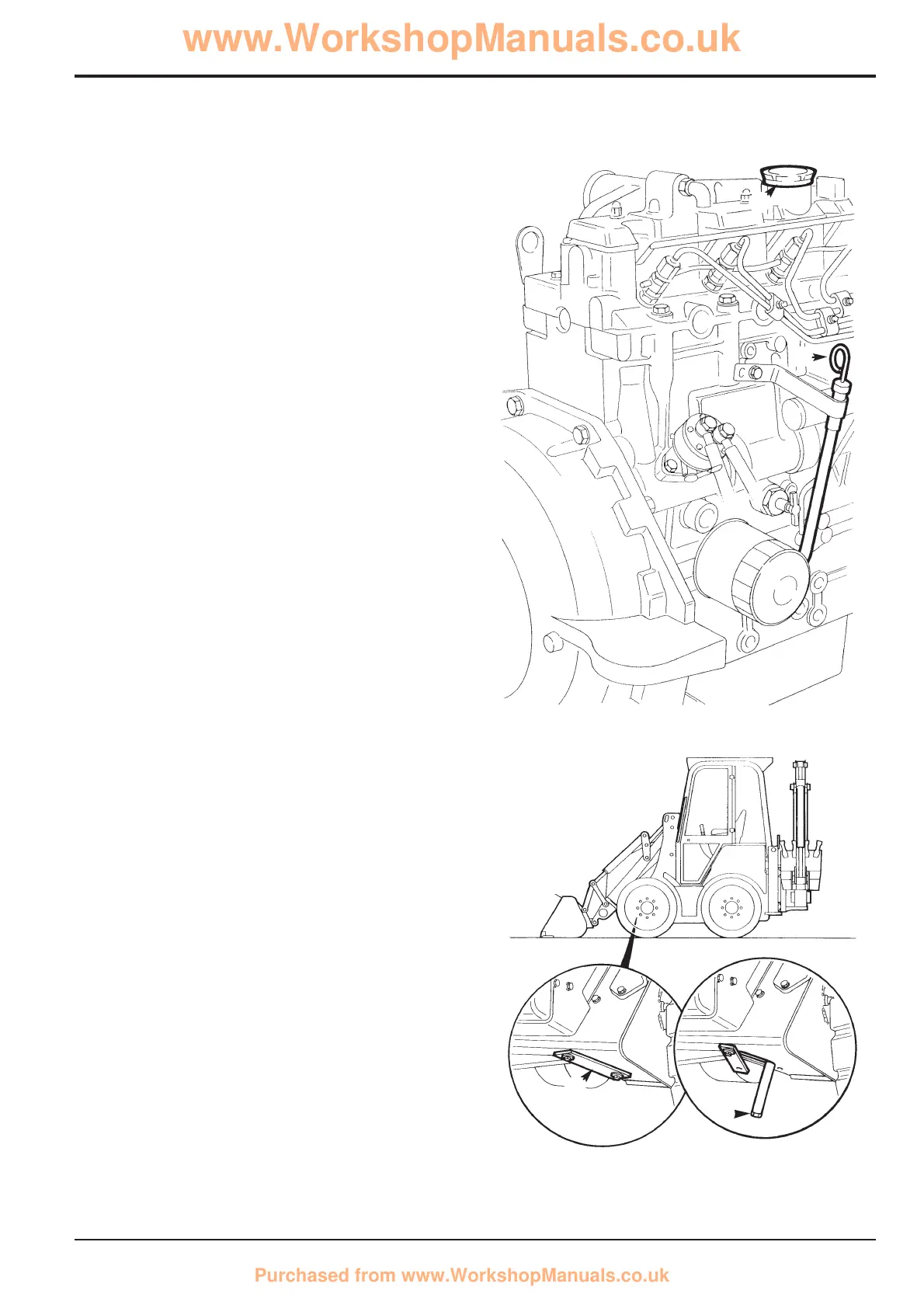
4 Check that the oil level is within the marked area on the
dipstick A.
5 If necessary, add the recommended oil through the filler
point B.
6 Make sure the filler cap and the dipstick are secure.
7 Close the bonnet.
Changing the Oil and Filter - 100 series engine
up to machine no. 807552
- for interval see Service Schedule
!!
WARNING
Hot oil and engine components can burn you. Make sure
the engine is cool before doing this job.
2-3-3-2
1 Do Steps 1 to 2 of Checking the Oil Level.
2 Remove the left hand side panel.
3 Remove blanking plate X from underneath the front of
the machine on the right hand side and pull out the oil
drain hose.
4 Place a suitable container beneath the machine to catch
the oil.
5 Remove the drain plug C from the end of the hose and
allow the oil to flow into the container.
6 After emptying the sump, replace the drain plug C.
Position the drain hose back inside the chassis and refit
the blanking plate X.
Section 3 Routine Maintenance
9803/8550
Section 3
10 - 4
Issue 4*
S255840
A
S262150
X
B
C
*
*


 To Next Page