KNOWING YOUR VEHICLE
32
VEHICLE
35) 36)
2) 3) 4) 5) 6)
Before charging the high voltage battery,
it is recommended to turn the ignition
device OFF in order to obtain a charge
until full in the shortest period possible.
WARNING The brake caliper lock is
activated during the charging procedure:
unlocking will be carried out automatically
at the end of the charging procedure.
CHARGING SOCKET ON THE
VEHICLE
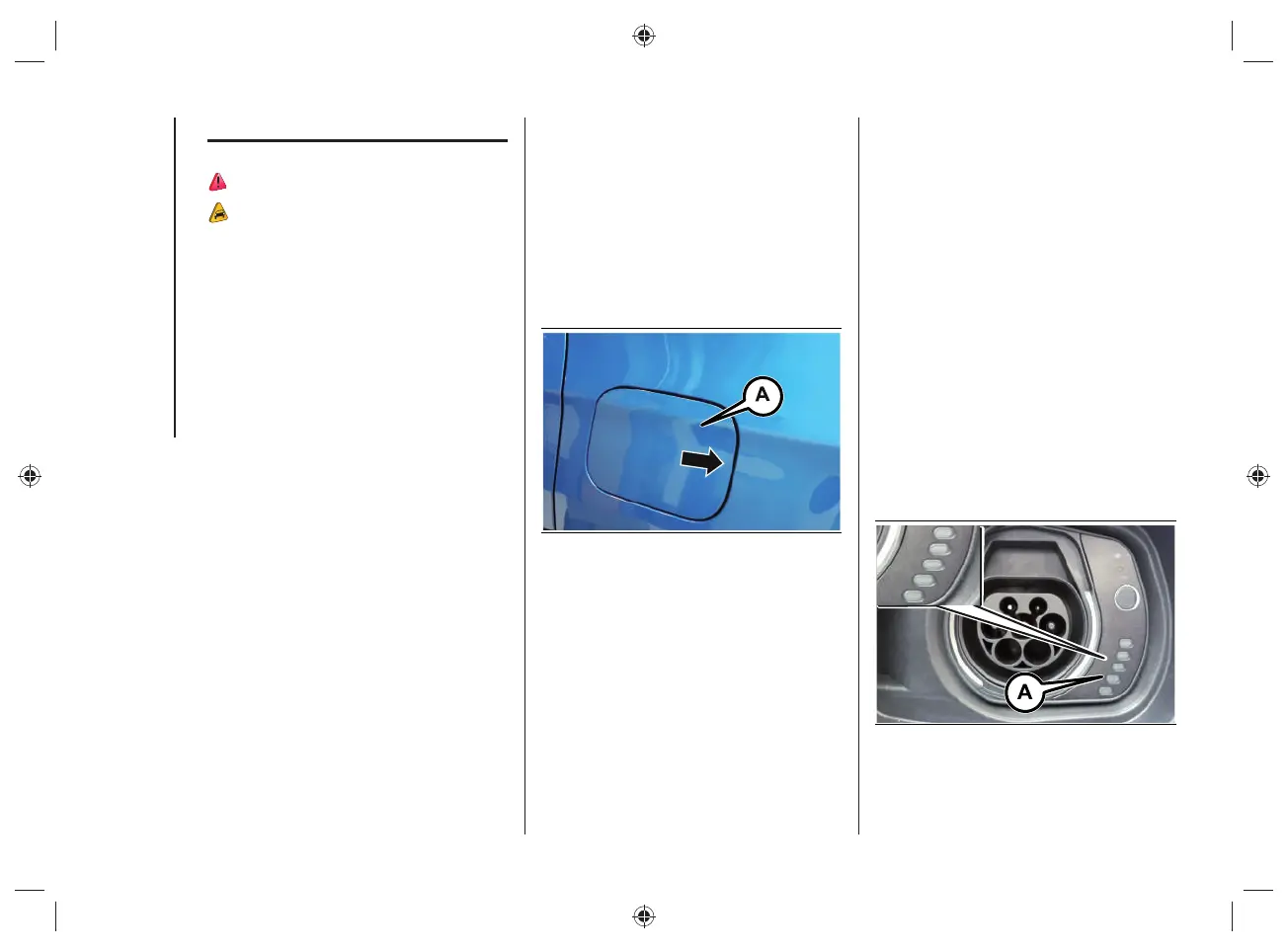
To access the charging socket, open the
charging fl ap (A)fi g.12 located on the left
side by pressing on the area indicated by
the arrow.
WARNING The courtesy lights on the
charging port fl ap remain on for a few
seconds and turn off while charging.
12 J0B6030E
Charging port LED
Next to the charging socket there are
some LEDs (A)fi g.13 that indicate the
charging status by means of four different
colors and related fl ashing types:
Blue: to indicate that the system is
waiting for a charging schedule.
Flashing green: during the charging
process.
Steady green: to indicate that the
charging process is complete.
Blinking red: to indicate a fault in
the charging system or when there
is a fault in the charging procedure
(e.g. when the charging connector
is connected to the charging socket
located on the vehicle and the cable
has not been previously connected to
the power socket).
13 J0B6035E



 To Next Page