KNOWING THE INSTRUMENT PANEL AND MULTIMEDIA
76
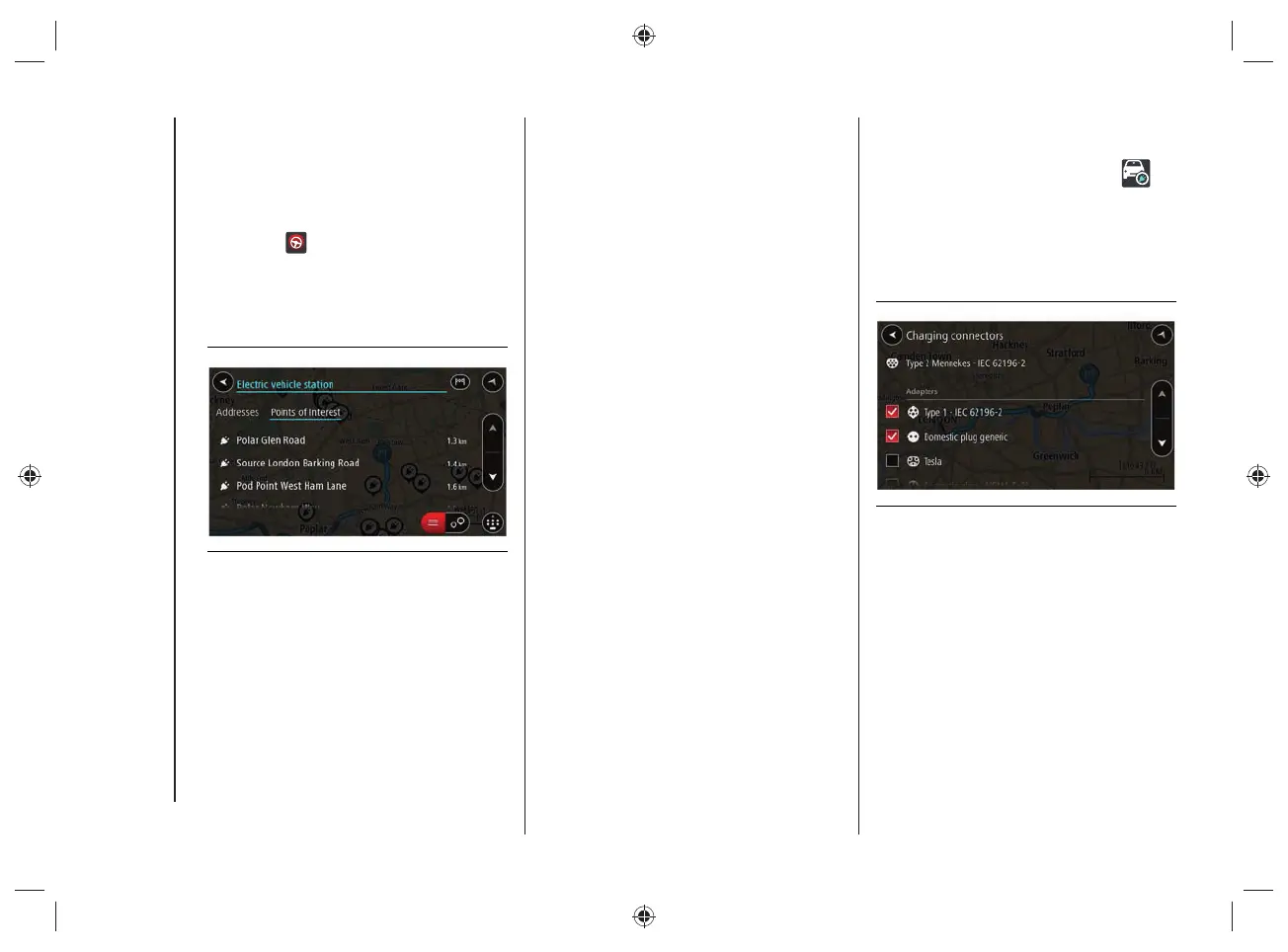
Select a charging station from the
map or list, fig.70. A pop-up menu
opens on the map showing the name
of the charging station.
To plan a route towards the selected
charging station, select the "Drive"
button
.
A route is planned and the indications
to get to your destination start.
As soon as you start driving, the
guidance view is shown automatically.
70 J0A4034
Tip: You can add a charging station as a
stop on your route by using the pop-up
menu. The charging stations that are set
as a stop on your route have a blue icon.
Charging connectors
Select "Settings" in the "Main Menu" and
then select "Charging Connectors"
.
You can choose the correct charging
connector to be used when searching
for a charging station. The charging
connector supplied with the car is already
selected, fi g.71.
71 J0A4047


 To Next Page