73
Charge Settings
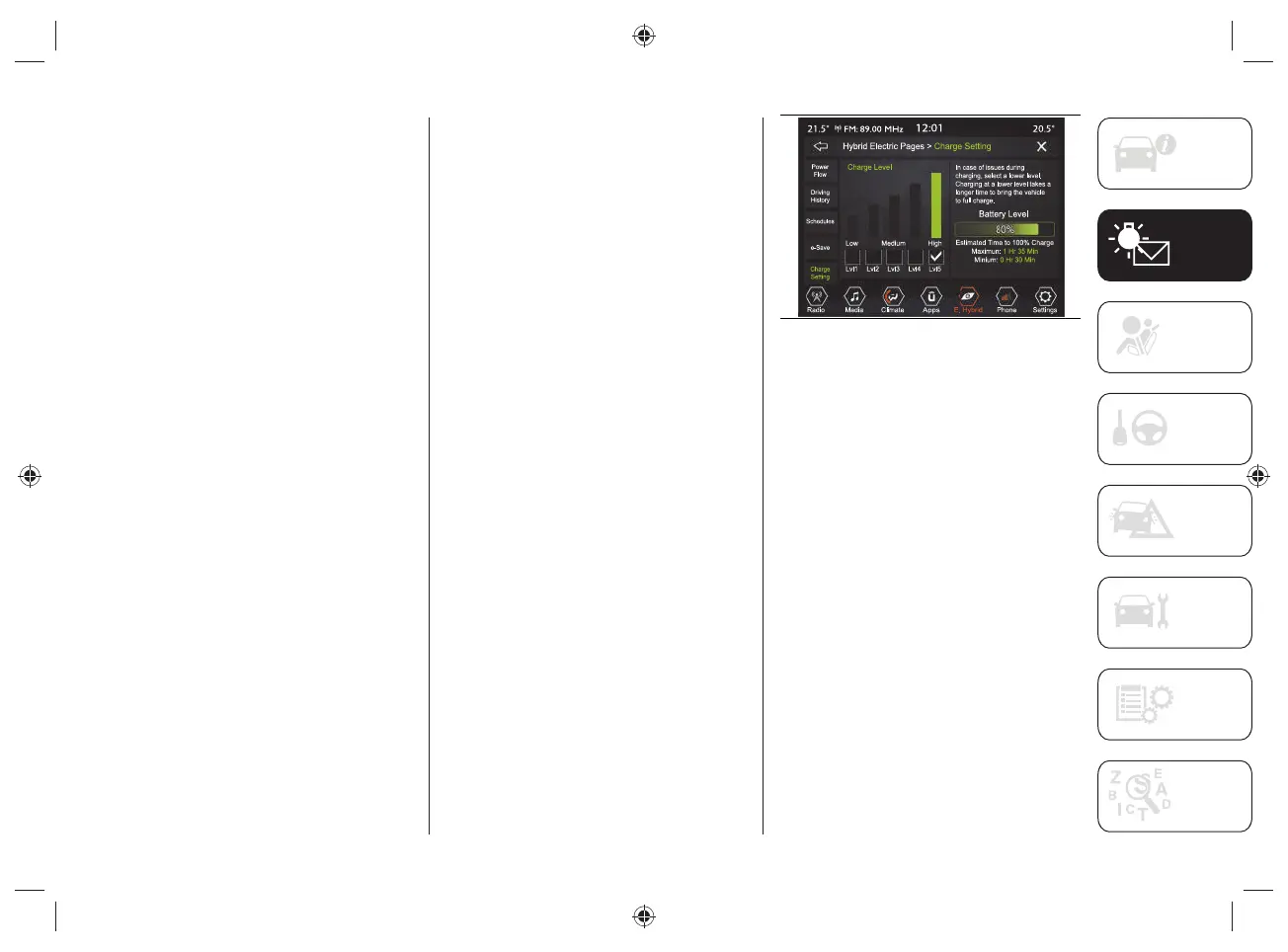
Using the "Charge Setting" function,
you can set the power level / current
consumption during charging. Select
the displayed level on the display, which
ranges from a minimum level ("Lvl"1') up
to a maximum level ('Lvl5").
The high voltage battery charge level
(expressed as a percentage) is shown
graphically on the display fi g.68.
Proceed as follows:
press the "Hybrid/Electric Pages"
button, fig.59;
press the "Charge Setting" button
fig.68, and select one of the levels
shown on the display.
The display also shows information related
to:
"Battery Level": the graphic bar
shown on the display indicates, in
percentage, the high voltage battery
charge status.
"Estimated time to 100%":
corresponds to the time required
to obtain full recharging of the high
voltage battery.
If problems occur during the charging
procedure, a dedicated message will
appear on the display suggesting the
driver to select a lower level (selecting a
lower level will take longer to charge).
68 J0B6016
NOTE To get an estimate of the time
needed for full charge (100%) refer to
what is shown on the display and updated
in real time.


 To Next Page