MULTIMEDIA 249
feature occurs the first time the preset is
selected during that current song.
Setting Presets
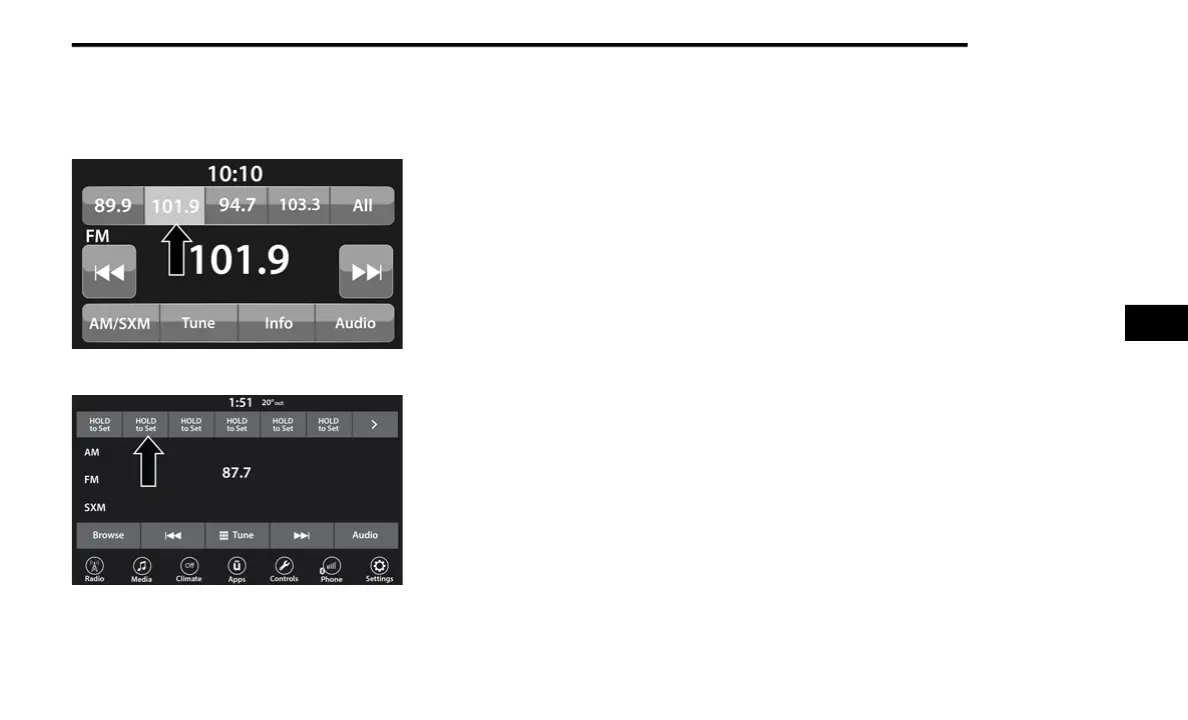
Uconnect 3 With 5-inch Display Radio Presets
Uconnect 4 With 7-inch Display Radio Presets
The Presets are available for all Radio Modes,
an
d are activated by pressing any of the Preset
buttons, located at the top of the screen.
When you are on a station that you wish to save
as
a preset, press and hold the numbered
button on the touchscreen for more than two
seconds.
The Radio stores up to 12 presets in each of the
Ra
dio Modes.
A total of six presets will appear on the screen.
Yo
u can switch between the radio presets list by
pressing the Arrow button located in the upper
right of the radio touchscreen.
For the Uconnect 3 With 5-inch Display
A set of four presets will appear on the screen.
Pr
ess the All button to view all saved presets. To
remove a saved preset, a new preset must be
saved over the old one.
Preset Features — If Equipped
Browse In AM/FM
When in either AM or FM, the Browse Screen
pr
ovides a means to edit the Presets List and is
entered by pushing the Enter/Browse button.
Scrolling Preset List
Once in the Browse Presets screen, you can
sc
roll the preset list by rotation of the Tune/
Scroll knob or by pressing the Up and Down
Arrow keys, located on the right of the screen.
Preset Selection From List
A preset can be selected by pressing any of the
li
sted Presets, or by pushing the Enter/Browse
button on the Tune/Scroll knob to select the
currently highlighted Preset.
When selected, the radio tunes to the station
st
ored in the Presets.
5















 To Next Page