270 MULTIMEDIA
NOTE:
Requires compatible smartphone running
An
droid™ 5.0 or higher and download app on
Google Play. Android™, Android Auto™, and
Google Play are trademarks of Google Inc.
APPLE CARPLAY®
Use this QR code to access your
digital experience.
Uconnect works seamlessly
wi
th Apple CarPlay®, the
smarter, more secure way to
use your iPhone® in the car,
and stay focused on the road. Use your
Uconnect Touchscreen display, the vehicle's
knobs and controls, and your voice with Siri to
get access to Apple Music®, Maps, Messages,
and more.
NOTE:
Feature availability depends on your carrier and
m
o
bile phone manufacturer. Some Apple
CarPlay® features may or may not be available
in every region and/or language.
To use Apple CarPlay®, make sure you are
us
ing iPhone® 5 or later, have Siri enabled in
Settings, ensure your iPhone® is unlocked for
the very first connection only, and then use the
following procedure:
1. Connect your iPhone® to one of the media
U
SB ports in your vehicle.
NOTE:
Be sure to use the factory-provided Lightning
c
a
ble that came with your phone, as after-
market cables may not work.
2. O
nce the device is connected and
r
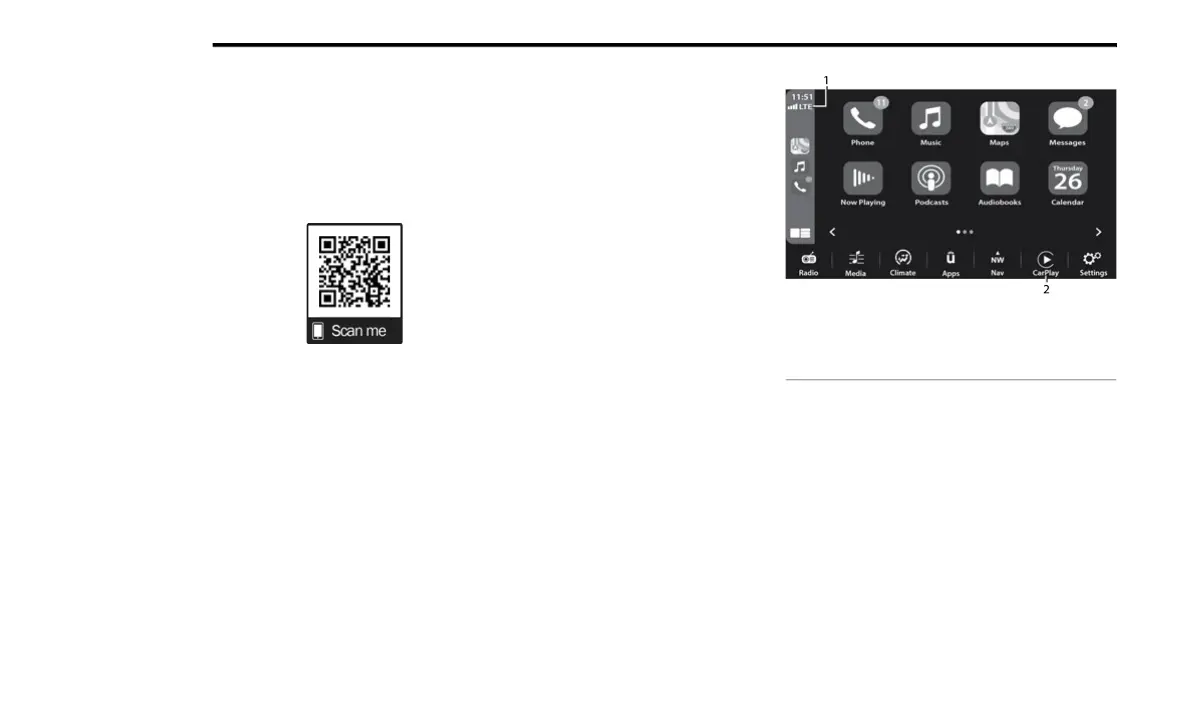
ecognized, the Phone icon on the drag &
drop menu bar changes to the Apple
CarPlay® Icon.
NOTE:
Apple CarPlay® is set to launch immediately.
Yo
u can also launch it by pressing the Apple
CarPlay® icon on the touchscreen.
Apple CarPlay® And LTE Data Coverage
NOTE:
To use Apple CarPlay®, make sure that cellular
d
a
ta is turned on, and that you are in an area
with cellular coverage. Your data and cellular
coverage is shown on the left side of the radio
screen. Data plan rates apply.
1 — LTE Data Coverage
2 — Apple CarPlay®















 To Next Page