268 MULTIMEDIA
steering wheel controls, the knobs and buttons
on your radio faceplate, and the radio display’s
touchscreen to control many of your apps. To
use Android Auto™, perform the following
procedure:
NOTE:
Feature availability depends on your carrier and
m
o
bile phone manufacturer. Some Android
Auto™ features may or may not be available in
every region and/or language.
1. Download the Android Auto™ app from the
G
oogle Play store on your
Android™-powered smartphone.
2. Connect your Android™-powered
s
martphone to one of the media USB ports
in your vehicle. If the Android Auto™ app
was not downloaded, the first time you plug
your device in the app begins to download.
Your vehicle should be in PARK the first time
you use the app.
NOTE:
Be sure to use the factory-provided USB cable
th
at came with your phone, as aftermarket
cables may not work.
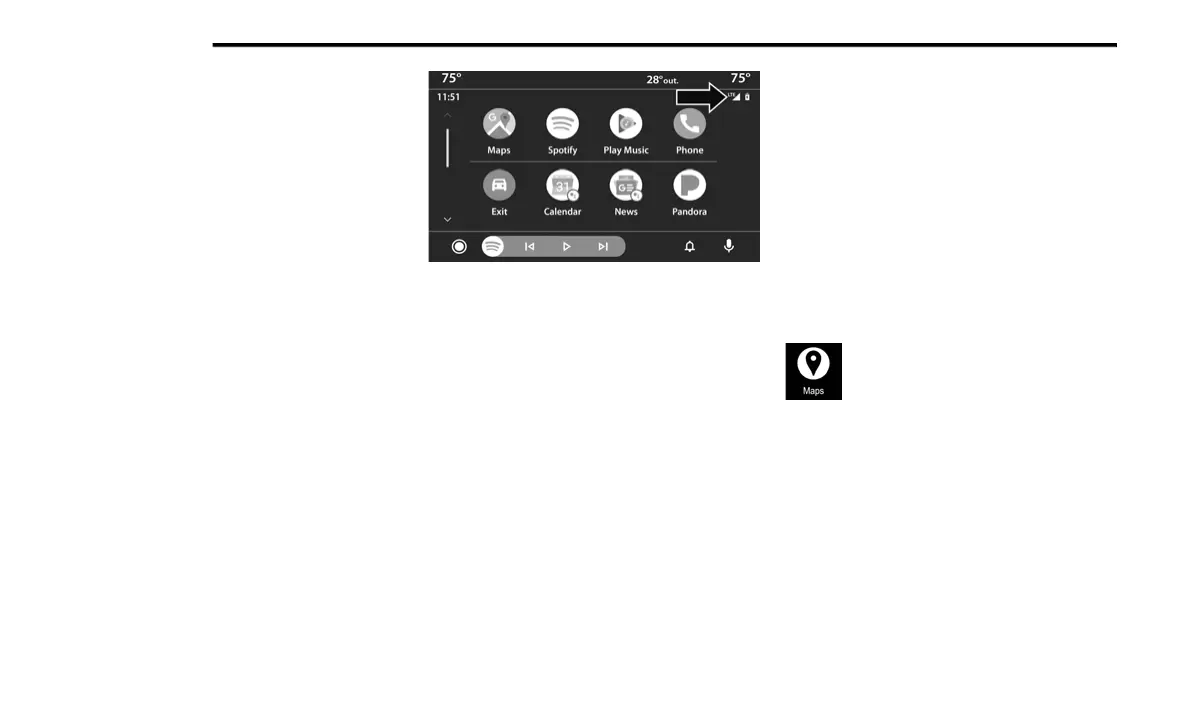
Android Auto™ And LTE Data Coverage
NOTE:
To use Android Auto™, make sure you are in an
ar
ea with cellular coverage. Android Auto™ may
use cellular data and your cellular coverage is
shown in the upper right corner of the radio
screen. Data plan rates apply.
3. Once the device is connected and
r
ecognized, the Phone icon on the drag &
drop menu bar changes to the Android
Auto™ icon.
NOTE:
Android Auto™ is set to launch immediately
o
n
ce a compatible device is connected. You can
also launch it by pressing the Android Auto™
icon on the touchscreen.
Once Android Auto™ is up and running on your
Uc
onnect system, the following features can be
utilized using your smartphone’s data plan:
Google Maps™ for navigation
Google Play Music, Spotify, iHeart Radio, etc.
for music
Hands-free calling and texting for communi-
cation
Various compatible apps
Maps
Push and hold the Voice Recognition
(VR) button on the steering wheel
un
til the beep or tap the Microphone
icon to ask Google to take you to a
desired destination by voice. You can also touch
the Navigation icon in Android Auto™ to access
other navigation apps.
While using Android Auto™, Google Maps™
pr
ovides voice-guided:
Navigation
Live traffic information
Lane guidance















 To Next Page