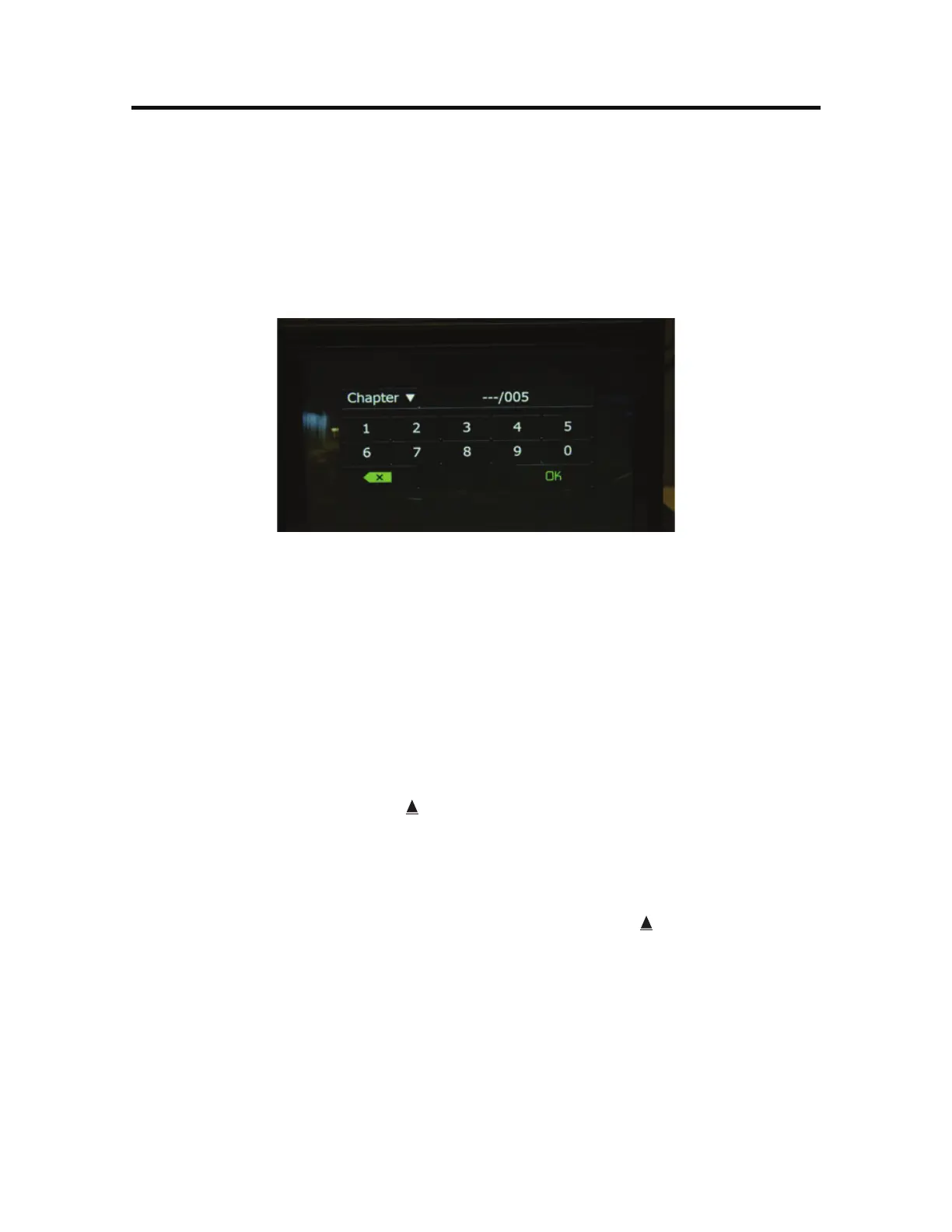
%JSFDU&OUSZ
When the Direct Entry icon is touched the Direct Entry Screen appears. The user
can manually select a title or a chapter. By touching T icon, the user can select a
chapter or title. The title or chapter can be selected by touching the corresponding
number for a title or chapter. After entering the numbers, touch the OK icon. If a
wrong digit is entered, touching the arrow will remove the number. After touching
OK, playback will begin.
%7%$IBQUFSBOE5JUMF%JSFDU&OUSZ4DSFFO
*OTFSUJOHB%JTD
Upon inserting a DVD disc, DVD mode is entered and disc play begins. A disc
cannot be inserted if there is already a disc in the unit or if the power is off.
/PUF*G1BSFOUBM-PDL3BUJOHJTBDUJWBUFEBOEUIFEJTDJOTFSUFEJTOPU
BVUIPSJ[FEUIFEJHJUDPEFNVTUCFFOUFSFEBOEPSUIFEJTDNVTUCF
BVUIPSJ[FE4FFi%7%4VC.FOV'FBUVSFTwPOQBHF
/PUF%7%3BOE%7%38XJMMOPUQMBZVOMFTTUIFSFDPSEJOHTFTTJPOJT
GJOBMJ[FEBOEUIF%7%JTDMPTFE
&KFDUJOHB%JTD- Press the Eject ( ) button on the front of the unit to eject the
disc. The unit automatically reverts to Tuner mode. You may eject a disc with the
unit powered off. The unit will remain off after the disc is ejected.
3FTFUUJOHUIF-PBEJOH.FDIBOJTN- If the disc loads abnormally or an abnormal
core mechanism operation occurs, press and hold the Eject ( ) button on the
front of the unit to reset the loading mechanism. Normal operation resumes.
"DDFTTJOH%7%.PEF-To switch to DVD mode when a disc is already inserted,
touch 43$ on the TFT LCD screen to access the source menu. Touch the disc icon.



 To Next Page