4XJUDIJOHUP4JSJVT9.¥3BEJP
t Touch the top left corner of the screen (the 43$ box) to view the Main Menu
screen. From the Main menu screen, touch the 4JSJVT9. icon.
t Press the .&/6 button on the front panel to switch to the SXM source.
4FMFDUJOHUIF4JSJVT9.¥#BOE
Touch the #BOE icon on the SXM Menu screen to change between the following
bands: SXM1, SXM2, and SXM3.
4FFL5VOJOH
t To fast seek the next higher channel, touch and hold the icon.
t To fast seek the next lower channel, touch and hold the
icon.
%JSFDU5VOJOH
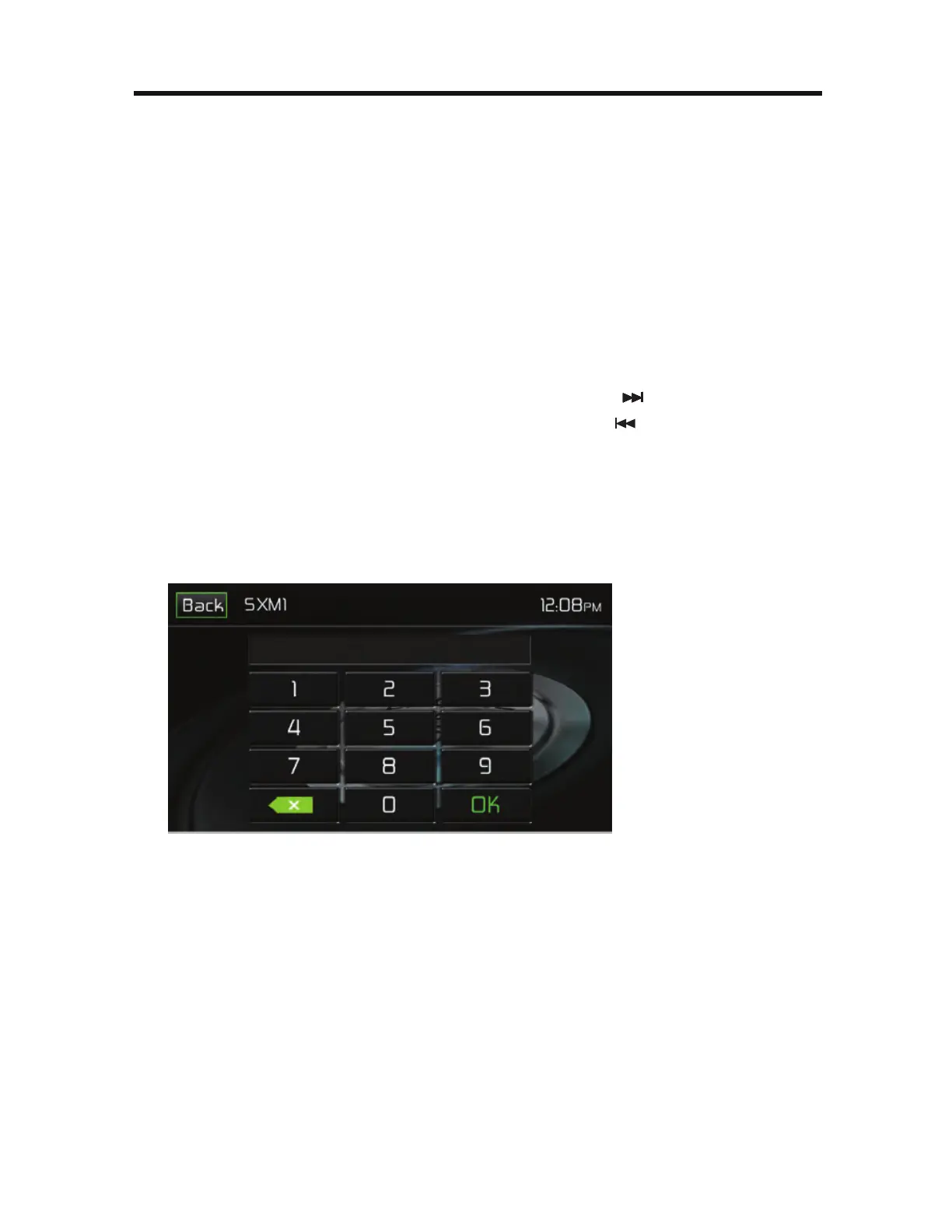
To enter a SiriusXM® radio channel directly:
1. On the SiriusXM® menu page 1, touch the
%JSFDU&OUSZicon to display the
Direct Entry Menu.
49.%JSFDU&OUSZ4DSFFO
2. Enter the desired SiriusXM® radio channel using the on-screen number pad
then touch the 0L icon. If you wish to delete an entry number touch the 9
icon.
3. To exit the screen without changing the channel, touch the #BDL icon.



 To Next Page