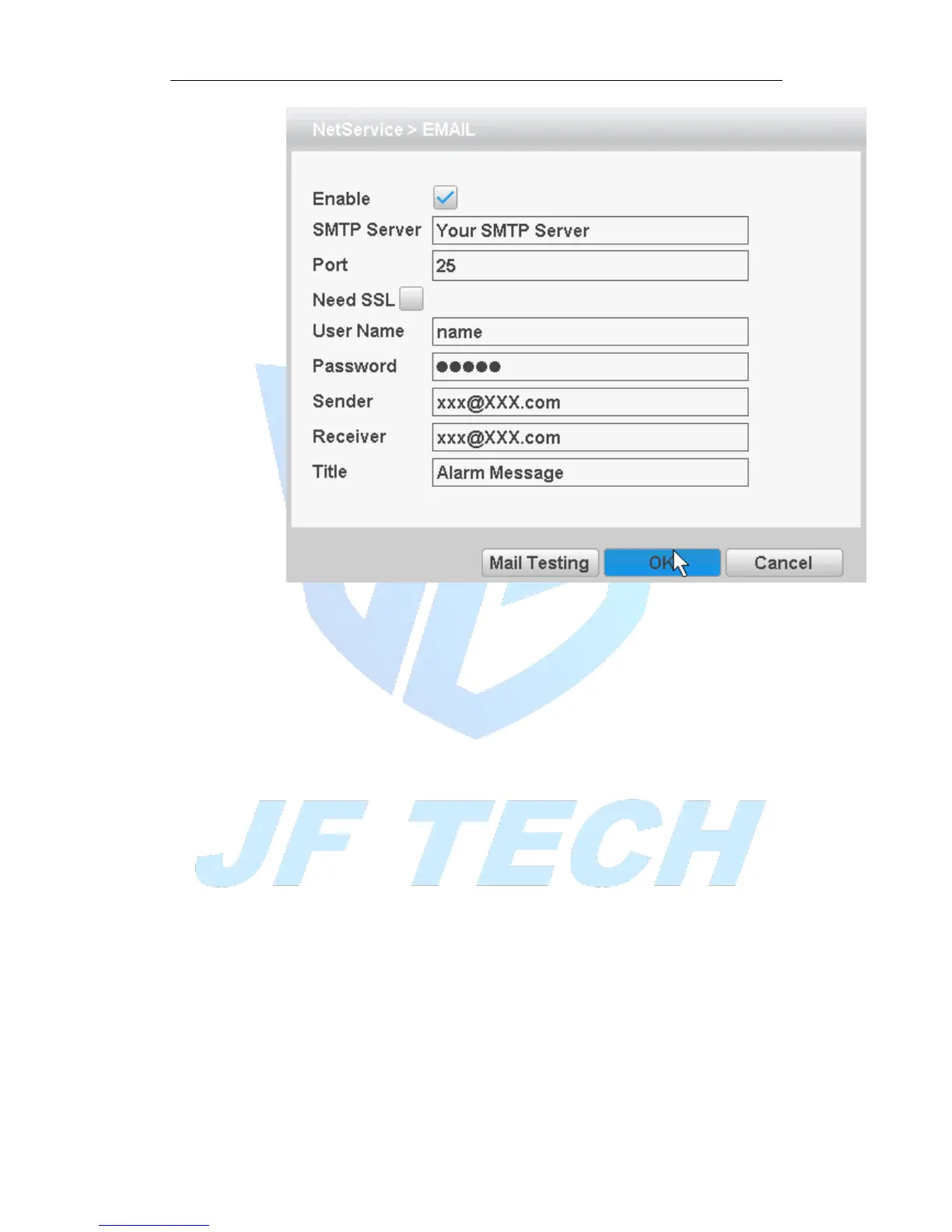
Figure 4.20 Email settings
[SMTP server]: Log mailbox to query entry method SMTP server in mailbox
settings.
[Port]: The mail server port number;
[Need SSL]: consistent with the mailbox configuration, you can log in to view the
mailbox into the mailbox settings.
[User Name]: Only fill in email address before the @.
[Password]: Password for the user name of the application.
[Sender]: Set the message sender EMAIL address.
[Receiver]: You can set up to three e-mail address, separated by a semicolon, can
outbox the same e-mail address.
[Title]: subject of the message, you can set your own.
[IP Filter]
When choosing the white list, the list represents only the IP to connect this DVR. A list
of supported 64 IP settings;
When selecting the blacklist, represents a list of the IP network cannot be landed this
DVR. A list of supported 64 IP settings;
You can tick check, delete the set IP.
Note: When the black and white list, have the same IP address blacklist authority
higher priority.



 To Next Page