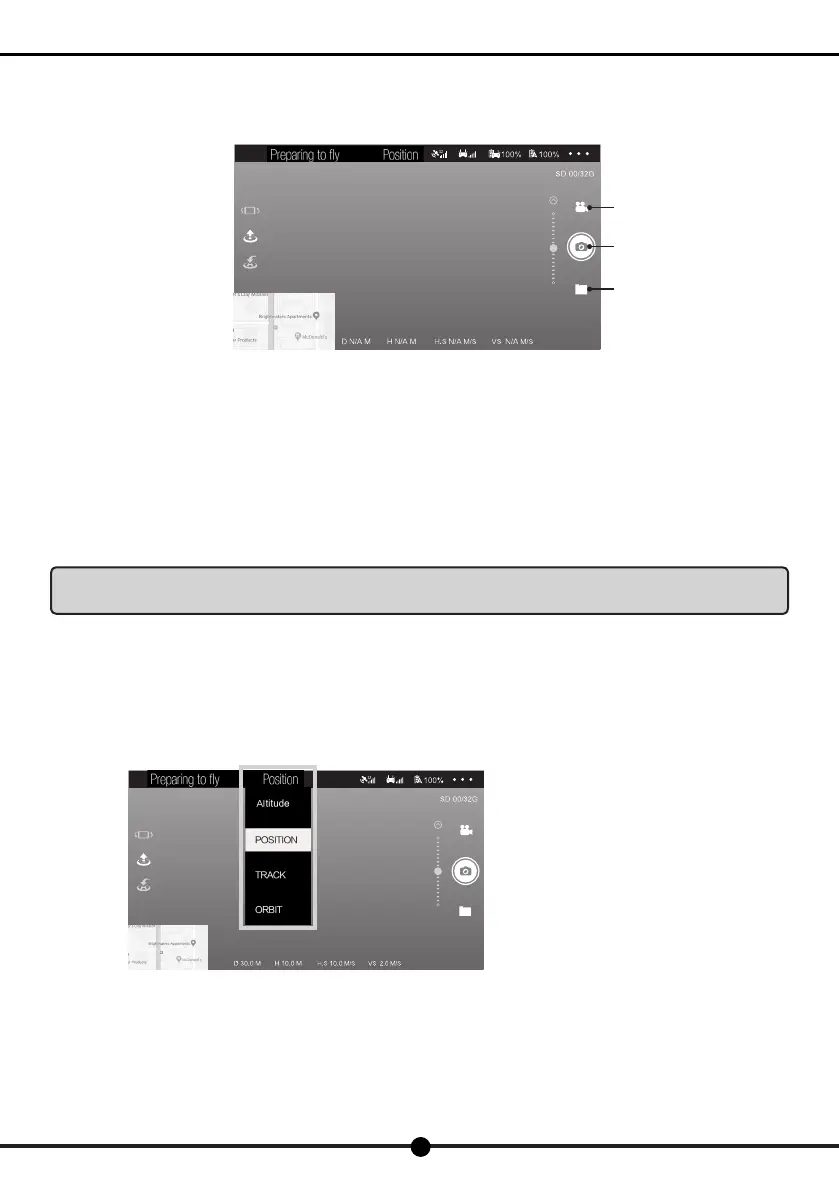
Video
Photo
Album
Click the "position hold" button (shown as the left
picture), and a drop-down menu will pop up on
the screen. Select a ight mode.
22
X7
Operation Manual
4. Photo and video
During the igh, click the "Photo/ Video" button to take image or video footages.
Click the "Photo" button to save a photo in the album.
Long press the "Video" button and wait until the APP icon turns red, indicating it has been ready for video shooting. Long press the
button again and wait until the APP icon turns white, indicating it has stopped recording. All the videos will be saved in the album.
○ Aerial photography tips
(1). Check the condition of all parts before ight.
(2). Take photos or vides when the drone is in position hold mode.
(3). Shoot on sunny and breezy days.
(4). Slightly toggle the joystick in mid-ight as to ensure a smooth ight.
Note: In order to avoid possible damage or loss,please ensure that the camera is free to rotate. High
temperature may cause damage to the camera and even cause injury.
5. Flight mode
1) Position hold mode
User can choose position hold mode when GPS signal is good(the aircraft's indicator light turns solid green).In this mode, the aircraft
will automatically locate its own position and perform a stable ight.


 To Next Page
 Loading...