40
Step1: Please connect the wire of DC according to the following steps:
1. Fasten the DC conductor to the
cold pressed terminal (SC6-5) with a
press pliers.
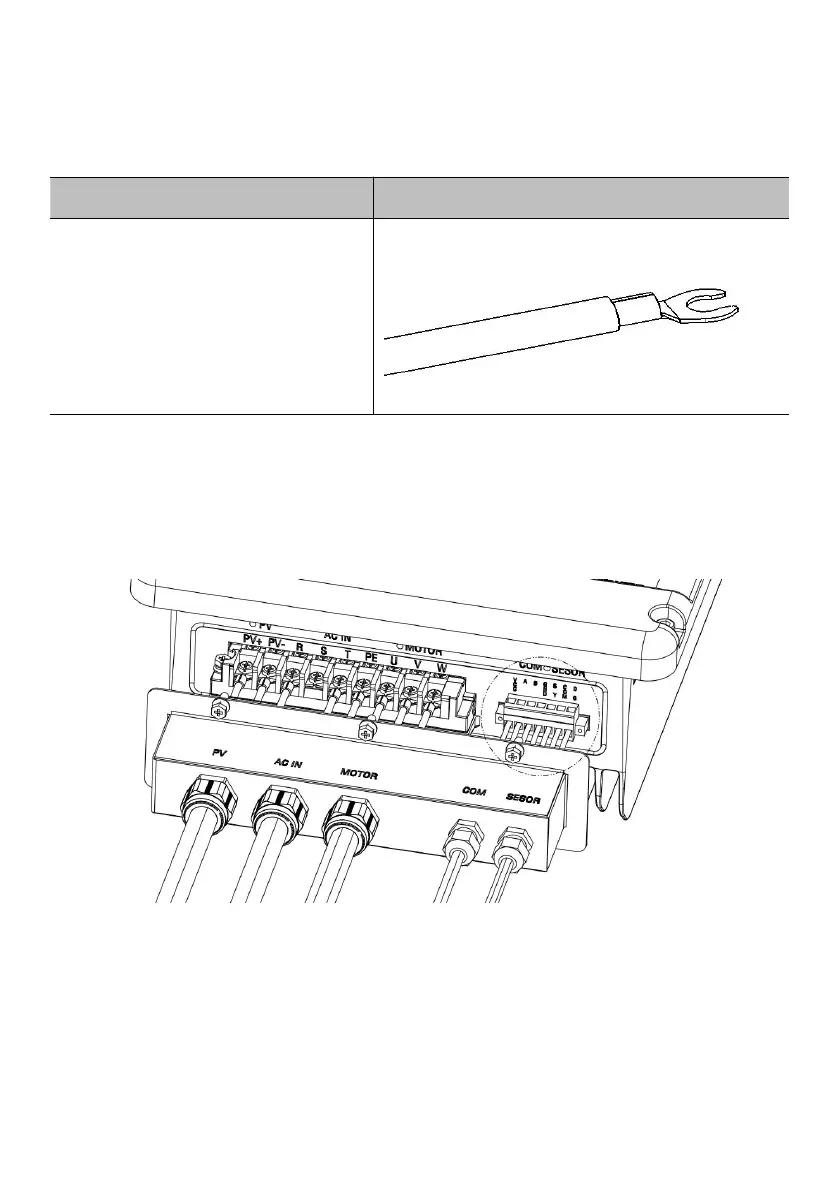
Step2: Through the PV waterproof terminal on the terminal cover, fix the DC wire (PV +,
PV -) on the terminal, pay attention to the positive and negative poles shouldn’t be
connected reversely, and ensure that the circuit breaker at the DC side of the system is
in the off state.
Figure6-4 PV side electrical connection



 To Next Page