55
8 LCD Panel Operating Instructions
8.1 Inverter LCD Display
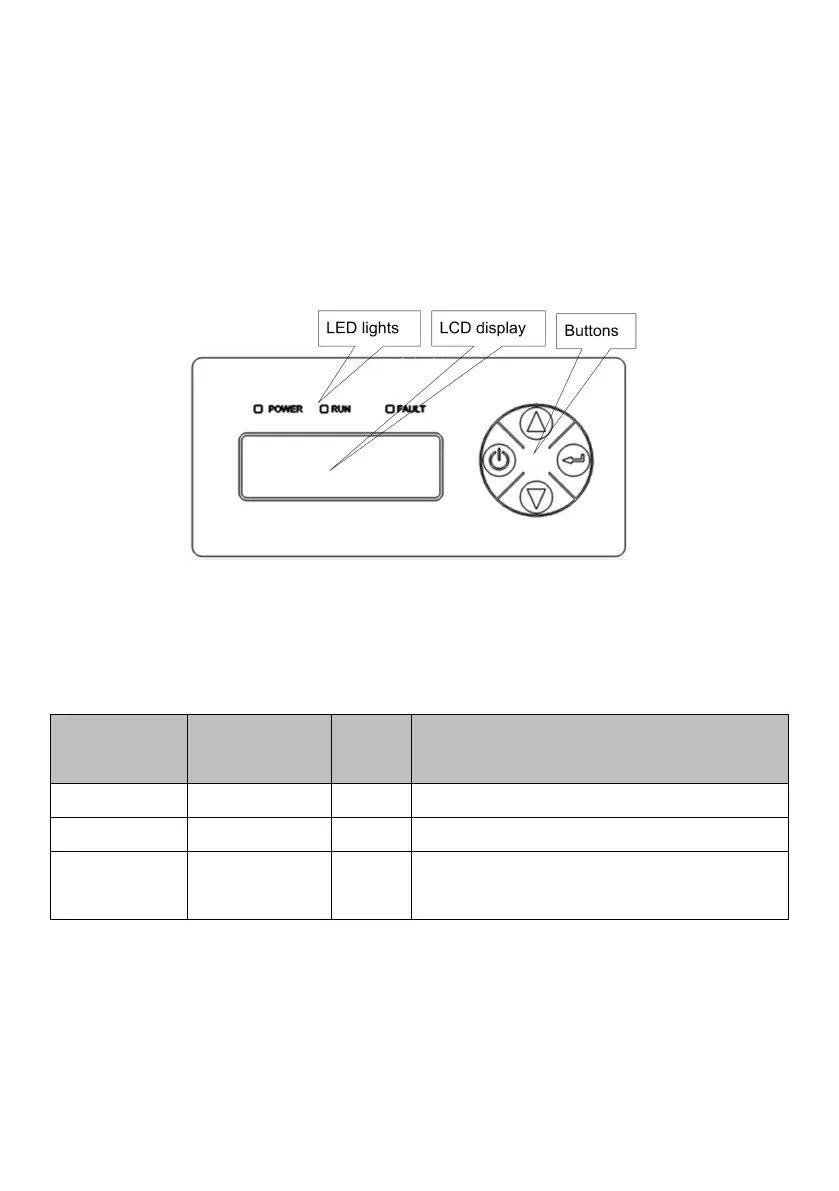
There are three LED lights, four buttons on the LCD Display, shown in figure
8-1.
Figure8-1 LCD Display
8.1.1 LED Indicator Direction
Table8-1 LED Indicator Direction
Light on under normal operation
Light on when error occur, off when fault
disappear
Detail Explanation of Indicator
●
When inverter is powered on, “POWER” indicator (green) will be lighted.
●
Communication fault occurs, “FAULT” indicator flashes rapidly.
● Other outage or shutdown mode occurs, “FAULT” indicator will be lighted,



 To Next Page