76
Operator’s Manual
Operations
QUADRIGA 1000/BB
5.2-1
4.1-1
4.1-2
1
2
4
3
5
6
8
7
2
5.2 Demounting and mounting tires
automatically
Having clamped the wheel on the Wheel Holder Flange,
proceed as follows:
• Remove all wheel-weights from the rim flanges.
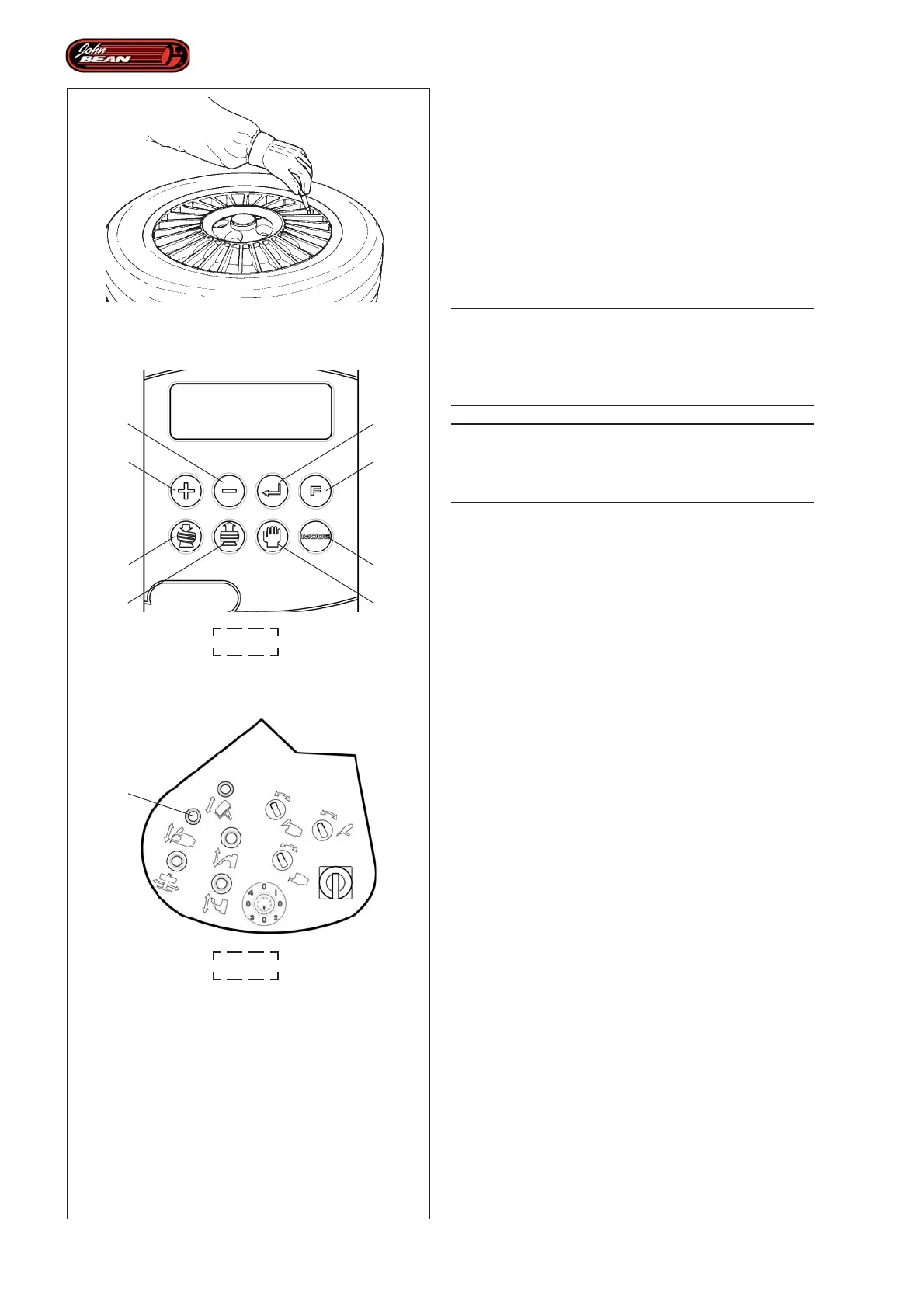
• Remove the valve to deflate the tire. (Fig.5.2-1).
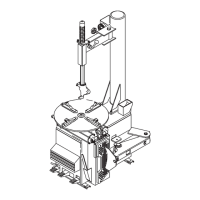
• Establish the rim diameter and enter it using keys 1
and 2 on the User Interface (Fig. 4.1-1).
WARNING:
ENTERING INCORRECT DATA MAY CAUSE
DAMAGE TO THE MACHINE AND THE PARTS
BEING WORKED ON AND PUT THE OPERATOR
AT RISK.
WARNING:
THE MACHINE WILL NOT ALLOW THE SET
DIAMETER TO BE CHANGED ONCE THE LASER
HAS SCANNED THE RIM PROFILE.
• Check whether the type of tire in use needs a
different Wheel Mode to the one preset on the
machine. If necessary alter the selection using key
(8, Fig. 4.1-1). See Wheel Mode Selection chapter.
Note: Most wheels can be processed in NORMAL
mode, which is set by default when the
program starts up.
Note: The display always shows which Wheel Mode
is in use at a particular time.
• Select the Automatic Demounting function, using
key (6, Fig. 4.1-1).
The machine is now ready to start the automatic tire
demounting operation.
Note: The display shows information regarding tire
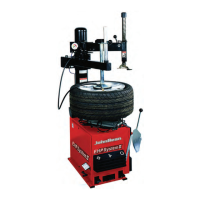
condition, Full Tire Remove and the lever (2,
Fig.4.1-2) that activates the procedure. At the
moment this is the only function enabled to
run the entire work cycle.


 To Next Page