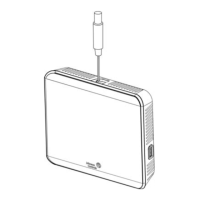
Figure 12: AUX contact wiring
Figure 13: Binary input wiring
Setup and adjustments
Important: Table 14 provides a full list of TEC3000
menu settings. In the upcoming sections, step-by-
step instructions are included on how to access and
adjust the more commonly used menus.
Overview
About this task:
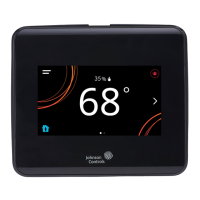
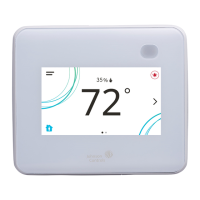
Figure 14 shows the thermostat controller home screen
in both the light and dark themes. You can customize
it to show or hide various elements from the occupant.
See Table 6 for a listing of the touchscreen icons and
Table 14 to identify the home screen settings under the
Display Settings. When screen customization is used in
conjunction with a passcode, the building owner can
control which options the occupant can access and adjust.
Important: If lockout levels are used, some icons
are hidden. Table 7 provides details of these levels.
Figure 14: Thermostat controller home screen (shown
with light and dark themes)
To switch between the modern, classic, light, and
dark themes, complete the following steps:
1. Press the Menu icon.
2. Press Settings.
3. Press Display Settings.
4. Press Change Color Theme.
5. Select one of the four options available.
Result
Multiple pages are available on the display. The page that
you currently view is emphasized with a filled dot. The
other available page displays as an empty dot.
In the modern theme, the cooling, or blue, and heating, or
orange, circles show whether the cooling or heating mode
is active.
Figure 15: Thermostat controller home screen in
cooling mode (left) and heating mode (right)
Customizing the home screen
About this task:
Customizing the Home screen settings include:
• Brightness
• Enable Backlight
• Units
• Time
• Time Zone
• Time Format
• Date
• Date Format
You can also show or hide these items on the Home
screen:
• Fan Button
• Temperature
• Humidity
• Off Button
• Hold Button
• Setpoint
• Alarms
• Occupancy Status
• Unit Status
• Date/Time
To customize the Home screen, complete the following
steps:
1. Press the Menu icon.
2. Press Display Settings.
3. Enable or disable elements of the home screen as
appropriate for the building owner and occupants.
4. Set the passcode on the thermostat controller to
prevent the occupants from changing settings that
they should not have access to change.
TEC3000 Series Networked and Wireless Single- or Two-Stage Economizer Thermostat Controllers Installation Guide12


 To Next Page
 Loading...