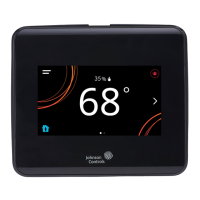
PID/PRAC+ automatic control tuning
About this task:
The TEC3000 features advanced proportional-integral-
derivative (PID) control algorithms to maximize control
performance while minimizing excessive cycling and
wear on the equipment. PID is used in conjunction with a
Multi-Stage Controller (MSC) for all occupied and standby
control.
Additionally, the PID features Johnson Controls
proprietary Pattern Recognition Adaptive Control (PRAC
+) automatic tuning, which continuously tunes the
controller parameters to automatically optimize the
control performance to match the equipment and zone.
By default, PRAC+ is enabled and immediately begins to
tune. To reset tuning at any time to the factory defaults,
complete the following steps:
1. Press the Menu icon.
2. Press Setup.
3. Press General Setup.
4. Press Tuning.
5. Press Reset PID Tuning and select Yes.
6. Press Save and the back arrow to return to the
previous screen.
PRAC+ automatic tuning can also be disabled. When
disabled, the controller parameters remain at their last
values until automatic tuning is re-enabled. To disable
automatic tuning, complete the following steps:
1. Press the Menu icon.
2. Press Setup.
3. Press General Setup.
4. Press Tuning.
5. Press Temp Control Setup.
6. Select Manual PID Tuning (or any option listed in
Table 11). PID tuning is active with the Automatic
PID Tuning and Deadband Override parameters.
7. Press Save and the back arrow to return to the
previous screen.
Result
As a result of disabling PRAC+ Automatic Tuning, you have
access to different types of manual tuning that allows
modifications of tuning parameters listed under Control
Setup > General in Table 14.
Table 11: TEC3000 tuning types
Tuning type Description
Automatic PID
tuning
Automatic tuning in an existing
TEC3000
Deadband
override
Overrides the deadband that PRAC
+ would normally use. Decouples
Deadband control from PRAC+
Automatic Tuning and Min On Off
Equipment Setting.
Manual PID
tuning
Manual tuning of Heating and Cooling
PIDs. The manual tuning parameters
are listed under Setup > General Setup
> Tuning in Table 14.
On/off control
(for TEC3x1x
and TEC3x3x
models)
Binary control
Note: For more details on PID/PRAC+ Automatic
Control Tuning, refer to the Controller Tool Help
(LIT-12011147).
Configurable binary inputs
The thermostat controller supports up to two
configurable binary inputs (BIs) that can be used to add
additional features to the system. Configurable Binary
Inputs are accessed through Setup > Inputs. Both BIs can
be configured to support the following options:
• Disabled—Sets the binary input to an unused state.
When disabled, you can use the binary input for
monitoring-only without affecting the thermostat
functionality.
• Open Window—Sensor to shut down control if a
window is opened. The controller disables control 60
seconds after detecting an opened window.
• Open Door—Works in conjunction with the Motion NO/
Motion NC sensor to control occupancy
• Fan Lock—Air Proof switch input to shut down control
if no airflow is detected within 10 seconds of turning
the fan on. Fan Lock must be manually reset from the
Faults menu.
• Service—Input from the equipment to display a service
warning on the thermostat
• Dirty Filter—Input from the equipment to display a
dirty filter fault on the thermostat
• Motion NC—External motion sensor with a closed
contact output when no motion is detected
• Motion NO—External motion sensor with an open
contact output when no motion is detected
• Temp Occ—Trigger to place controller into Temporary
Occupancy mode
• Occupancy—Direct override of Occupied and
Unoccupied
• Supply Fan Status—Input from the equipment to
display a Supply Fan Fault. When Fan Alarm Action is
set to Shutdown and the Supply Fan Fault is active, the
TEC3000 disables the fan, heating, and cooling. When
the Fan Alarm Action is set to Enable and the Supply
Fan Fault is active, the TEC3000 allows the fan, heating,
and cooling to operate during the Supply Fan Fault.
TEC3000 Series Networked and Wireless Single- or Two-Stage Economizer Thermostat Controllers Installation Guide 23


 To Next Page
 Loading...