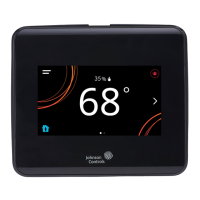
Installer configuration menu
The thermostat controller comes from the factory with
default settings for all configuration parameters. The
UI menu navigation and default settings are shown in
Table 14. Before any outputs turn on, the controller must
be configured for the equipment connected. You need
to start from the home screen to perform any of the
following tasks.
Screen reset
The current screen returns to the home screen and turns
off if the current screen is not touched for 3 minutes.
Touch the screen to turn it on again. To disable the
screensaving option, press Display Settings and set
Enable Display Timeout to No.
Selecting Rooftop or Heat Pump mode
About this task:
By default, the thermostat controller is configured for
Rooftop mode. This mode is used for up to two discrete
stages of heating (W1, W2) and up to two discrete stages
of cooling (Y1, Y2). Certain heat pumps do not require an
O/B input and instead take standard W and Y commands
as heat or cool commands, internally sequencing the
equipment. For these type of heat pump units, leave the
controller in Rooftop mode.
When in heat pump mode, the TEC controls up to two
stages of compressors (Y1, Y2) for both heating and
cooling. O/B is controlled through the W1/OB output and
one stage of supplemental heat is controlled through the
W2/SUP output. To configure heat pump mode, complete
the following steps:
1. Press the Menu icon.
2. Press Setup.
3. Press Equipment Setup.
4. Press Heat Pump.
5. Press Heat Pump Supported and select Yes.
6. If supplemental heating is installed, press Supp
Heating Installed and select Yes.
7. Press Reversing Valve Polarity and set
appropriately for the O/B input on the equipment
based on if the equipment is normally cooling until
the thermostat output is activated or normally
heating (typically, Normally Heat for O and
Normally Cool for B).
8. Press Save and the back arrow to return to the
previous screen.
Configuring heating and cooling stages
1. Press the Menu icon.
2. Press Setup.
3. Press Equipment Setup.
4. Press General.
5. Press Number of Compressors and adjust the
number of compressor inputs on the equipment
being controlled.
6. If the thermostat controller is in rooftop mode,
press Number of Heating Stages and adjust the
number of heating inputs on the equipment being
controlled.
7. Press Save and the back arrow to return to the
previous screen.
Configuring economizer
About this task:
If the equipment has an analog (between 0 VDC to
10 VDC) input for an economizer damper command,
configure the economizer as follows:
1. Press the Menu icon.
2. Press Setup.
3. Press Equipment Setup.
4. Press Economizer.
5. Press Economizer Installed and select Yes.
6. Press Min Position and set to the percentage that
the damper must be kept open to ensure fresh air
flow in the zone.
7. Press Closed Voltage and set to the voltage output
at which the damper is fully closed.
8. Press Opened Voltage and set to the voltage output
at which the damper is fully opened.
9. Press Save and the back arrow to return to the
previous screen.
The TEC supports three methods of determining
economizer availability. These are Dry Bulb, Single
Enthalpy, and Dual Enthalpy, in increasing order of
accuracy. To run an economizer, outdoor air temperature
(OAT) is required to run in Dry Bulb mode. This can be
provided by connecting a sensor to the OAT input on the
TEC. It also can be provided by writing to NET-OAT from
a Building Automation System (BAS), which overrides
the internal sensor. If Outdoor Air Humidity (OAH) is
also provided by writing to NET-OAH, the dual enthalpy
method is used to determine if economizer cooling should
be used.
All network overrides to the TEC work on a timeout basis.
If the value is written to, it remains active as long as the
BAS writes a new value within 15 minutes of the first one.
If the 15-minute timeout occurs without getting any data
written, the TEC stops using the network data.
When operating in Dry Bulb or Single Enthalpy mode,
it is necessary to provide a Dry Bulb Setpoint or an OA
Enthalpy Setpoint, respectively. The TEC ships with default
values set, but depending on climate it may be necessary
to change these. To access these values, complete the
following steps:
1. Press the Menu icon.
2. Press Setup.
3. Press Equipment Setup.
4. Press Economizer.
5. Press Dry Bulb Setpoint or Outdoor Enthalpy
Setpoint and adjust according.
6. Press Save and the back arrow to return to the
previous screen.
TEC3000 Series Networked and Wireless Single- or Two-Stage Economizer Thermostat Controllers Installation Guide 17


 To Next Page
 Loading...