EasyManua.ls Logo

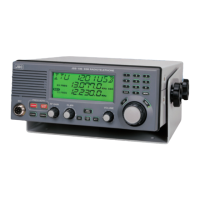
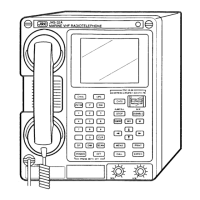
JRC JSS-2150 - User Manual

JRC JSS-2150
248 pages
Print Icon
To Next Page IconTo Next Page
Loading...
INSTRUCTIONINSTRUCTION
MANUALMANUAL
JSSJSS
-
2150/2150N2150/2150N
-2250/2250N-2250/2250N
-2500/2500N-2500/2500N
MF/HF RADIO EQUIPMENTMF/HF RADIO EQUIPMENT
ISO 9001, ISO 14001 Certified
SEP. 2021 Edition 1CODE No.7ZPJD0805
Not use the asbestos
For further information,contact:
URL Head office : http://www.jrc.co.jp/eng/
Marine Service Department
1-7-32 Tatsumi, Koto-ku, Tokyo 135-0053, Japan
           : tmsc@jrc.co.jp
           :
+81-50-3786-9201
e
-
mail
One
-
call

Table of Contents

Other manuals for JRC JSS-2150

Questions and Answers

  • Z
    Zachary WestJul 30, 2025
    Why is the reception sensitivity poor on my JRC Radio?
    • V
      Vanessa NguyenJul 30, 2025
      If the JRC Radio's reception sensitivity is poor, consider these potential causes and solutions: * **Antenna damage:** Inspect the antenna. * **Break or short circuit of antenna cable:** Check the antenna cable. * **Malfunction in the antenna connectors:** Inspect the antenna connectors. * **Malfunction in the receiver circuit:** Check the receiver circuit.
  • D
    Diane Garcia MDAug 3, 2025
    What to do if TX and TXON is displayed but no voice is transmitted in the TEL mode on my JRC Radio?
    • J
      jonesrodneyAug 3, 2025
      If your JRC Radio displays TX and TXON but no voice is transmitted in TEL mode, the potential causes and solutions are: * **Malfunction in the handset:** Check the handset. * **Malfunction in the controller cable:** Inspect the controller cable. * **Malfunction in the AF signal transmission circuit:** Check the AF signal transmission circuit.
  • R
    Robert McleanAug 7, 2025
    Why does my JRC Radio output static but not receive transmissions?
    • B
      Bethany StephensAug 8, 2025
      If your JRC Radio speaker outputs static (noise) but cannot receive transmissions, consider the following possible causes and solutions: * **Antenna damage:** Inspect the antenna. * **Break or short circuit of antenna cable:** Check the antenna cable. * **Malfunction in the antenna connectors:** Inspect the antenna connectors. * **Malfunction in the receiver:** Check the receiver.
  • D
    Douglas PriceAug 11, 2025
    How to troubleshoot a JRC Radio with nothing displayed on the controller screen?
    • S
      Sharon HoffmanAug 11, 2025
      If nothing is displayed on the controller screen of your JRC Radio, consider these possible causes and solutions: * **Malfunction in the controller cable:** Check the controller cable. * **Abnormal power supply voltage:** Inspect the power supply voltage. * **Malfunction in the power switch, display circuit or control circuit:** Inspect the power switch and control circuits.
  • N
    nwhiteAug 16, 2025
    What to do if there is little or no sound from the speaker of my JRC Radio?
    • B
      bautistaelizabethAug 16, 2025
      If you are experiencing little or no sound from the speaker of your JRC Radio, including both static and voices, it could be due to: * **Malfunction in the speaker:** Inspect the speaker. * **Malfunction in the receiver circuit:** Check the receiver circuit.
  • D
    Dean AcevedoAug 20, 2025
    Why are TX and TXON displayed, but transmission is not possible on my JRC Radio?
    • T
      Tony ChristianAug 20, 2025
      If your JRC Radio displays TX and TXON, but transmission is not possible, the issue might stem from: * **Malfunction in the handset PTT switch (TEL mode):** Check the handset PTT switch. * **Malfunction in the electrical key connection (CW mode):** Inspect the electrical key connection. * **Malfunction in the transmission circuit:** Check the transmission circuit.
  • V
    victor82Aug 25, 2025
    What does it mean if TX is displayed but TXON is not, and transmission is not possible on my JRC Radio?
    • M
      Matthew MooreAug 26, 2025
      If TX is displayed but TXON is not, and transmission is not possible on your JRC Radio, the cause may be: * **Malfunction in the transmission circuit:** Inspect the transmission circuit.

Summary

Safety Precautions

Cautions Against High Voltage

Essential safety measures to prevent electric shock from high-voltage components.

Precautions for Rescuing Victims from Electrocution

Procedures for safely rescuing someone from an electrocution incident, including immediate actions.

Emergency First Aid Procedure

Flow of Cardiopulmonary Resuscitation (CPR) using AED

Step-by-step guide for Cardiopulmonary Resuscitation using an Automated External Defibrillator.

Before Operation

Handling Precautions

General Handling Warnings

Critical warnings to prevent fire, electrical shock, and equipment malfunction during handling.

Distress Alerts

Sending a Distress Alert

Procedure for transmitting a distress alert using the dedicated DISTRESS key.

Terminating a Distress Alert

How to cancel an accidental or false distress alert transmission.

Receiving a Distress Alert

4. OPERATION

4.4 Basic DSC Operations

Procedures for making routine, safety, and urgency calls using DSC.

4.5 Emergency Calls

Detailed instructions for sending DSC distress, urgency, and safety calls.

4.6 DSC Call Log

4.8 USB Memory Operation

5. SETTINGS & REGISTRATIONS

5.4 Registering User Channels

Adding and configuring custom channels for scanning and radio operations.

5.5 Advanced Settings for DSC;WKR

Configuring automatic acknowledgements and DSC watch frequencies.

6. MAINTENANCE & INSPECTION

6.1 General Maintenance & Inspection

Regular inspections to ensure optimal equipment condition and identify potential issues.

6.2 Self Diagnosis Inspection

Performing self-diagnostic tests on various equipment components for troubleshooting.

7. AFTER-SALES SERVICE

9. SPECIFICATIONS

11. Appendix

JRC JSS-2150 Specifications

General IconGeneral
TypeMF/HF Radio
Frequency Range (Transmit)1.6 to 27.5 MHz
ITU ChannelsYes
DSCClass A DSC
Power Output150 W PEP
Emission ModesJ3E, H3E, F1B, J2B
Power Supply24V DC

Related product manuals