20
Steering Dual Rate Trim
Adjustment STG (Grip Lever B)
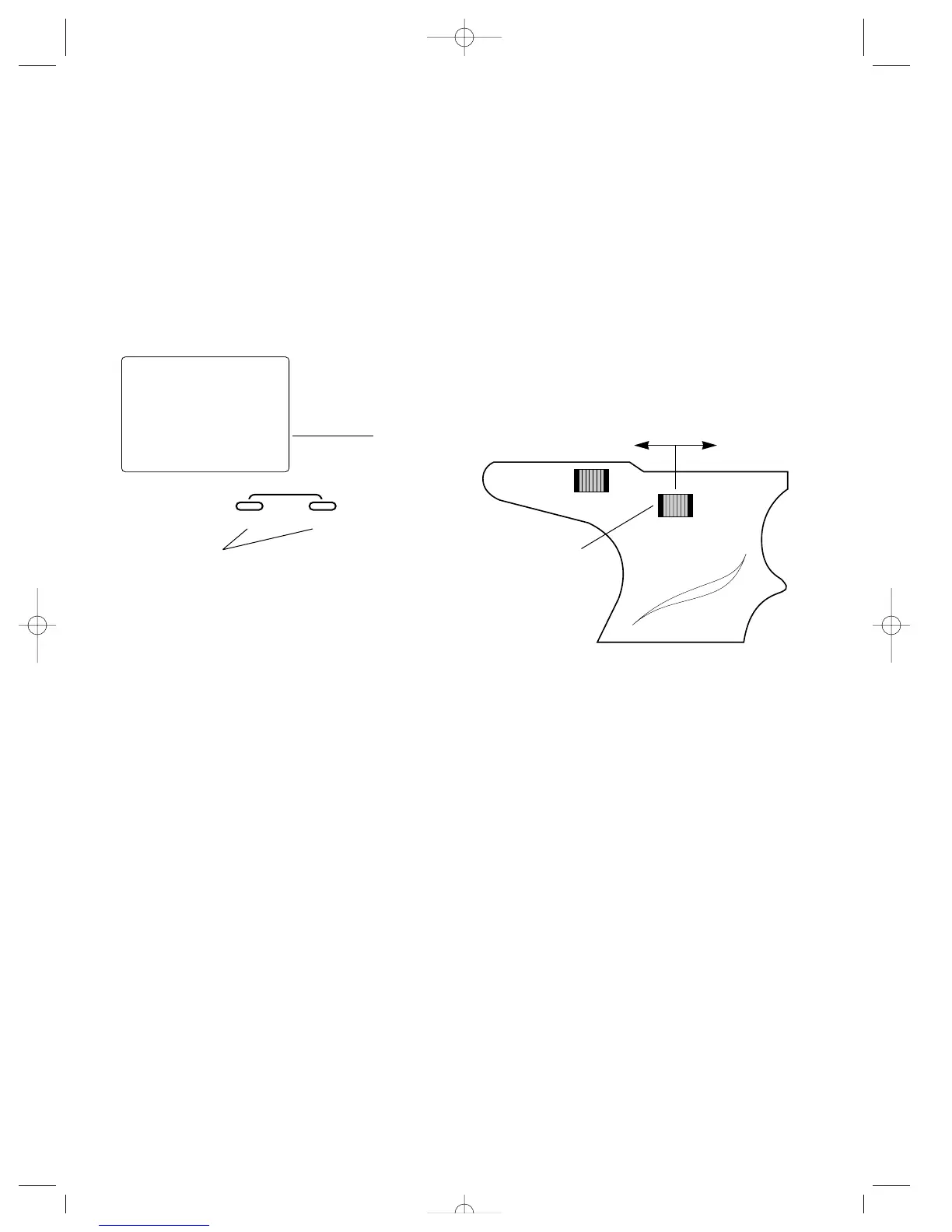
The steering dual rate adjustment, located at grip lever B,
allows the dual rate value (maximum servo travel) to be
increased or decreased within a range from 100% through
40% of the total dual rate value established in the Steering
Rate function (page 15). This function is very useful in race
conditions as it allows you to custom tailor the steering
radius and sensitivity for the current track conditions. Please
note that since the dual rate value shown in the STG screen
is the percentage of the value established in the Steering
Rate function, the value will not always increase or decrease,
or beep once for each time the grip lever B is moved.
To adjust the steering dual rate value, move the electronic
grip lever B either left (-) or right (+). As soon as the trim is
moved, the STG steering dual rate screen will appear, and
will continue to be displayed unless the grip lever B is
untouched for a period of five seconds. To reset the trim
value to the factory preset 70% setting, press the INCREASE
and DECREASE keys at the same time while the STG screen
is displayed.
stg
70
∞
D/R
Current value
INCREASE
CLEAR
+–
DECREASE
Decrease
Increase
Grip Lever B
Press the INCREASE and DECREASE keys at the same time
to reset the steering dual rate trim to the factory preset (70%)
JR XR-2 7/15/99 8:35 AM Page 20



 To Next Page