
 Need help?
Do you have a question about the JS-AZ PRIS SCALE and is the answer not in the manual?
Guidelines for optimal scale placement and operational surroundings.
Instructions for securing the scale during transit to prevent damage.
Procedure for ensuring the scale is level using its adjustable feet.
Steps to power on the scale and initial warm-up procedure.
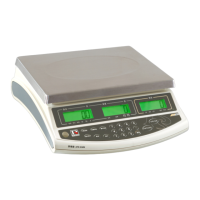
Description of the scale's main display areas and their functions.
Detailed explanation of various symbols displayed on the scale interface.
Detailed descriptions of each key and its operational purpose.
Details on the scale's output ports for PC, printer, and control signals.
Location of the output and remote platform connectors on the scale housing.
Diagrams and pin assignments for remote platform and RS232 connectors.
Procedure for powering the scale on and off using the main switch.
Instructions for switching between local and remote platforms.
Method to reset the scale to zero, compensating for minor drifts.
Steps for determining unit weight by sampling items.
Procedure for manually entering a known unit weight for counting.
Storing and recalling unit weights in memory cells.
Steps to tare the scale, either with an unknown or known container weight.
How to remove or cancel a previously set tare value.
Process for accumulating total weight and quantity counts.
Method to reset all accumulated weight and quantity data.
Setting high and low limits for counting accuracy checks.
Configuring high and low limits for weight verification.
Resetting the previously set high and low limits to zero.
Explanation of backlight colors based on check-weight/count status.
How to manually control the backlight on/off and its behavior.
Setting the duration before the scale automatically powers off.
Procedure to select the weighing unit (e.g., kg, g, lb).
Selecting between automatic and manual backlight modes.
Description of how the automatic backlight feature operates.
Details on manual backlight operation and its persistence.
Enabling or disabling the recomputing of unit weight for accuracy.
Configuring how data is transmitted from the scale.
Setting the communication speed for data transmission.
Configuring the format for printed labels when connected to a printer.
Defining how alarms are triggered based on weight or count.
Setting the tolerance for automatic zero adjustment.
Configuring the range for zero display indication.
Adjusting the criteria for determining display stability.
Setting the range for the scale to return to zero.
Step-by-step guide for calibrating the scale using known weights.
Details on AC and DC power sources for the scale.
Information on using and charging the scale's internal battery.
Specifications for RS-232 communication, including baud rate and data bits.
How data is formatted and transmitted via RS-232 during accumulation.
List of variables and their specifications used in scale data transmission.
Explanation of error messages, their possible causes, and solutions.
Comprehensive list of the scale's technical capabilities and parameters.

 To Next Page
 General