9
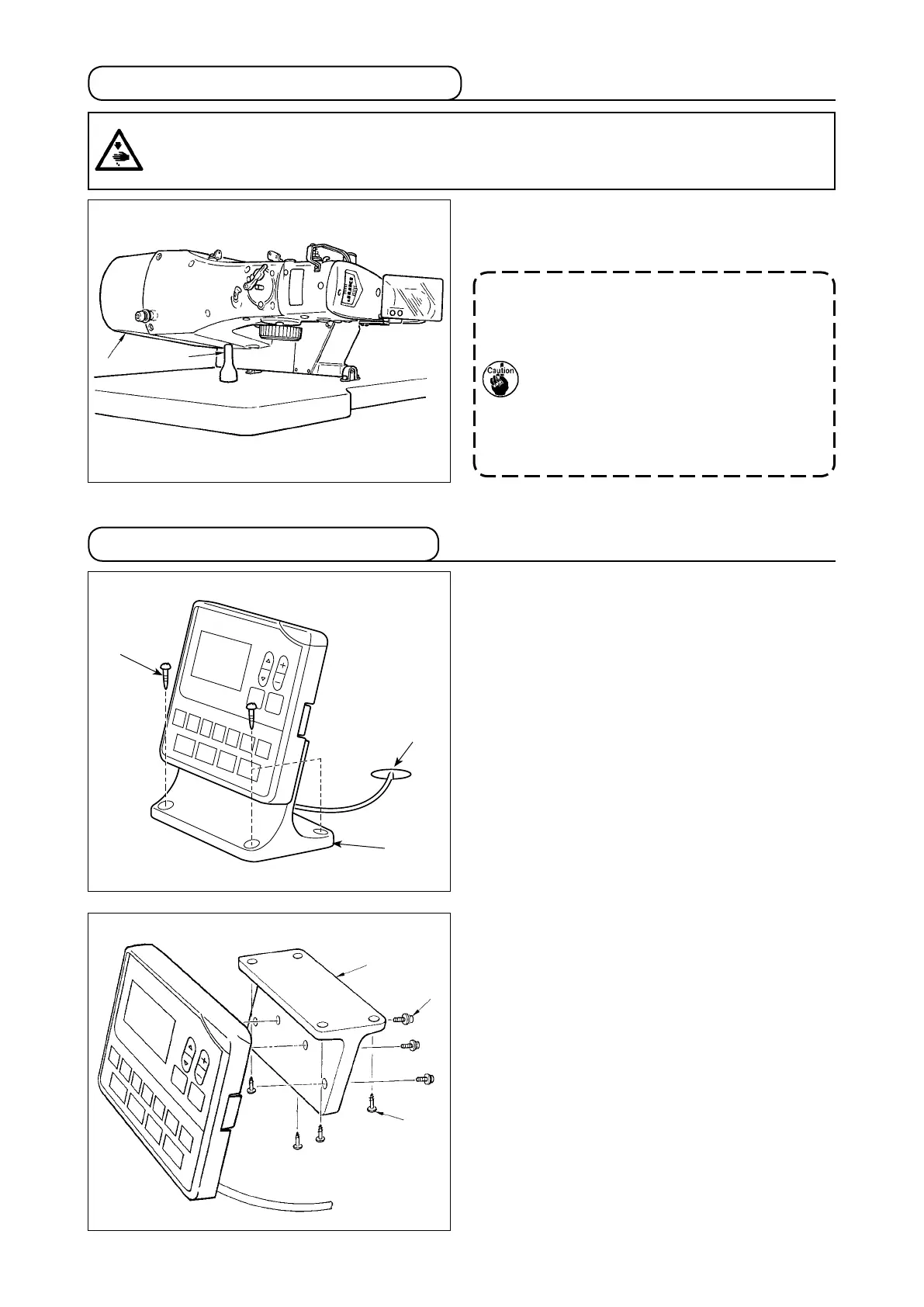
3-11. Installing the operation panel
When tilting the sewing machine head, tilt the head
gently until it comes in contact with head support rod
.
1. Before tilting the sewing machine head,
make sure that head support rod
is
attached to the machine table.
2. When raising the sewing machine head,
do not raise it while holding motor cov-
er
. It will be the cause of breakage of
motor cover
.
3.
Be sure to tilt the sewing machine head
on a at place to prevent it from falling.
3-10. Tilting the sewing machine head
WARNING :
Tilt/raise the sewing machine head with both hands taking care not to allow your ngers to be caught
in the head. Turn OFF the power before starting the work so as to prevent accidents caused by abrupt
start of the sewing machine.
Fix operation panel mounting plate
on the table
with four wood screws
. Then, pass the cable
through hole
in the table.
In the case of installing the operation panel on the
undersurface of the table, install the operation panel
on panel mounting plate
by tightening screws
in four mounting holes. Then, x the panel mounting
plate at a desired position on the undersurface of the
table with four wood screws
.



 To Next Page
 Loading...






