– 107 –
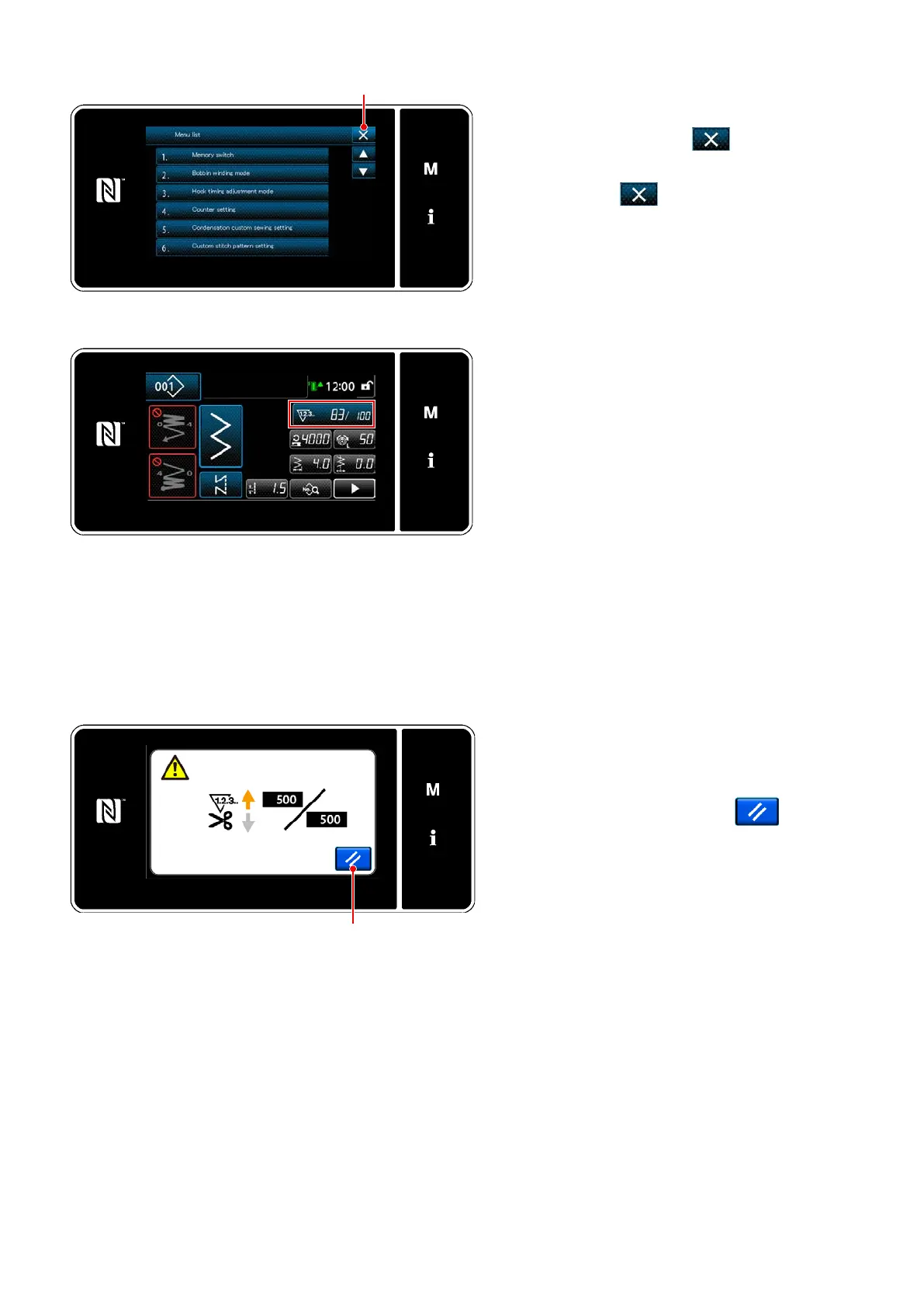
<Count-completion screen>
5-5-4. How to reset the count-completion state
When the predetermined conditions are satised
during sewing, the count-completion screen is
displayed.
The counter is reset by pressing
.
Then, the mode is returned to the sewing mode.
In this mode, the counter starts counting again.
<Mode screen>
Conrming the data entered
Conrm the data on counter setting items you
have entered. Then, press
to return the
screen to the mode screen.
When you press
again, the screen is
returned to the sewing screen.
<Sewing screen (counter)>
The data on the counter function entered is dis-
played.


 To Next Page
 Loading...